
Publisher disclosure: this comparison is written by WhatFlow. Competitor capabilities are based on the linked public documentation; the WhatFlow screenshots come from our demo store. Examples are illustrative, and results depend on your store and configuration.
WhatsApp with WhatFlow and Telegram at a glance
| Consideration | WhatsApp with WhatFlow | Telegram |
|---|---|---|
| Best-fit experience | Private order conversations with customers who already use WhatsApp: confirmations, delivery, returns and repeat purchases in one thread. | Communities and broadcast channels for audiences already organised on Telegram. |
| Costs to include | WhatFlow plan (Free, then from $4.99/month) plus Meta's per-message charge. No bot to build, no seat fees. | Bot development and hosting, a Shopify integration, and a tool for staff to answer messages. |
| Shopify workflow | Templates mapped to Shopify orders, Shopify Flow triggers and actions, COD tagging and a shared inbox, installed from the Shopify App Store. | Whatever your developer builds on the Bot API. |
| Starting point | Free plan with every feature and a free-forever theme-matched WhatsApp button. | Keep a Telegram channel if your community already lives there. |
| Who can start the conversation | The customer, or your store with an approved template to opted-in customers. | Only the customer. Telegram says bots can't start conversations with users. |
For Shopify stores selling where customers use WhatsApp, WhatsApp is the right channel for orders and support. Telegram is a capable app, and a good home for communities that already gather there. But for order follow-up it has a hard limit: Telegram bots can't message customers first. WhatsApp can, with opt-in and approved templates, and WhatFlow connects it to Shopify orders, Flow and a team inbox without any bot to build.
WhatsApp vs Telegram at a glance
WhatsApp (via WhatFlow) | Telegram | |
|---|---|---|
Best for | Private order conversations | Communities and channels |
Can the business message first? | Yes, approved templates to opted-in customers | No, bots can't start conversations |
Shopify setup | Install a Shopify app | Build a bot and integration |
Team inbox | Shared, no seat fees | Build or buy separately |
Business identity | Business name and logo, verified badge if you qualify | Bot or channel name |
Shopify Flow | Native triggers and actions | Custom |
Why does "who messages first" matter so much?
Telegram's own bot documentation says bots can't start conversations with users. The customer has to message the bot or add it to a group first. So a buyer who checked out on your Shopify store and never opened your bot can't get a Telegram shipping update from you.
On WhatsApp, a customer who opted in at checkout gets this the moment the order is placed:
Hi Dina, we've received your order #6619 (Ceramic Pour-Over Set, cash on delivery). Tap to confirm and we'll ship tomorrow. [Confirm] [Cancel]
With WhatFlow, the tap tags the order in Shopify through Flow. The shipping update, her "can I change the colour?" and next month's reorder all land in the same thread. That's the core mechanic: one thread per customer that your store can restart when the order needs it.
Do I need to build anything?
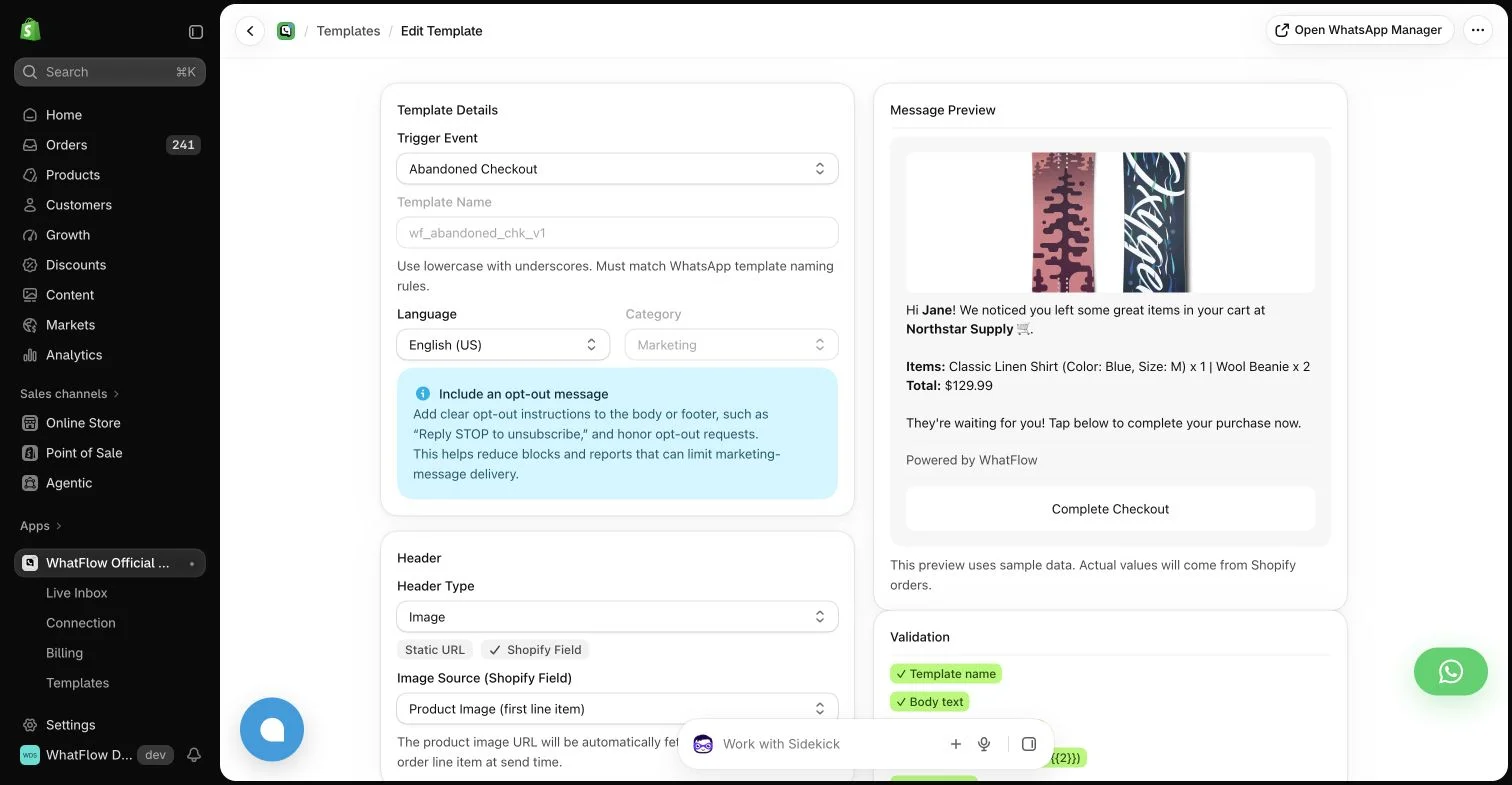
Not with WhatFlow. Telegram's Bot API is open and flexible, which is great if you have a developer and time. You'd build the bot, host it, connect Shopify events, and give your staff somewhere to answer. With WhatFlow you install a Shopify app, connect your number through Meta Embedded Signup on the official Meta Cloud API, and you get:
- Templates mapped to Shopify order fields, with an editor
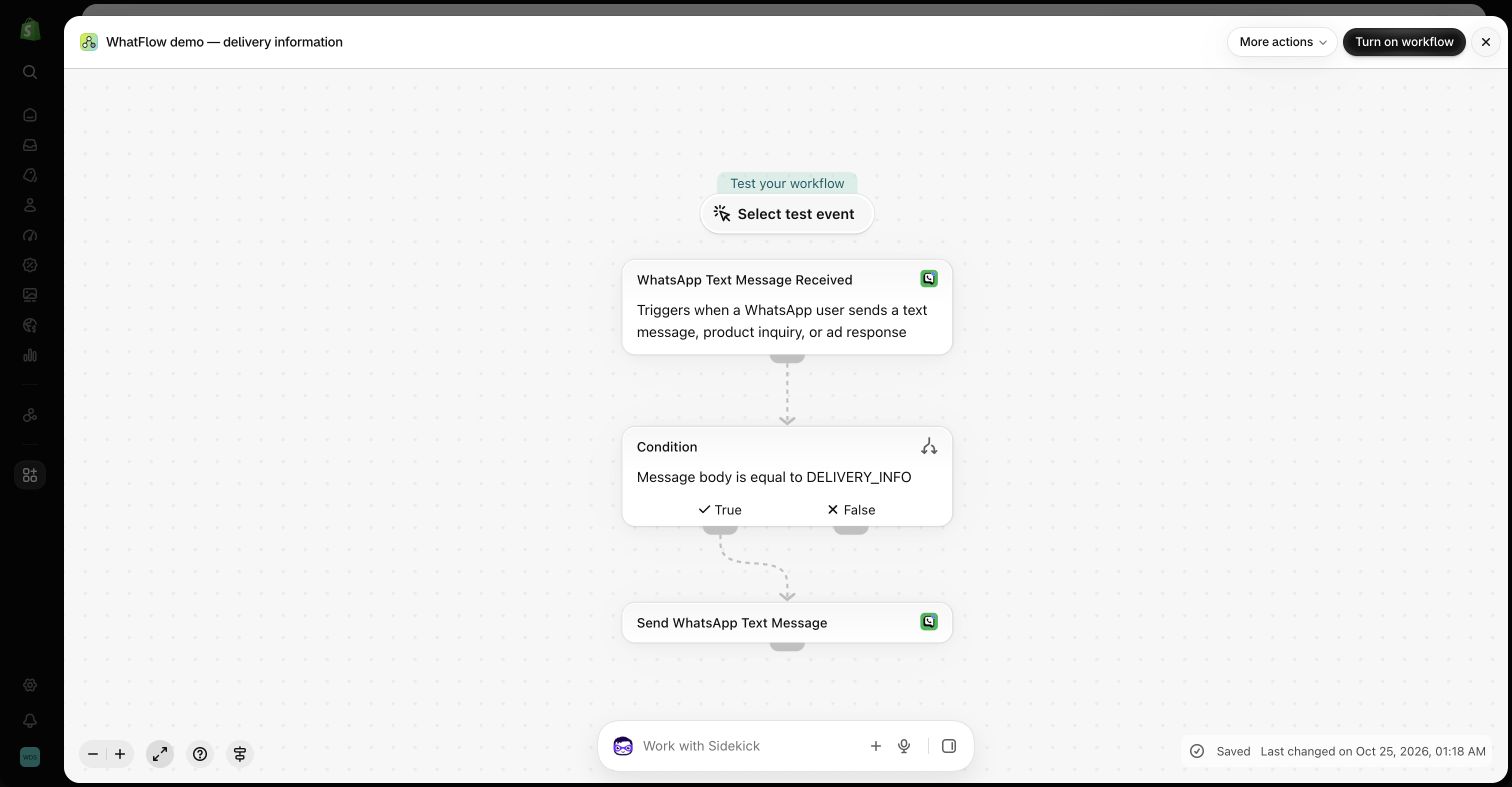
- Shopify Flow triggers (incoming messages, order replies) and actions (template, text, media)
- COD confirmation, cart recovery, shipping updates and review requests
- A shared inbox with assignment, filters and saved replies, no seat fees
- Live catalog sharing (guide)
See the WhatFlow + Shopify Flow automation guide for what you can build without code.
Where does Telegram fit?
If your community already lives on Telegram (collectors, a hobby niche, a fan base in a market where Telegram is popular), a Telegram channel is a fine place for drops and announcements. Keep it. Just run the private order relationship on WhatsApp. If you want a WhatsApp-native broadcast option too, see WhatsApp Channels for brands.
How do the costs compare?
Telegram's cost is mostly development and maintenance. WhatsApp's is per message: Meta charges per delivered message by category and country (Meta's pricing docs), and WhatFlow's app fee sits on top with every feature on every plan.
As of November 2026: Free ($0, 100 messages a month), Starter ($4.99, 2,000), Plus ($9.99, 5,000), Growth ($29, 20,000), Scale ($49.99, 40,000), Ultimate ($99, 75,000). Say you send 1,200 order and shipping messages a month: Starter at $4.99 on the app side, team included. That's less than an hour of a developer's time. Current amounts are on the pricing page.
Business-initiated WhatsApp messages need opt-in, and outside the 24-hour customer service window they must use an approved template (WhatsApp Business policy). Here's how to collect opt-ins on Shopify.
The bottom line
Telegram suits communities. WhatsApp suits customers. For Shopify stores selling where customers use WhatsApp, run orders and support on WhatsApp with WhatFlow (official Meta Cloud API, Free plan, every feature, no seat fees, rated 5.0/5 from 55 ratings on the Shopify App Store as of November 5, 2026), and keep Telegram for the community if you have one.
Questions worth asking
Is WhatsApp better than Telegram for Shopify stores?
For stores selling where customers use WhatsApp, yes. WhatsApp lets you send opted-in order updates and COD confirmations with approved templates, and WhatFlow connects them to Shopify Flow and a team inbox. Telegram is better suited to community channels for audiences already there.
Can a Telegram bot message customers first?
No. Telegram's bot documentation says bots can't start conversations with users; the user has to message the bot or add it to a group first. That makes Telegram hard to use for proactive order updates.
Does the free WhatFlow plan restrict features?
No. WhatFlow includes every feature on every plan, including Free. Plans differ only by message allowance and rates, and the team inbox has no seat fees.
Are WhatsApp charges included in WhatFlow's price?
No. WhatFlow's plan is the app fee. Meta charges separately per delivered WhatsApp message by category and country.
Sources and methodology
We checked these primary sources on November 5, 2026. Vendor pages describe advertised capabilities, rather than independent performance tests. Confirm current pricing, plan limits and availability with each provider.
- WhatFlow WhatsApp Business API on the Shopify App Store
WhatFlow's listing, plans and Shopify integrations; rated 5.0/5 from 55 ratings as of November 5, 2026.
- WhatsApp Business Platform pricing
Meta's per-message WhatsApp charges by category and recipient country.
- Telegram Bots: an introduction for developers
States that bots can't start conversations with users; users must message the bot or add it to a group first (checked November 2026).
- WhatsApp Business Messaging Policy
Opt-in, opt-out and template rules for business-initiated WhatsApp messages.