
Publisher disclosure: this comparison is written by WhatFlow. Competitor capabilities are based on the linked public documentation; the WhatFlow screenshots come from our demo store. Examples are illustrative, and results depend on your store and configuration.
WhatFlow and Whatomation at a glance
| Consideration | WhatFlow | Whatomation |
|---|---|---|
| Best fit | WhatsApp order automation and a shared inbox inside Shopify. | Whatomation covers order status notifications, COD reply tagging and checkout reminders. Its Shopify listing shows both a Meta shared-number option and plans that can connect your own device or number. |
| Published pricing | Free app plan with 100 sends included. Starter $4.99/month with 2,000 sends. Overage and applicable Meta charges are separate. | Free lists 50 messages. Basic is $3/month and lists the official WABA API with a default shared number and no template customization. Pro is $5/month with a listed 2,500-message allowance and a connect-your-own-device option. Treat the sender and connection as separate checks from the allowance. |
| Decision | I’d use WhatFlow Business API for branded order messaging if the store wants its own official Cloud API connection, templates and a team inbox on the same plan. That’s a more useful comparison than lining up the cheapest tiers by price. | Whatomation may fit a notification-only rollout if its shared or own-device option matches your needs. A QR setup on its own does not tell you which connection is in use on a given plan. |
I’d use WhatFlow Business API for branded order messaging if the store wants its own official Cloud API connection, templates and a team inbox on the same plan. That’s a more useful comparison than lining up the cheapest tiers by price.
What does Whatomation do well?
Whatomation covers order status notifications, COD reply tagging and checkout reminders. Its Shopify listing shows both a Meta shared-number option and plans that can connect your own device or number. See the Shopify listing.
What does the setup cost?
Free lists 50 messages. Basic is $3/month and lists the official WABA API with a default shared number and no template customization. Pro is $5/month with a listed 2,500-message allowance and a connect-your-own-device option. Treat the sender and connection as separate checks from the allowance.
The $3 and $5 Whatomation plans list different sender options. Don’t price 2,000 sends against the $5 allowance until you’ve confirmed what number and connection you’ll be using. WhatFlow Starter includes 2,000 app sends; applicable Meta charges are a separate line. Check current WhatFlow pricing for allowances and overage rates.
How would I test it in a Shopify store?
A customer receives a shipping update and replies that the courier is calling the wrong number. Before switching, test how the sender appears and where the reply lands. Check that your agent can confirm the right order and log the correction before passing it to dispatch.
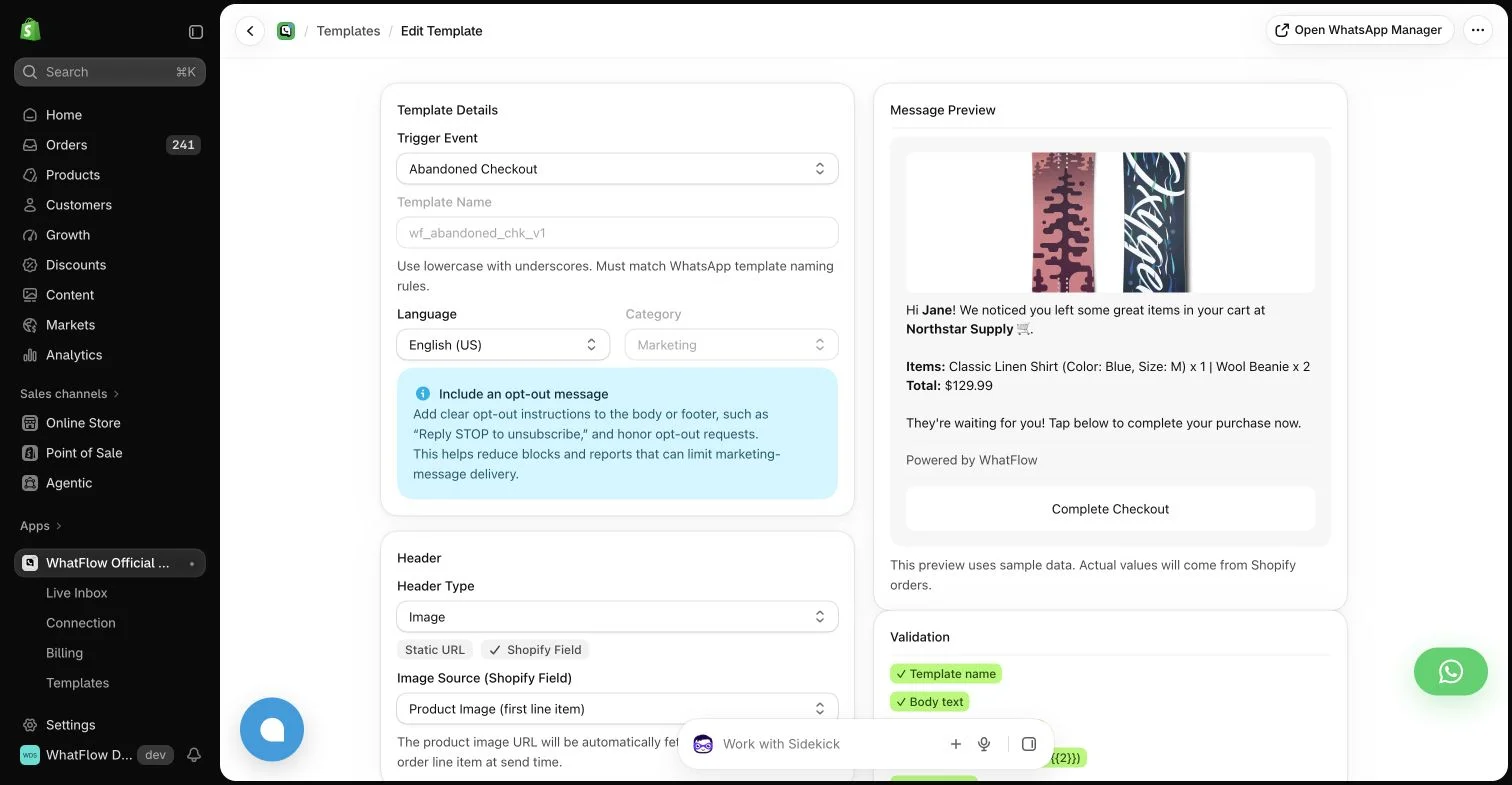
Ask who controls the number, which plan lets you edit templates and how replies are assigned. Then price the usage on that specific sender setup.
When testing WhatFlow and Whatomation, ask: Can one team manage messages, order context, and catalog sales? Use the campaign, team inbox and catalog checkout walkthroughs to evaluate the broader WhatFlow Business API workflow alongside recovery and notifications.
Which one would I choose?
Whatomation may fit a notification-only rollout if its shared or own-device option matches your needs. A QR setup on its own does not tell you which connection is in use on a given plan.
For WhatFlow in this comparison, I mean the official Cloud API app. I’d pilot it on Free with the shared inbox and the Shopify Flow actions you expect to use. Once the customer journey works, size the messaging plan from the sends you actually expect.
Questions worth asking
How much does Whatomation cost on Shopify?
Free lists 50 messages. Basic is $3/month and lists the official WABA API with a default shared number and no template customization. Pro is $5/month with a listed 2,500-message allowance and a connect-your-own-device option. Treat the sender and connection as separate checks from the allowance.
When should I choose Whatomation over WhatFlow?
Whatomation may fit a notification-only rollout if its shared or own-device option matches your needs. A QR setup on its own does not tell you which connection is in use on a given plan.
What should I test before switching from Whatomation?
Ask who controls the number, which plan lets you edit templates and how replies are assigned. Then price the usage on that specific sender setup.
Sources and methodology
We checked these primary sources on November 8, 2026. Vendor pages describe advertised capabilities, rather than independent performance tests. Confirm current pricing, plan limits and availability with each provider.
- Whatomation on the Shopify App Store
Listing, feature descriptions and USD pricing checked November 8, 2026.
- WhatFlow WhatsApp Business API on Shopify
Official API, listed capabilities and Shopify app pricing.
- WhatFlow plans and messaging charges
App allowance and overage pricing; Meta charges are separate.