
Publisher disclosure: this comparison is written by WhatFlow. Competitor capabilities are based on the linked public documentation; the WhatFlow screenshots come from our demo store. Examples are illustrative, and results depend on your store and configuration.
WhatFlow and Klaviyo at a glance
| Consideration | WhatFlow | Klaviyo |
|---|---|---|
| What the product is built around | WhatsApp for Shopify on the official Meta Cloud API: order and COD templates, Shopify Flow triggers and actions, catalog sharing and an enterprise-ready team inbox. | A customer data and marketing platform that now includes WhatsApp alongside email and SMS, built around profiles, segments and lifecycle flows. |
| Pricing and billing units | Free plan; paid plans from $4.99/month by messages sent. Meta fees separate. | Depends on the products, audience size and usage you choose; get a quote that includes WhatsApp for your countries. |
| Feature access | Every feature on every plan, including Free. | Marketing, utility and service WhatsApp messages; service conversations are described through its Gorgias integration. |
| Team access | Built-in team inbox with no seat fees at any team size. | Reply handling depends on the connected service tool; check that tool's user terms. |
| Storefront entry point | Free-forever WhatsApp buttons that match your Shopify theme. | Strong signup forms for collecting subscribers; check WhatsApp opt-in options for your account. |
| COD confirmation | Reply buttons that tag or cancel the Shopify order through Flow, on every plan. | Ask Klaviyo how COD confirmation would work in your setup. |
| Shopify App Store rating | 5.0 out of 5 from 55 ratings for WhatFlow WhatsApp Business API (November 5, 2026). | 4.7 out of 5 from 3,430 reviews for Klaviyo's Shopify app (November 5, 2026). |
For WhatsApp on a Shopify store, WhatFlow is the better choice than Klaviyo, and the two work well side by side. WhatFlow runs on the official Meta Cloud API with order and COD templates, Shopify Flow actions on customer replies and a built-in team inbox with no seat fees, all on the Free plan. Klaviyo's WhatsApp is built for lifecycle marketing, and its service conversations run through a Gorgias integration.
WhatFlow sometimes gets pegged as a small-store, unofficial-API tool. It's neither. WhatFlow WhatsApp Business API is the official Meta Cloud API and is enterprise-ready: inbox assignment and filters, no seat fees at any team size, Shopify Flow automation, COD confirmation, catalog sharing and Shopify admin extensions. It's still the easiest start for a new store. Our linked-device Chat Automation app is a separate, older entry-level product.
WhatFlow vs Klaviyo at a glance
- Built for: WhatFlow covers WhatsApp operations and support for Shopify. Klaviyo is a marketing platform for email, SMS and now WhatsApp.
- Replies: WhatFlow has a built-in team inbox with assignment and filters. Klaviyo describes service conversations through its Gorgias integration.
- Shopify automation: WhatFlow adds triggers and actions to Shopify Flow, so a reply can tag an order.
- COD: WhatFlow's COD confirmation is on every plan.
- Pricing: WhatFlow is public, free to start, then from $4.99/month by messages sent. Klaviyo depends on products, audience and usage.
- Ratings: WhatFlow Business API is 5.0/5 from 55 ratings. Klaviyo is 4.7/5 from 3,430 reviews, mostly for its email platform (both checked November 5, 2026).
Why not just add WhatsApp inside Klaviyo?
You can, and for marketing flows it's reasonable. Klaviyo's WhatsApp page covers marketing and utility messages, segments, cart reminders and order and shipping updates.
The gap shows up when customers reply. WhatsApp is a two-way channel. Send a shipping update to 2,000 people and some will answer: "can you deliver to my office instead?", "the box arrived damaged". Someone has to answer, with the order open, quickly. WhatFlow's team inbox is built in, has no seat fees and supports assignment, filters, saved replies and catalog sharing. With Klaviyo, that part runs through a connected service tool.
How does COD and order automation compare?
WhatFlow's triggers and actions live in Shopify Flow, so a WhatsApp reply can change something in Shopify:
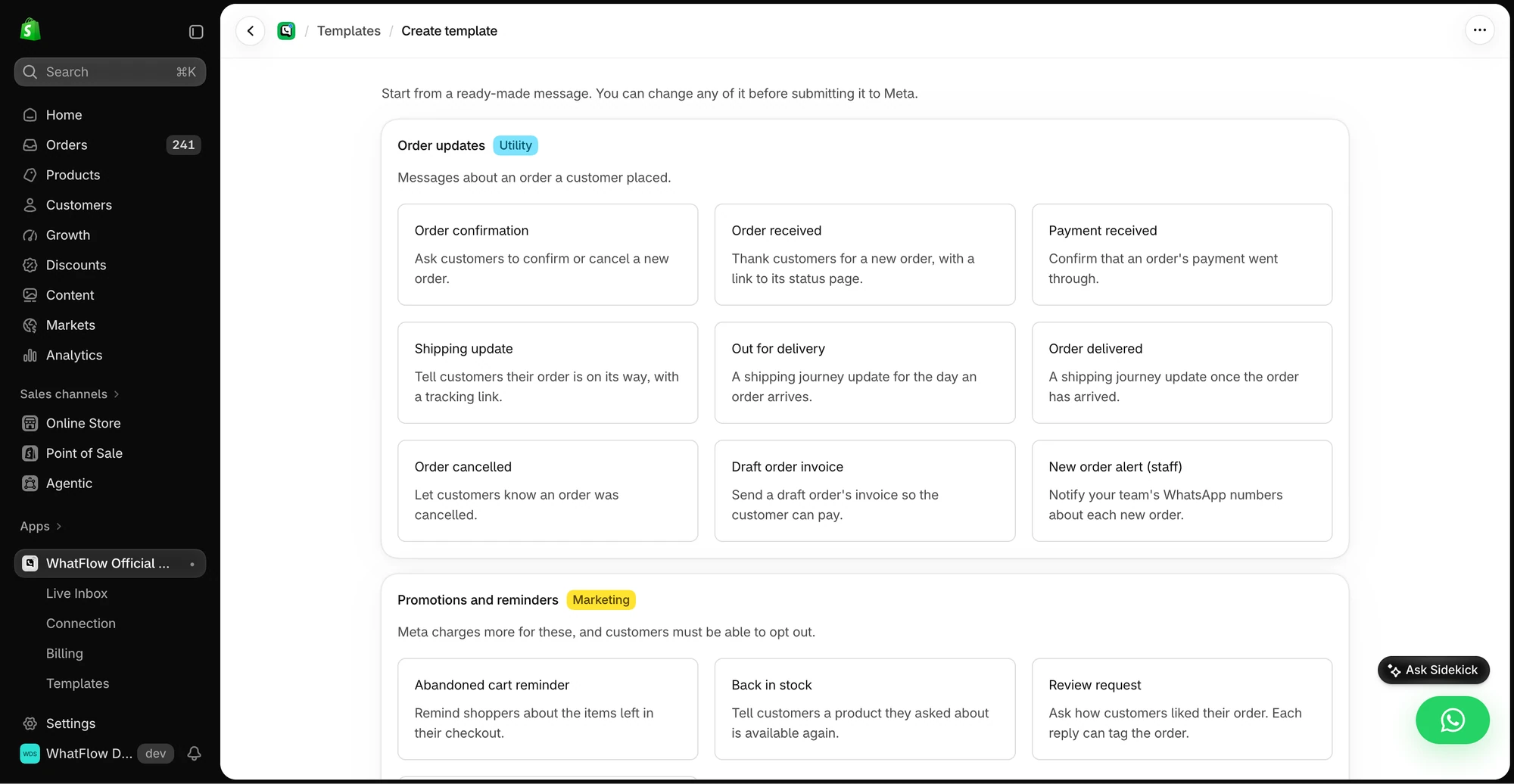
Hi Youssef, please confirm your cash-on-delivery order #5530 for MAD 640. [Confirm] [Cancel]
Confirm tags the order cod-confirmed; Cancel can cancel it or flag it for a call. Your warehouse ships only confirmed orders. In COD-heavy markets, that's a confirmation flow instead of calling every customer.
What does it cost?
Klaviyo's price depends on the products you choose, your audience size and usage, so get a quote with WhatsApp included for your countries.
WhatFlow's pricing is public and follows messages sent, with every feature on every plan: Free (100 messages), Starter at $4.99/month (2,000), Plus at $9.99 (5,000), Growth at $29 (20,000). Say you send 8,000 order, shipping and COD messages a month: that's $21.99 on Plus ($9.99 plus 3,000 extra messages at $0.004). Meta's per-message fees apply to both. See our pricing page for current amounts.
How do you run both without spamming customers?
Give each channel a job. Klaviyo owns newsletters and email flows. WhatFlow owns order, COD and shipping messages and support replies on WhatsApp. For cart recovery, pick one owner per step, for example email at one hour, WhatsApp at 24 hours. Our guide to coordinating email, SMS and WhatsApp has a full plan, and the WhatsApp vs email comparison helps decide which message goes where.
When Klaviyo might still make sense
If your WhatsApp is purely marketing (segmented campaigns built on Klaviyo profiles) and replies are rare or already handled in Gorgias, keeping it all in Klaviyo is reasonable.
The bottom line
Keep Klaviyo for email. For WhatsApp, WhatFlow is the better fit for a Shopify store: official Meta Cloud API, Shopify Flow automation, COD confirmation and a built-in team inbox with no seat fees, all on the Free plan. Install it next to Klaviyo and give each channel its job.
Questions worth asking
Should I use WhatFlow or Klaviyo for WhatsApp on Shopify?
For order updates, COD confirmation and customer replies, use WhatFlow: it has a built-in team inbox with no seat fees and native Shopify Flow actions, all on the Free plan. Many stores keep Klaviyo for email and lifecycle marketing and run WhatFlow next to it.
How does Klaviyo WhatsApp pricing compare with WhatFlow?
Klaviyo's pricing depends on the products, audience and usage you choose, so get a quote that includes WhatsApp for your countries. WhatFlow's pricing is public: Free with every feature, then from $4.99/month by messages sent. Meta's fees are separate.
Does WhatFlow charge per inbox seat?
No. WhatFlow's team inbox has no seat fees at any team size, on every plan including Free.
Are WhatFlow features restricted on the free plan?
No. Every WhatFlow feature is on the Free plan, including templates, COD confirmation, broadcasts and Shopify Flow actions. Paid plans add message allowance, and the theme-matched button is free forever.
Can I run Klaviyo and WhatFlow at the same time?
Yes. A simple split works well: Klaviyo owns email campaigns and newsletters, WhatFlow owns WhatsApp order, COD and shipping messages plus support replies. Give cart recovery one owner per step so customers aren't reminded twice.
Sources and methodology
We checked these primary sources on November 5, 2026. Vendor pages describe advertised capabilities, rather than independent performance tests. Confirm current pricing, plan limits and availability with each provider.
- Klaviyo WhatsApp product page
Klaviyo's description of WhatsApp marketing, utility and service messages and its Gorgias service integration.
- WhatFlow WhatsApp Business API on the Shopify App Store
WhatFlow plans, included sends, Shopify workflows and the 5.0/5 rating from 55 ratings (checked November 5, 2026).
- WhatsApp Business Platform pricing
Meta's per-message charges, which apply on top of either product's fees.
- Klaviyo on the Shopify App Store
Klaviyo listing rating of 4.7/5 from 3,430 reviews, checked November 5, 2026.