
Publisher disclosure: this comparison is written by WhatFlow. Competitor capabilities are based on the linked public documentation; the WhatFlow screenshots come from our demo store. Examples are illustrative, and results depend on your store and configuration.
WhatFlow and Attentive at a glance
| Consideration | WhatFlow | Attentive |
|---|---|---|
| Built for | Shopify stores of any size, from first sale to large support teams. Admin extensions, native Shopify Flow triggers and actions, COD confirmation and a team inbox on the official Meta Cloud API. | A marketing platform spanning SMS, email and newer messaging, with AI and cross-channel journeys. Usually bought as a large retention investment. |
| Pricing | Free plan, paid plans from $4.99/month (Plus is $9.99 for 5,000 sends). No seat fees. Meta's WhatsApp charges are billed separately. | Pricing is proposal-based and depends on message volume, subscriber list, selected channels and premium AI tools. No public plan price. |
| Feature access | Every feature on every plan, including Free. Plans only change message allowances and rates. | Capabilities depend on the package and channels in your proposal. |
| Team inbox | Shared WhatsApp inbox with assignment, filters and saved replies. No seat fees, so add the whole team. | Depends on the quoted package. Ask how many users and which channels are included. |
| Storefront WhatsApp button | Theme-matched WhatsApp chat buttons, free forever. | Attentive's sign-up units focus on collecting SMS and email subscribers rather than a WhatsApp chat button. |
WhatFlow vs Attentive is a question of scope. Attentive is a big SMS and email retention platform you buy through a sales proposal. WhatFlow is a WhatsApp app built for Shopify that you can install today for free. If the job is order updates, COD confirmation and answering customers on WhatsApp, WhatFlow does it with every feature on every plan and no seat fees.
When testing WhatFlow and Attentive, ask: Can your team run a test and handle the replies after the send? In WhatFlow, test a Shopify customer or segment send, then try scheduling a separate Inbox broadcast from a spreadsheet or existing conversations. The campaign walkthrough shows the test send, reply handoff and recipient report.
WhatFlow vs Attentive at a glance
WhatFlow | Attentive | |
|---|---|---|
Core channel | WhatsApp (official Meta Cloud API) | SMS and email, plus newer channels |
Pricing | Published: Free, then from $4.99/month | Proposal based on volume, subscribers, channels, AI |
Feature access | Everything on every plan | Depends on package |
Team inbox | No seat fees | Depends on package |
Time to first message | Same day | After a sales process |
WhatFlow's Business API app is rated 5.0 out of 5 from 55 ratings on the Shopify App Store, as of November 5, 2026.
Bigger team? WhatFlow scales with you. It's the official Meta WhatsApp Cloud API, with Meta-approved templates and a business profile that's eligible for Meta's verified badge, an inbox with assignment and filters and no seat fees at any team size, and automation that runs inside Shopify Flow rather than in a side tool. Enterprise-ready, without enterprise pricing, and still free to start.
How much does it cost: WhatFlow vs Attentive?
Attentive doesn't publish a plan price. Its pricing page explains that cost depends on message volume, subscriber list, channels and premium AI tools, and you get a proposal. That's normal for an enterprise platform, and it means you can't price a small WhatsApp rollout without a sales call.
WhatFlow's price is on the pricing page. Say you want WhatsApp order confirmations and shipping updates for 1,500 orders a month, with two or three messages each. That's around 4,000 sends, which fits Plus at $9.99/month. At 20,000 sends it's Growth at $29. Add Meta's per-message charges (they apply to any WhatsApp provider; see Meta's pricing) and that's the whole bill. No seats, no feature tier, no annual contract.
If you're weighing a focused tool against a big suite, small Shopify store WhatsApp vs an enterprise suite walks through the trade.
What WhatFlow gives a Shopify store on day one
- Order and shipping updates from Shopify data, in a template you write once.
- COD confirmation with Confirm and Cancel buttons that tag or cancel the Shopify order through Flow.
- Abandoned checkout recovery with the customer's cart and link.
- Native Shopify Flow triggers and actions, so a reply can route an order, tag a customer or send a follow-up. Shopify Sidekick can even help you draft the Flow.
- Live catalog sharing from the inbox.
- Free theme-matched WhatsApp buttons so shoppers can start the chat.
Here's a shipping-delay update that customers can actually reply to:
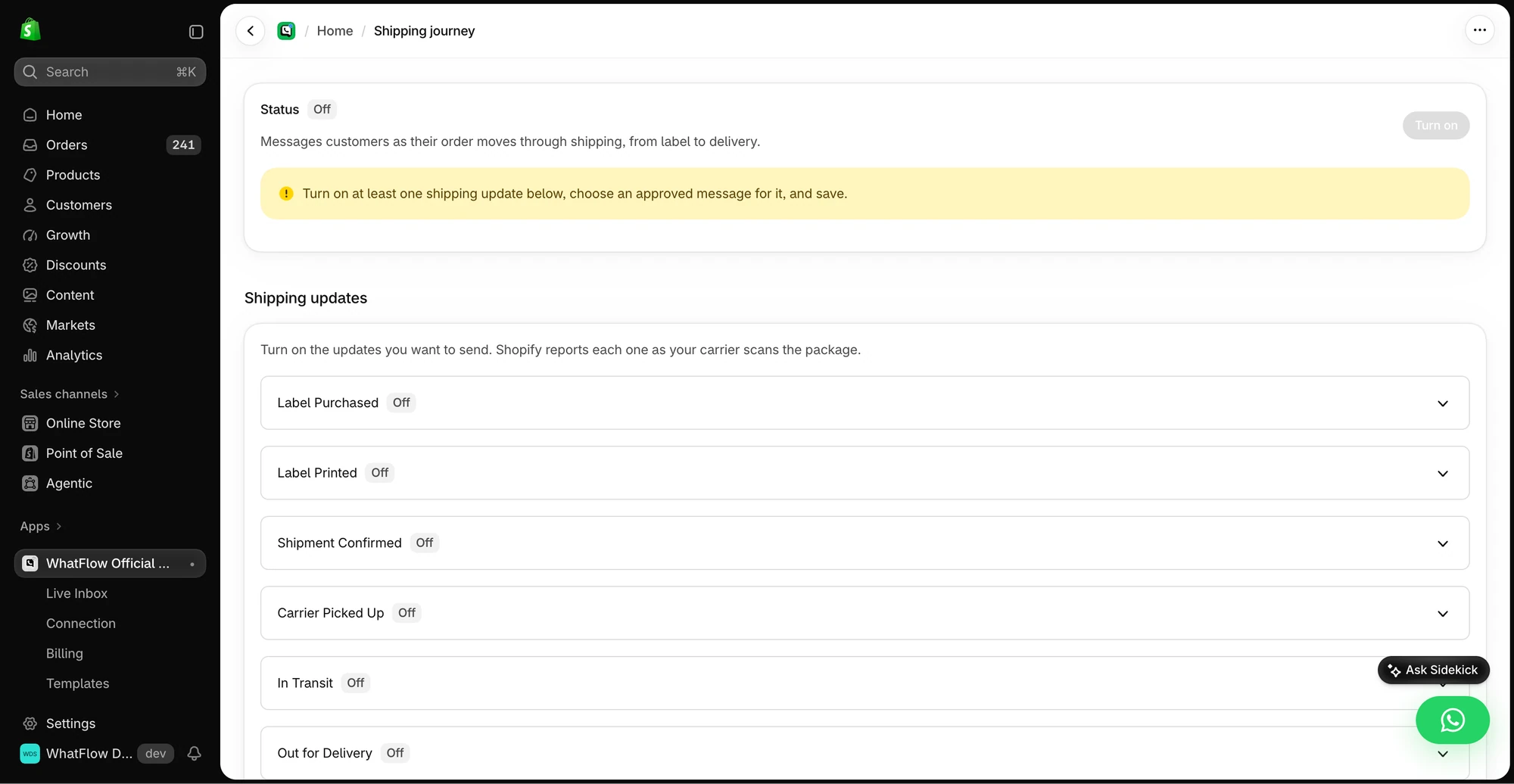
Hi Marco, quick heads-up: your order #2291 is delayed by about 2 days because of a carrier backlog. It's packed and ready. Reply here if you'd rather swap to express or need it somewhere else.
More on that in handling shipping delays on WhatsApp.
Who handles the replies?
WhatsApp messages get answered. That's the point. WhatFlow's shared team inbox has no seat fees, so support, fulfilment and the founder can all be in it. Assign conversations, filter by status, and keep saved replies for common questions. Adding a seasonal helper in November doesn't change your bill.
Moving your WhatsApp work to WhatFlow: a short checklist
- Keep Attentive running for whatever it already does well while you set up.
- Install WhatFlow and connect your WhatsApp number with Meta's Embedded Signup from Shopify admin.
- Rebuild your most-used WhatsApp message as a template in the WhatFlow editor, mapped to Shopify order fields.
- Add one Shopify Flow workflow, for example tagging an order when the customer taps Confirm.
- Add your team to the inbox (no seat fees) and load five saved replies for your most common questions.
- Once the first workflow runs cleanly for a week, move the next one.
Start with the message that costs you the most time today. For most COD stores, that's order confirmation.
When Attentive might still make sense
Pick Attentive only if you specifically want a managed SMS and email retention program with its AI tools, you have a team to run it, and you're ready for a proposal-based contract. Plenty of stores that use Attentive for SMS still run WhatsApp through WhatFlow, because WhatsApp order conversations are a separate job.
The bottom line
You don't need an enterprise retention platform to start WhatsApp on Shopify. WhatFlow gets you templates, COD confirmation, Shopify Flow and a no-seat-fee inbox on the Free plan, with paid plans from $4.99. Install it, connect your number through Meta's Embedded Signup, and send your first order update this week. If you also run SMS, read how to coordinate email, SMS and WhatsApp so customers don't get the same news three times.
Questions worth asking
Is WhatFlow a cheaper alternative to Attentive for WhatsApp?
For WhatsApp on Shopify, yes. WhatFlow has a Free plan with every feature, paid plans from $4.99/month and no seat fees, while Attentive's pricing is quoted per proposal based on volume, subscribers, channels and AI tools.
How is Attentive priced?
Attentive's pricing page says cost depends on message volume, subscriber list size, selected channels and premium AI tools, so you'll need a proposal. WhatFlow publishes its plans: Free, Starter $4.99, Plus $9.99, Growth $29 and up, with Meta's WhatsApp charges billed separately.
Does WhatFlow charge per inbox seat?
No. WhatFlow's team inbox has no seat fees, so your support, sales and fulfilment people can all answer WhatsApp without the bill changing. You pay for a message plan, and Meta bills its WhatsApp charges separately, as it would with Attentive.
Is the WhatFlow Free plan limited?
No features are held back. The Free plan includes templates, Shopify Flow triggers and actions, COD confirmation, catalog sharing and the team inbox. Paid plans from $4.99/month only add message allowance at lower rates, and the theme-matched WhatsApp button is free forever.
Sources and methodology
We checked these primary sources on November 5, 2026. Vendor pages describe advertised capabilities, rather than independent performance tests. Confirm current pricing, plan limits and availability with each provider.
- Attentive: official product and commercial information
Attentive's pricing page, checked November 2026: pricing set by proposal based on message volume, subscribers, channels and premium AI tools.
- WhatFlow WhatsApp Business API on the Shopify App Store
WhatFlow's plans (Free, and paid from $4.99/month), included sends, Shopify Flow and admin features, and its 5.0/5 rating from 55 ratings, checked November 5, 2026.
- WhatsApp Business Platform pricing
Meta's per-message WhatsApp pricing by country and template category, billed separately from any app or platform fee.