
Before your team shares a WhatsApp catalog with Shopify customers, test one small collection end to end: compare every product card with the live Shopify page, check variants, sale prices and sold-out items, confirm Meta has approved the items, and send a sample cart through to Shopify checkout. Then name the person who re-syncs the catalog whenever prices or stock change.
The catalog itself isn't hard to set up. What goes wrong is the gap between what the customer sees in chat and what Shopify charges at checkout. A card showing last week's price is a promise your agent now has to walk back.
This is the pre-launch checklist. For how to actually use the catalog in conversations (one product, a list, a carousel or the whole catalog), read our WhatsApp catalog support guide.
What does Meta check before items appear?
A WhatsApp catalog is a set of products uploaded to Meta and connected to your WhatsApp business account. Meta's catalogs overview says WhatsApp automatically reviews items added to a connected catalog. Flagged items point you to Meta's Commerce Policies, and you can appeal a disapproved item in Commerce Manager.
WhatsApp's Business Messaging Policy also says businesses using catalogs must follow the Meta Commerce Policy, and that you're responsible for your own transactions, taxes and fees. If you sell anything in a grey area (supplements, some cosmetics, adult products), read the Commerce Policy before you sync, not after.
Practical consequence: a product can sync fine and still not show properly until it's reviewed. Don't promise a customer a card you haven't seen on your own phone.
Start with one collection
Say you sell bags and accessories, about 180 products. Don't sync all of them on day one. Pick one collection your team knows inside out, say the 12 straps, and test that.
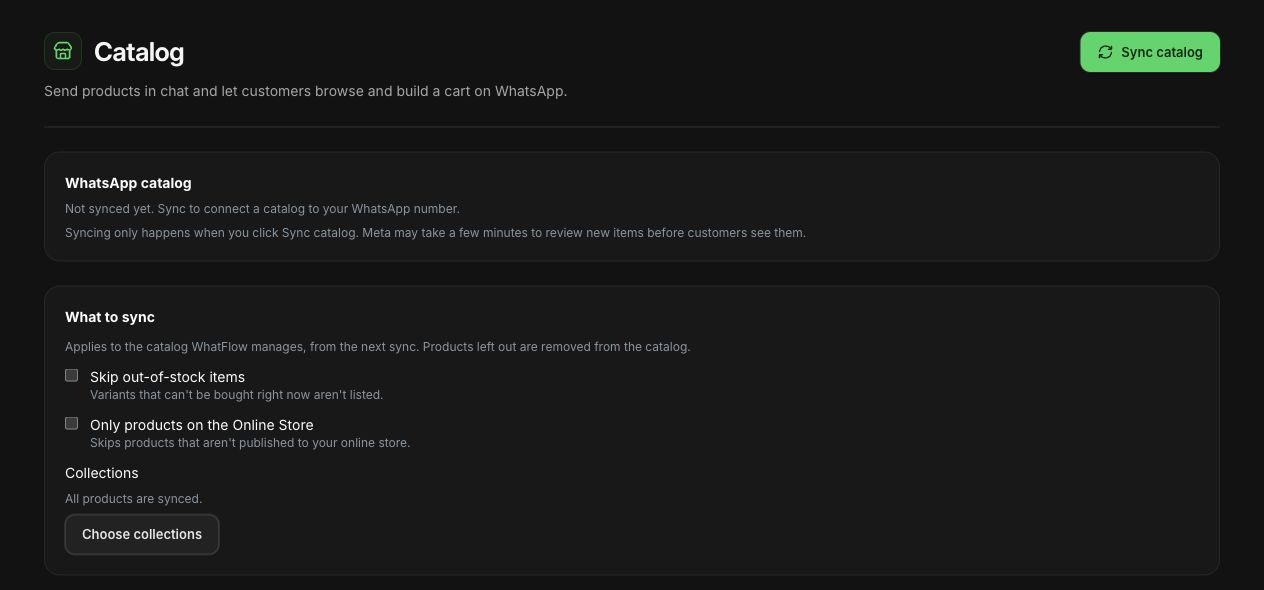
In WhatFlow, open Catalog in the Inbox. A WhatFlow-managed catalog copies active Shopify products with one catalog item per variant. The settings let you choose the collection scope and skip out-of-stock items, and sync only happens when you press Sync catalog. Excluded items are removed on the next sync, so check the scope before you press it.