To sell Shopify bundles and quantity breaks through WhatsApp, test exactly how your deal counts items, save one reply per deal that states the rule and the tested link, and send shoppers to the page where they build the pack. Most bundle chats are one question: “Do these count together?” Answer it with a yes or no, the rule, and a link that shows the price before payment.
“Can I get two medium tees and one large and still get the three-pack price?” A link to your bestseller doesn't answer that. A tested reply does.
Which kind of Shopify bundle are you actually selling?
Before anyone replies, the team needs to know which mechanism sits behind the offer, because each one counts items differently.
Offer type
How it counts
What to send on WhatsApp
Quantity break
A number of eligible items, often across variants
Collection or product page plus the minimum quantity
Qualifying items plus a reward item the shopper adds
The qualifying product page, and say the reward must be added
As of November 2026, Shopify's bundles documentation says the free Shopify Bundles app handles fixed bundles and multipacks but not mix-and-match. So if you advertise “build your own three-pack”, that's running on a third-party bundle app or a discount rule, and you test that setup, not Shopify's.
Two more details from the same page change what agents can promise. The component with the lowest stock decides how many bundles can sell, and bundles aren't compatible with subscriptions or other purchase options. If a shopper asks to subscribe to a bundle, the honest answer is usually no.
How do you test a quantity break before you promote it?
Spend fifteen minutes on a phone, signed out, in the market you'll message:
Add three of one variant. Check the price drops.
Empty the cart. Add three different eligible variants. Check again.
Remove one item. The discount should disappear.
Add a product that shouldn't qualify. It shouldn't count.
Apply your usual welcome code on top. Shopify's combination rules mean a code that can't combine just won't stack, and the best discount for the cart wins.
If a bundle app changes line prices, remember Shopify's automatic discounts page says automatic discounts calculate from those changed prices, not the original ones.
Write down what you saw. That note becomes your saved reply.
A worked example: the three-tee pack
Say you sell plain tees at $18 each, with a quantity break of three for $45. Your bundle app applies it to any size and colour in the Basics collection.
Three single tees: $54
Three-pack price: $45, a $9 saving
Four tees: the rule gives three at $45 plus one at $18, so $63, unless you've set a second tier
The fourth-tee case is where chats go wrong. A shopper adds four, expects $60 and sees $63. If your agent knows the tiers, the reply takes ten seconds. If not, it takes a screenshot exchange and a lost evening.
Save replies your team can finish in one message
Put the minimum quantity, eligible items and link into a canned response in the WhatFlow team inbox. Agents confirm the requested variants, then insert it.
Yes, those sizes count together. Any three tees from Basics are $45. Pick them on this page and you'll see the three-pack price in your cart before you pay: [link]. If the cart shows a different total, send me a screenshot of the totals (hide your address) and I'll check it.
For a four-item question:
Good question. The deal is three for $45, and any extra tee is $18, so four comes to $63. If you'd rather have six, that's two packs at $90.
For a fixed bundle where the shopper wants to swap a piece:
That set has a fixed line-up, so I can't swap the cap for a second tee inside the bundle. You can buy the set and add a tee separately, or pick any three from Basics for the three-pack price.
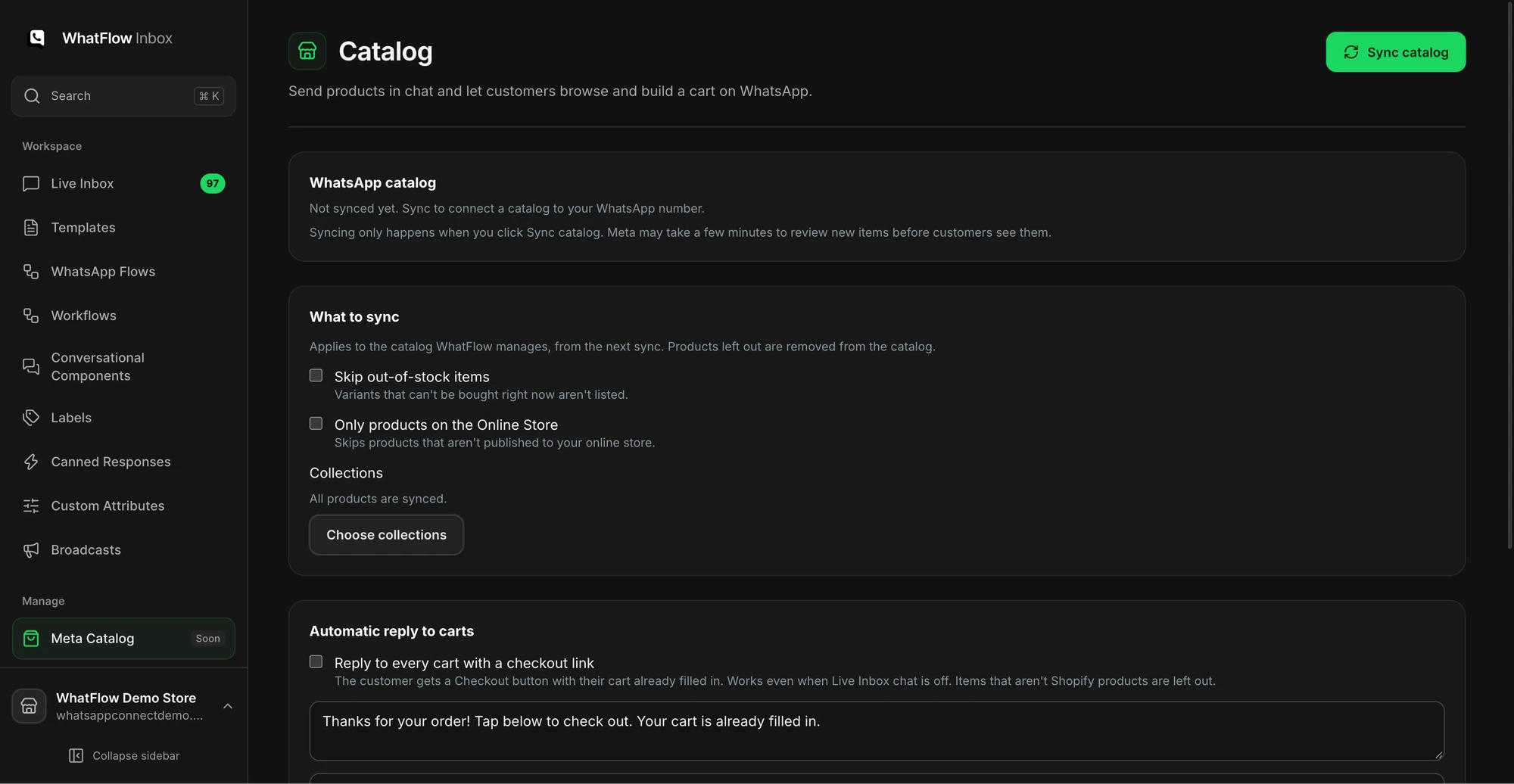
If you've synced a catalog, agents can share the individual options right in the chat so the shopper sees colours before clicking through. The catalog setup guide covers what you can share from the inbox.
Choose which collection to sync for sharing products in chat. The bundle rules are configured in Shopify or your bundle app.
Product page link or cart link?
Send the product or builder page whenever the shopper still has choices to make. That's most bundle chats.
A Shopify cart permalink lists variant IDs and quantities and goes to checkout by default (add storefront=true to open the cart page instead). It's handy when the shopper has told you exactly what they want: “two black M and one white L”. It skips any bundle widget on the product page, though, so test it with your deal before sending. The cart drawer link guide walks through that test on a phone.
What do you say when a variant sells out?
Offer a replacement only after you've checked it qualifies. When nothing suitable is left, be direct:
The black L is sold out right now. The navy L still counts for the three-pack. Want me to send that instead, or would you rather wait? I can't promise a restock date.
If you'd like to catch that demand, WhatFlow has a back-in-stock request button that queues requests for when stock returns.
Promoting a bundle to opted-in customers
Inbound chat questions sit inside the 24-hour customer service window, so agents can reply freely. Announcing the bundle to your list is different: it's a marketing template, it needs WhatsApp opt-in under the WhatsApp Business Messaging Policy, and Meta charges per delivered message. Use the same tested link in the template that agents use in replies, so the shopper never sees two different prices. When the campaign ends, check whether it paid for itself with the bundle AOV and margin guide.
A quick pre-launch checklist:
Deal tested on mobile in each market you'll message
Four-item and mixed-variant cases written down
Canned reply saved with the live link
Out-of-stock reply saved
Template link matches the reply link
Someone owns the inbox the evening the campaign goes out
WhatFlow WhatsApp Business API runs on Meta's official Cloud API, includes the shared inbox with no seat fees on every plan (Free included), and lets you send that bundle template from Shopify Flow when you're ready to automate.
Run WhatsApp for your Shopify store with WhatFlow
Free plan available. Templates, COD confirmation, Shopify Flow automations and a shared team inbox with no seat fees. Every feature is included on every plan, including Free.
Bundles change. Prices move, a tier gets added, a colour drops out. Each time the deal changes in Shopify, re-run the six-step test and update the canned reply the same day. Stale replies cost more trust than slow ones.
Frequently asked questions
Does the free Shopify Bundles app support mix-and-match bundles?
No. As of November 2026, Shopify's help centre says the free Shopify Bundles app covers fixed bundles and multipacks but doesn't support mix-and-match bundles. For build-your-own packs you need a third-party bundle app or a discount that counts items across products.
What's the difference between a quantity break and a bundle?
A quantity break rewards buying a number of eligible items, such as 10% off three or more tees. A fixed bundle is a set list of products sold together, usually under its own product listing and SKU.
Should I send a product link or a cart link for a bundle over WhatsApp?
Send the product or bundle page when the shopper still has to pick sizes or build the pack. A Shopify cart permalink only makes sense when you already know the exact variants and quantities.
Can my team see bundle rules inside the WhatsApp inbox?
Not automatically. Bundle rules live in Shopify or your bundle app, so write the minimum quantity, eligible items and tested link into a saved reply your agents can insert.