Trust badges on Shopify work only when they say something specific and true that the shopper was actually worried about. A wall of "100% Secure" and "Guaranteed Safe Checkout" icons doesn't. Instead, put four things near Add to cart: when it'll arrive, how returns work, real reviews, and a real way to ask a question before buying, like a WhatsApp chat button.
I'm not going to quote you a conversion lift. I've seen the numbers that float around ("badges boost sales by X%") and I've never been able to trace one back to a study I'd bet a store on. What I can tell you is what shoppers ask us, every day, in WhatsApp chats on the stores we work with. Not one of those questions is "is your SSL certificate valid?"
What is a trust badge?
A trust badge is a small icon or label on a store, usually near the price or checkout, meant to reassure a shopper that buying is safe. They come in a few flavours:
Payment logos: Visa, Mastercard, PayPal, Apple Pay, cash on delivery.
Third-party certifications: organic, cruelty-free, B Corp, safety standards.
Review and rating badges: star ratings from your review app or a third-party review site.
Some of these carry real information. Some are decoration. The trick is telling which is which.
Do trust badges actually work?
The honest answer: the badge itself rarely does the work. The information behind it does.
Think about what a shopper is really unsure about on a product page from a store they've never heard of:
Is this a real business, or will my money disappear?
When will it actually arrive?
What if it doesn't fit, or it's broken?
Is the product as good as the photos?
Can I ask someone a question before I pay?
A "Guaranteed Safe Checkout" graphic answers none of those. A line that says "Delivered in 2–4 days in the UAE, free returns within 14 days" answers two of them in one sentence.
If you want proof for your own store, test it. Testing social proof on a product page explains how to run a simple before/after without fooling yourself with small numbers.
"SSL secure" and "secure checkout" badges. Every Shopify store runs on HTTPS, and Shopify says it is certified Level 1 PCI DSS compliant, with that compliance extending by default to all stores on the platform. A badge repeating this is like a restaurant sign saying "We have plates." It's not harmful, but it takes space you could use for something useful.
Seals from services you don't pay for. Some themes and apps ship with antivirus or "verified" seals as decoration. If you don't actually hold that certification or subscription, take it down. Showing a seal you haven't earned misleads shoppers, and it can land you in trouble under consumer protection law.
Guarantees your policy doesn't match. A "30-day money back guarantee" badge next to a returns policy that says 14 days, store credit only, is worse than no badge. A customer will screenshot both and send them to you.
Payment logos you don't accept. If you show Apple Pay and it isn't enabled, the shopper finds out at the worst possible moment.
Fake urgency and fake counts. "27 people are viewing this" when they aren't. Shoppers have learned to spot these, and it undoes the trust everything else built.
What to show instead: the signals shoppers actually check
Here's the replacement. Each one answers a real question.
Signal
What it answers
Where to put it
Delivery estimate by region
"When will it arrive?"
Directly under the price
Returns summary in one line, linked to the full policy
"What if it's wrong?"
Under Add to cart
Real reviews, including some critical ones
"Is it actually good?"
Star rating near the title, full reviews below
A WhatsApp chat button with a reply-time promise
"Can I ask someone?"
Near Add to cart, not floating over it
Payment methods you really accept, including COD
"Can I pay how I want?"
Under Add to cart
Business name, location and contact details
"Is this a real company?"
Footer and a proper About page
Real certifications with a link to verify
"Is the claim true?"
Near the specific claim
Clear policies
Shopify lets you add store policies for returns and refunds, privacy, terms of service, shipping and contact information, and links them in the footer of your checkout pages. Most stores stop there. Don't. Pull a one-line summary of the returns and shipping policy onto the product page itself, in plain words:
Free delivery over AED 150. Arrives in 2–4 days. Changed your mind? Return within 14 days for a full refund.
A real contact option
This is the one I'd add first. A visible way to ask a human a question, before buying, is a stronger trust signal than any seal, because a fake store can't fake a fast, knowledgeable reply.
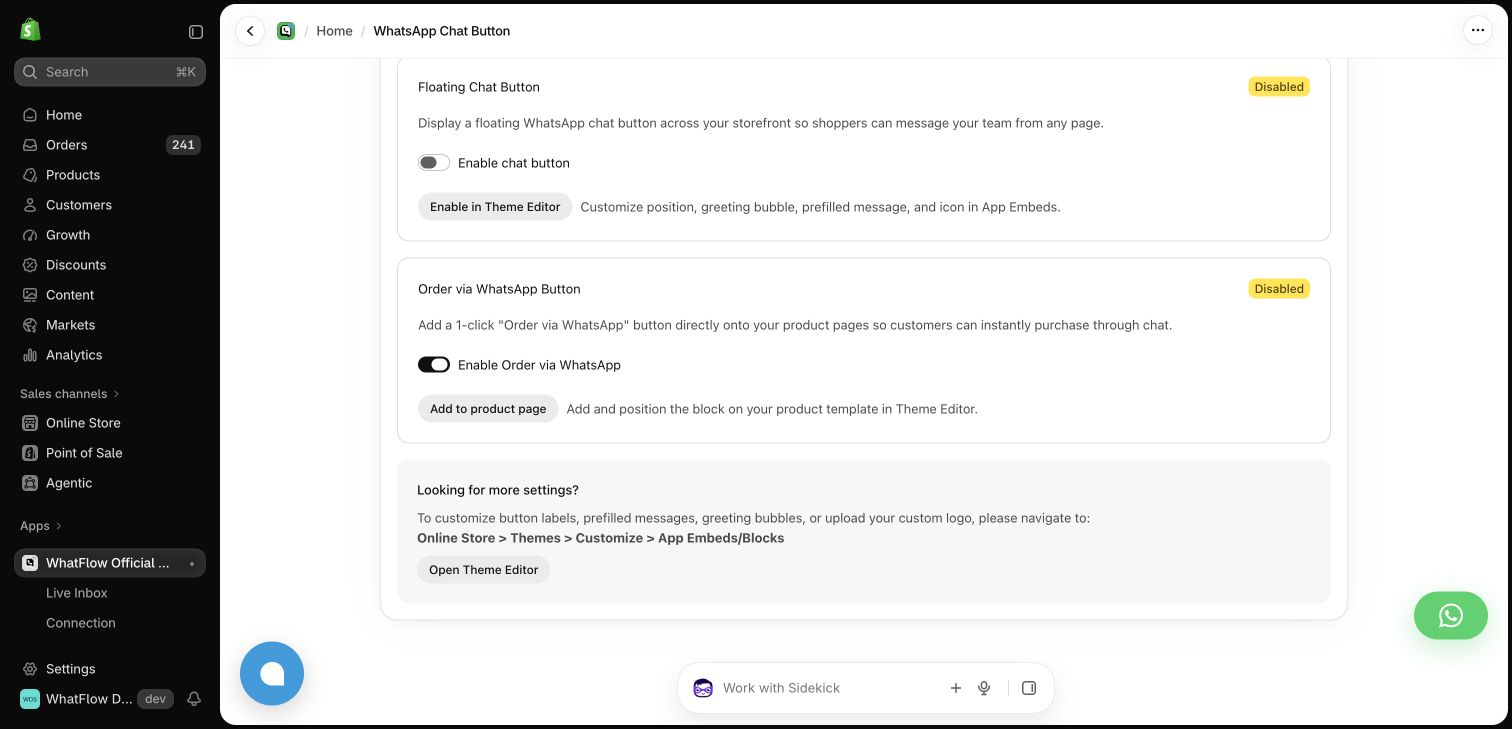
WhatFlow's WhatsApp chat buttons are matched to your theme and free forever, so they look like part of your store rather than a bolted-on widget. Pair the button with a pre-filled message and an honest expectation:
Questions about sizing or delivery? Chat with us on WhatsApp. We usually reply within an hour, 9am–9pm.
WhatFlow's theme-matched WhatsApp button settings in a demo store.
Real reviews (including the bad ones)
A product with 4.6 stars from 80 reviews, including a few honest three-star complaints, looks more believable than a perfect 5.0 from 12. Shoppers read the low ones on purpose. Show them, and show your replies. Product reviews vs store reviews explains which kind belongs where on the page.
Delivery information that's specific
"Fast shipping" is a badge. "Order by 2pm, ships today, arrives Thursday in Riyadh" is information. If you offer cash on delivery, say so near the price, because in many markets that alone settles the "is this a scam?" question.
How to lay this out on mobile
Most of your shoppers are on a phone, and that's where badge clutter does the most damage. Six icons in a row become a grey smear that pushes the Add to cart button down the screen.
A layout I like for mobile, top to bottom:
Title and star rating (tappable, jumps to reviews)
Price and delivery estimate
Variant picker
Add to cart
One line: returns summary and accepted payment methods
Templates, COD confirmation, Shopify Flow automations and a shared team inbox with no seat fees. Every feature is included on every plan, including Free.
If I could only keep one thing from this list, it'd be the WhatsApp button with a real person behind it. A badge says "trust us". A quick, helpful answer to "will this fit a queen bed?" shows it.
Frequently asked questions
Do trust badges increase conversions on Shopify?
There's no reliable universal figure, and you should be wary of anyone quoting one. Specific, verifiable information like delivery dates, a clear returns policy, real reviews and a working contact option usually answers shoppers' doubts better than a generic badge. Test changes on your own store.
Do I need an SSL or 'secure checkout' badge on Shopify?
Not really. Shopify says it is certified Level 1 PCI DSS compliant and that this extends by default to all stores on Shopify, and every Shopify store is served over HTTPS. A badge restating that adds little.
Is it illegal to show a trust badge I haven't earned?
Showing a seal, certification or guarantee you don't actually have is misleading to shoppers and can break consumer protection law. Only show badges you can back up.
Which payment icons should I show on my product page?
Only the payment methods you actually accept at checkout, including cash on delivery if you offer it. Showing a logo for a method that isn't available creates a nasty surprise at checkout.