Use AI to draft support replies, not to decide them. Give a tool like ChatGPT, Claude or Gemini your approved policy text and an anonymised customer question, ask for a short reply, then have a person check every fact and promise before sending. AI is good at tone and structure. It has no idea whether order #1042 actually shipped.
That split, wording from the AI and facts from you, is the whole method. Everything below is just how to make it stick on a busy team.
What AI support drafts are good for
A two-person Shopify team answering 60 WhatsApp chats a day gets real value from AI in a few places:
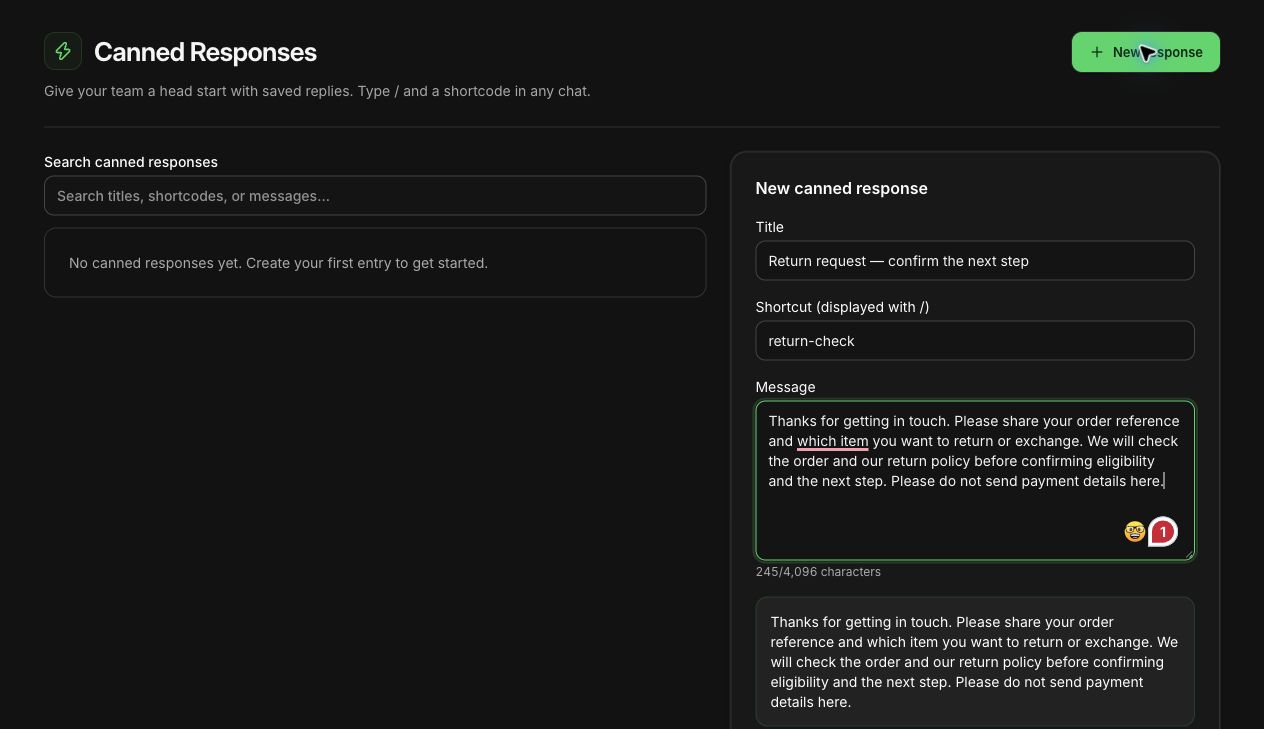
Save the repeatable part of a reply in WhatFlow, then check the facts before you send it. Agents can personalize a canned response, keep a draft in the thread, and put the internal context in a private note. Search inside the conversation if you need to verify what another agent promised. The Inbox walkthrough shows when to use each tool.
Rewriting a rough answer. You know the answer but typed it in a rush. AI turns "no returns on opened serum sorry policy" into something polite and clear.
Shortening policy text. Your return policy is 600 words. The customer needs the two sentences that apply to her.
Translating a draft for a customer who wrote in another language, followed by a check from someone who reads it. (More on that in our guide to multilingual customer messaging.)
Calming down a reply to an angry customer when you're annoyed yourself. (Our angry-customer reply examples are a good starting point.)
Drafting saved replies for questions you get every day, which you then edit and keep.
Where AI should never decide
Some answers have consequences. AI can help with the wording, but a person has to supply the fact and own the decision:
Order status. Shipped, delivered, cancelled, refunded. Check Shopify, not the chat history.
Dates. Delivery estimates, restock dates, sale end times.
Safety and health. Say you sell skincare and a customer messages at 11pm asking whether the retinol serum is safe during pregnancy. A fluent AI paragraph is exactly what you don't want. The right reply points her to her doctor and to the ingredient list, and nothing more.
Exceptions to policy. "Can I return it after 30 days?" is a business decision, not a writing task.
The danger isn't bad grammar. It's a confident sentence that promises something your store never agreed to.
A simple process for AI-assisted replies
Read the question properly. What is she actually asking? "Where's my order" might mean "the tracking link is broken" or "it's been stuck for six days".
Look up the facts yourself in Shopify or your courier panel.
Paste only what the AI needs: the anonymised question, your approved policy text and the facts you found. No names, phone numbers, addresses or full chat exports.
Ask for a specific output. Short, WhatsApp-length, no promises beyond the facts given.
Check the draft against the original question and your facts. Fix anything it invented.
Send it from your inbox as a normal reply.
Here's a prompt I'd actually use:
You're writing a WhatsApp reply for a small skincare store. Keep it under 70 words, friendly, no emoji, no exclamation marks. Use only the facts below. Don't promise anything not in the facts. If the facts don't answer the question, say we'll check and reply by a specific time.
Customer question: "I opened the cleanser but it stings. Can I return it?"
Policy: Opened products can't be returned for hygiene reasons. If a product causes a reaction, we offer store credit after the customer sends a photo of the product and batch number.
Facts: Order delivered 3 days ago.
And the kind of draft you'd want back:
Sorry it's stinging, please stop using it for now. We can't take back opened products for hygiene reasons, but if it's caused a reaction we'll give you store credit. Could you send a photo of the bottle showing the batch number? We'll sort it out today.
That's a good draft. Before sending, a person still checks: is this really the policy, is "today" realistic, and does she need to see a doctor? If her reply mentions swelling, a human takes over the tone completely.
An unsaved returns reply in WhatFlow's saved-reply editor, asking for an order reference before anything is promised. Demo store; nothing was sent.
Once a draft has been checked and used a few times, turn it into a saved reply so nobody has to prompt the AI again. Our guide to saved replies that don't sound robotic covers how to keep that library tidy.
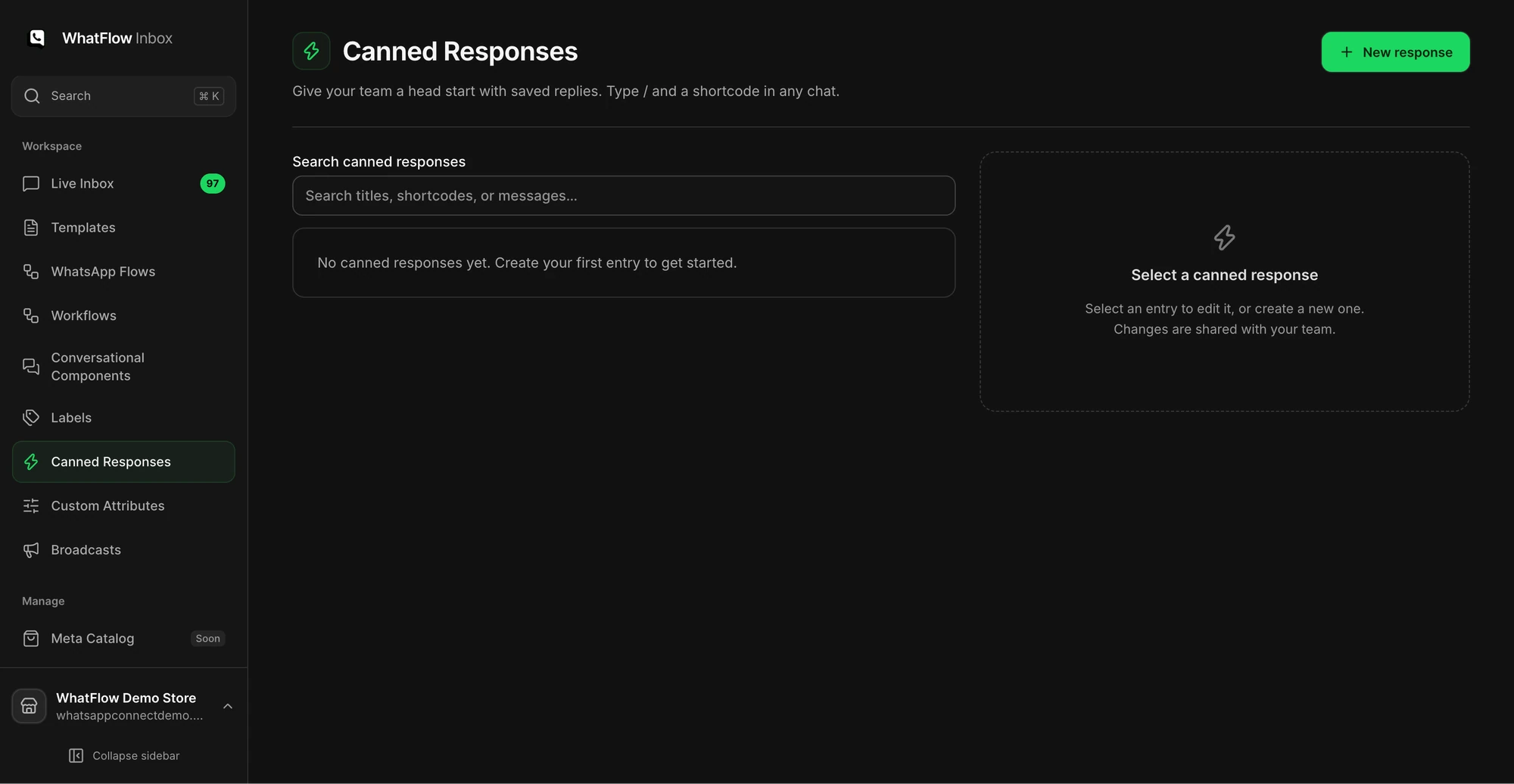
The Canned Responses screen is where a support team manages reusable replies.
Keep customer data out of the prompt
Most writing tasks work fine with a generic question. "Customer asks whether opened cleanser can be returned" is enough. You don't need her name, number, address or the full conversation.
Never paste passwords, API keys, payment details or private attachment links into a chat tool. Check your AI tool's settings for whether prompts are used for training, and make sure what you do matches your store's privacy policy.
Does WhatFlow have AI replies?
WhatFlow has no built-in AI bot, and I'd rather say that plainly than dress it up. It connects to the AI you already use instead. WhatFlow's MCP connector lets Claude, ChatGPT or Cursor read a Live Inbox chat, look up the Shopify order and draft a reply. Turn on draft mode and the reply lands as a draft in that chat, so a person checks the facts and presses Send, which is exactly the process above. You pay for the AI app you already use, not a per-resolution AI fee. The rest fits neatly around the same process: a shared team inbox with no seat fees, so whoever checks the facts can reply from the same thread, and saved replies for the answers you've already checked. If your team grows from two to five during a sale, nobody pays per seat.
Where AI does meet WhatFlow is Shopify Sidekick. You can describe a workflow to Sidekick and have it draft a Shopify Flow workflow that uses WhatFlow's triggers and actions. Same rule applies: review the trigger, conditions and message before turning it on. Our guide to drafting WhatsApp workflows with Sidekick shows what to check.
AI-written copy also doesn't change WhatsApp's rules. A template drafted by AI still needs Meta's approval, the right category and opted-in recipients (WhatsApp Business messaging policy).
Free plan available
Run WhatsApp for your Shopify store with WhatFlow
Templates, COD confirmation, Shopify Flow automations and a shared team inbox with no seat fees. Every feature is included on every plan, including Free.
Track one thing for the first two weeks: how often a checked draft needed a factual correction. If you're fixing invented promises every third reply, narrow what you ask the AI to do. If drafts mostly need small tone tweaks, you've found the right job for it. For a wider view of where AI earns its place in a small store, see how to use AI in a small Shopify business.
Frequently asked questions
Should I let AI reply to customers automatically?
For a small Shopify store, I wouldn't. Use AI to draft wording, then have a person check the facts and send it, because an AI tool can't see whether a refund, shipment or stock change actually happened.
What customer data is safe to paste into an AI tool?
As little as possible. Strip names, phone numbers, addresses and order numbers, and paste only the question and your approved policy text. Follow your AI tool's data settings and your own privacy policy.
Does WhatFlow have AI replies?
WhatFlow has no built-in AI bot, but it connects to the AI you already use. Its MCP connector lets Claude, ChatGPT or Cursor read Live Inbox chats, look up the Shopify order and draft a reply, and with draft mode on, a person on your team approves each draft before it is sent. Shopify Sidekick can also draft Flow workflows that use WhatFlow. There are no per-resolution AI fees.
Can AI write my WhatsApp templates?
It can draft them, but Meta still reviews every template, and the category, opt-in and 24-hour window rules apply no matter who wrote the words.