
Publisher disclosure: this comparison is written by WhatFlow. Competitor capabilities are based on the linked public documentation; the WhatFlow screenshots come from our demo store. Examples are illustrative, and results depend on your store and configuration.
WhatFlow and Lime Connect (formerly Userlike) at a glance
| Consideration | WhatFlow | Lime Connect (formerly Userlike) |
|---|---|---|
| Built for | Shopify stores of any size, from first sale to large support teams. Admin extensions, native Shopify Flow triggers and actions, COD confirmation and a team inbox on the official Meta Cloud API. | Userlike is now Lime Connect, part of Lime Technologies: website and messaging conversations with separate AI and automation products. |
| Pricing | Free plan, paid plans from $4.99/month (Plus is $9.99 for 5,000 sends). No seat fees. Meta's WhatsApp charges are billed separately. | Pro from €105/month, or €87/month billed annually, with a minimum of 3 seats; prices exclude VAT. The page doesn't say whether that's per seat or per account, so confirm (as of November 2026). |
| Feature access | Every feature on every plan, including Free. Plans only change message allowances and rates. | Pro includes basic API access and the Chatbot API; Enterprise has full API access. AI Agent (€99/month), Workflows (€50/month per 1,000 runs) and WhatsApp Campaigns (€20/month per 1,000 messages plus Meta fees) are add-ons. |
| Team inbox | Shared WhatsApp inbox with assignment, filters and saved replies. No seat fees, so add the whole team. | Pro requires at least 3 seats, Enterprise 5. |
| Storefront WhatsApp button | Theme-matched WhatsApp chat buttons, free forever. | Lime Connect's website chat widget, rather than a free WhatsApp button matched to your Shopify theme. |
WhatFlow vs Lime Connect (the product formerly called Userlike): Lime Connect is a broader customer service platform with website chat, messaging and paid add-ons. WhatFlow is a WhatsApp app built for Shopify. For a Shopify store, WhatFlow is the simpler buy: every feature on every plan including Free, a team inbox with no seat fees, native Shopify Flow triggers, COD confirmation and theme-matched WhatsApp buttons that are free forever.
WhatFlow vs Lime Connect at a glance
WhatFlow | Lime Connect (formerly Userlike) | |
|---|---|---|
Built for | Shopify stores on WhatsApp | Website chat and multichannel service |
Starting price | Free; paid from $4.99/month | Pro from €105/month (€87 annual), ex VAT |
Seats | No seat fees | Minimum 3 on Pro, 5 on Enterprise |
Automation | Native Shopify Flow, included | Workflows add-on, €50/month per 1,000 runs |
WhatsApp campaigns | Included on every plan | Add-on, €20/month per 1,000 messages plus Meta fees |
Lime Connect figures are from its pricing page as of November 2026. WhatFlow's Business API app is rated 5.0 out of 5 from 55 ratings on the Shopify App Store, as of November 5, 2026.
WhatFlow isn't only for small stores. The Business API app is built on the official Meta Cloud API and is enterprise-ready: a shared inbox with assignment and filters where a 50-person team pays the same in seat fees as a team of two (nothing), native Shopify Flow triggers and actions for automation at scale, COD confirmation, catalog sharing and Shopify admin extensions. Small stores still get the easiest start there is: a Free plan with every feature.
How much does it cost: WhatFlow vs Lime Connect?
Lime Connect's Pro plan is listed "from €105/month" (€87 billed annually) with a minimum of three seats. The page doesn't say whether that's per seat or per account, so ask. If it's per seat, three seats come to €315/month on monthly billing. If it's per account, you're at €105 before add-ons. Then add what a Shopify store would actually use:
- Workflows: €50/month for 1,000 runs.
- WhatsApp Campaigns: €20/month for 1,000 campaign messages, plus Meta fees.
- AI Agent: €99/month, if you want it.
Say a three-person team wants WhatsApp campaigns and some automation. On Lime Connect that's Pro plus Workflows plus WhatsApp Campaigns: at least €175/month before VAT, and more if Pro is priced per seat. On WhatFlow, all of that is included. Send 5,000 messages a month and you're on Plus at $9.99, with the whole team in the inbox. Meta's per-message charges apply to both (Meta's pricing). See WhatFlow pricing and all-features plans vs feature gating.
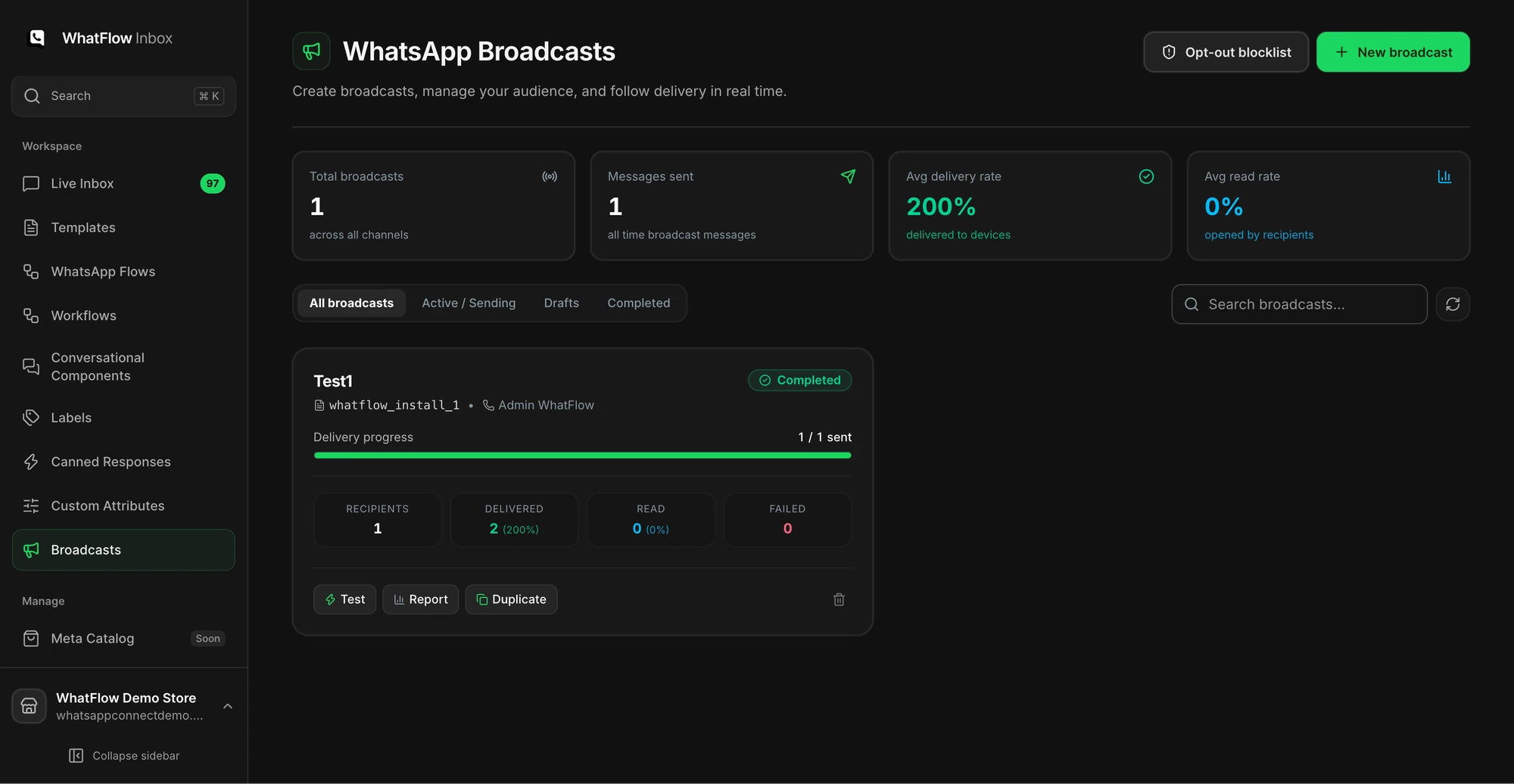
Built for Shopify, not just connected to it
WhatFlow reads your Shopify orders and checkouts, so templates fill themselves in. COD confirmation buttons tag or cancel orders through Flow. Abandoned checkout, shipping updates and review requests all work from the same place. And WhatFlow's Flow triggers (incoming message, order reply) and actions (template, text, media) mean automations live inside Shopify, where your team already works.
A review request a store might send a week after delivery:
Hi Sophie, hope you're enjoying the Merino Throw. Got 30 seconds? Tell us what you think here: [review link]. It really helps a small shop like ours.
Timing matters here; see when to ask for a review after delivery.
The storefront button and the inbox
WhatFlow's WhatsApp chat buttons match your theme and are free forever. Chats land in the team inbox with assignment, filters, saved replies and live catalog sharing. No seat fees, no minimum.
When testing WhatFlow and Lime Connect (formerly Userlike), ask: Can a second agent tell who owns the conversation without asking? In WhatFlow, use Needs reply and Closing soon, claim a conversation, then check Shopify order context and leave a private note. The team inbox walkthrough gives you a repeatable test for two agents, with no per-seat fee.
Moving your WhatsApp work to WhatFlow: a short checklist
- Keep Lime Connect (formerly Userlike) running for whatever it already does well while you set up.
- Install WhatFlow and connect your WhatsApp number with Meta's Embedded Signup from Shopify admin.
- Rebuild your most-used WhatsApp message as a template in the WhatFlow editor, mapped to Shopify order fields.
- Add one Shopify Flow workflow, for example tagging an order when the customer taps Confirm.
- Add your team to the inbox (no seat fees) and load five saved replies for your most common questions.
- Once the first workflow runs cleanly for a week, move the next one.
Start with the message that costs you the most time today. For most COD stores, that's order confirmation.
When Lime Connect might still make sense
Pick Lime Connect only if you want a full service platform for website chat across a wider business, with Lime's CRM ecosystem around it and the budget for the modules you need.
The bottom line
For WhatsApp on Shopify, you shouldn't need a three-seat minimum and three add-ons to send a campaign and automate a reply. WhatFlow includes all of it on every plan, starting free. Install WhatFlow and set up your chat button and first order template today.
Questions worth asking
Is WhatFlow a Lime Connect (Userlike) alternative for Shopify?
Yes, for WhatsApp on Shopify. WhatFlow includes templates, COD confirmation, native Shopify Flow triggers, campaigns and a no-seat-fee inbox on every plan, starting free. Lime Connect suits businesses that want its wider website-chat and service platform.
How much does Lime Connect cost?
As of November 2026, Lime Connect lists Pro from €105/month (€87 billed annually) with a three-seat minimum, excluding VAT, plus paid add-ons such as AI Agent, Workflows and WhatsApp Campaigns. WhatFlow starts free with every feature and paid plans from $4.99/month.
Does WhatFlow charge per inbox seat?
No. WhatFlow's team inbox has no seat fees, so your support, sales and fulfilment people can all answer WhatsApp without the bill changing. You pay for a message plan, and Meta bills its WhatsApp charges separately, as it would with Lime Connect (formerly Userlike).
Is the WhatFlow Free plan limited?
No features are held back. The Free plan includes templates, Shopify Flow triggers and actions, COD confirmation, catalog sharing and the team inbox. Paid plans from $4.99/month only add message allowance at lower rates, and the theme-matched WhatsApp button is free forever.
Sources and methodology
We checked these primary sources on November 5, 2026. Vendor pages describe advertised capabilities, rather than independent performance tests. Confirm current pricing, plan limits and availability with each provider.
- Lime Connect (formerly Userlike): official product and commercial information
Lime Connect pricing page, checked November 2026: Pro from €105/month (€87 annual), 3-seat minimum, API levels and add-on prices, VAT excluded.
- WhatFlow WhatsApp Business API on the Shopify App Store
WhatFlow's plans (Free, and paid from $4.99/month), included sends, Shopify Flow and admin features, and its 5.0/5 rating from 55 ratings, checked November 5, 2026.
- WhatsApp Business Platform pricing
Meta's per-message WhatsApp pricing by country and template category, billed separately from any app or platform fee.