
Publisher disclosure: this comparison is written by WhatFlow. Competitor capabilities are based on the linked public documentation; the WhatFlow screenshots come from our demo store. Examples are illustrative, and results depend on your store and configuration.
WhatFlow and Sinch at a glance
| Consideration | WhatFlow | Sinch |
|---|---|---|
| Built for | Shopify stores of any size, from first sale to large support teams. Admin extensions, native Shopify Flow triggers and actions, COD confirmation and a team inbox on the official Meta Cloud API. | Sinch Conversation API: one API for SMS, RCS, WhatsApp and other channels. Infrastructure for developers building their own messaging apps. |
| Pricing | Free plan, paid plans from $4.99/month (Plus is $9.99 for 5,000 sends). No seat fees. Meta's WhatsApp charges are billed separately. | Channel delivery is priced by Sinch; the Shopify integration, reply interface and ongoing maintenance are yours to build and pay for. |
| Feature access | Every feature on every plan, including Free. Plans only change message allowances and rates. | One send/receive endpoint across channels. The Shopify app, templates workflow and staff screens sit outside it. |
| Team inbox | Shared WhatsApp inbox with assignment, filters and saved replies. No seat fees, so add the whole team. | An API doesn't come with a human inbox. You'd pick or build one, and its user pricing applies. |
| Storefront WhatsApp button | Theme-matched WhatsApp chat buttons, free forever. | No Shopify storefront button; you'd build or buy one. |
| Shopify integration | Installs from the Shopify App Store. Shopify order data, admin extensions and Flow triggers are ready on day one. | Sinch is an API. Your developers connect Shopify events, templates and a reply screen themselves. |
WhatFlow vs Sinch is buy vs build. Sinch Conversation API gives developers one endpoint for WhatsApp, SMS, RCS and more. WhatFlow is a finished WhatsApp app for Shopify: templates mapped to order data, COD confirmation, native Shopify Flow triggers and a team inbox with no seat fees. Unless you're building your own messaging product, WhatFlow gets you live faster and costs far less to run.
WhatFlow vs Sinch at a glance
- What you get: WhatFlow is an installed Shopify app. Sinch is an API you build on.
- Shopify connection: ready in WhatFlow, including admin extensions and Flow. On Sinch, your developers wire up Shopify events.
- Team inbox: included in WhatFlow with no seat fees. An API has no human inbox; you build or buy one.
- Feature access: every WhatFlow feature on every plan, including Free.
- Rating: WhatFlow's Business API app is rated 5.0 out of 5 from 55 ratings on the Shopify App Store, as of November 5, 2026.
WhatFlow isn't only for small stores. The Business API app is built on the official Meta Cloud API and is enterprise-ready: a shared inbox with assignment and filters where a 50-person team pays the same in seat fees as a team of two (nothing), native Shopify Flow triggers and actions for automation at scale, COD confirmation, catalog sharing and Shopify admin extensions. Small stores still get the easiest start there is: a Free plan with every feature.
What would you have to build on Sinch?
Here's the honest list for a store that wants order updates and COD confirmation on WhatsApp:
Piece | WhatFlow | Sinch build |
|---|---|---|
Listen to Shopify order events | Built in | Webhooks your team writes |
Map order fields into templates | Template editor | Code |
Act on a button reply (tag, cancel) | Shopify Flow triggers | Code plus Shopify API calls |
Screen for staff to answer chats | Team inbox, no seat fees | Build or buy |
Saved replies, assignment, filters | Included | Build or buy |
Monitoring and fixes when Meta or Shopify change | WhatFlow's job | Your developer's job |
Every row in the right column is real work, and it keeps going after launch. The app vs custom Cloud API comparison goes deeper.
How much does it cost?
WhatFlow's pricing is public: Free (100 sends, every feature), Starter $4.99 for 2,000 sends, Plus $9.99 for 5,000, Growth $29 for 20,000, Scale $49.99 for 40,000. Say you send 20,000 WhatsApp messages a month; that's $29 in app fees on Growth, with your whole team in the inbox. See the pricing page.
On Sinch, the channel fees are only the start. Add developer time to build the integration and reply screen, plus someone to maintain it. Meta's per-message charges apply either way (Meta's pricing).
What WhatFlow does out of the box
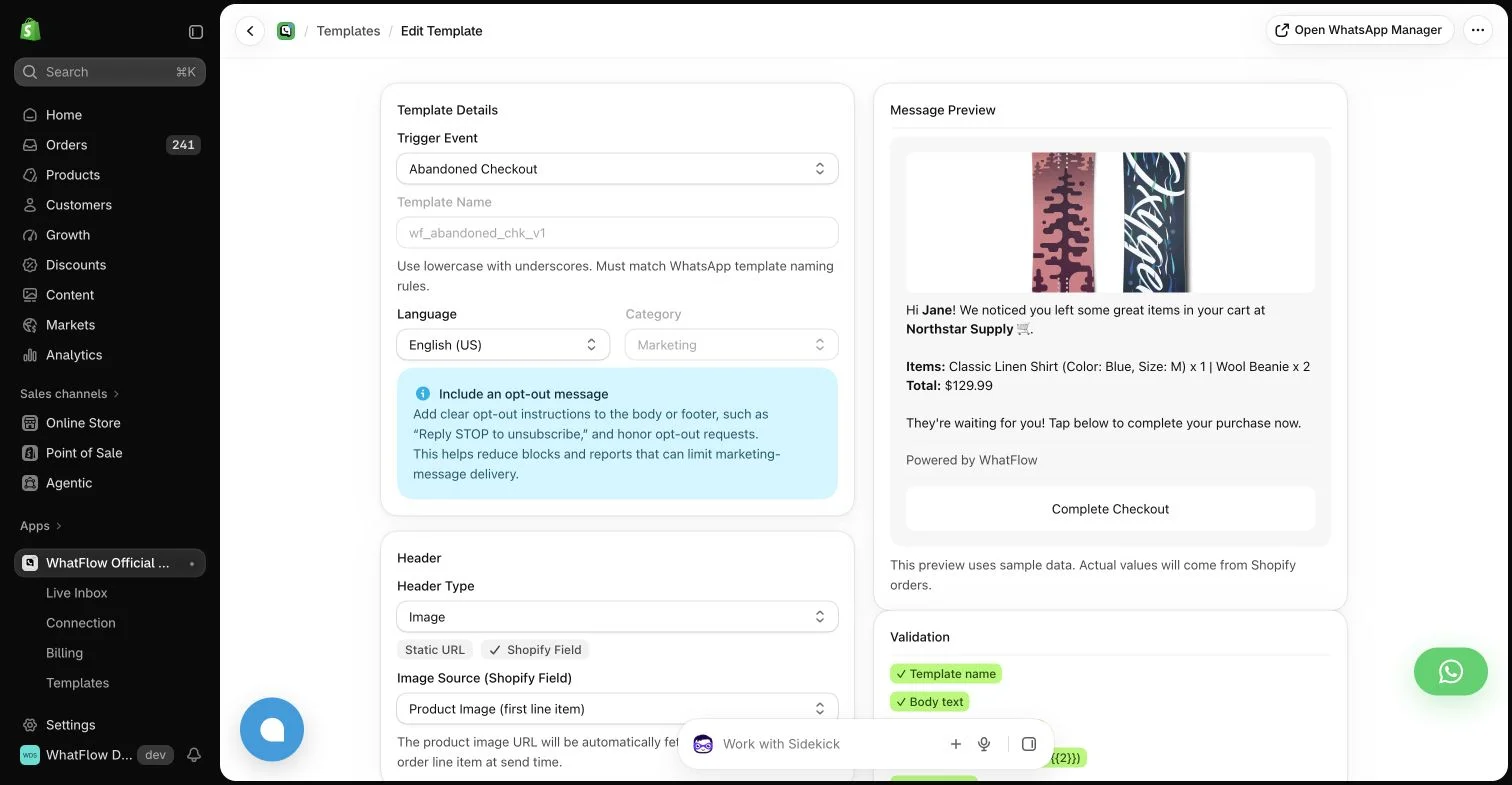
A COD confirmation in WhatFlow takes a template and one Flow workflow:
Hi Ravi, please confirm your order #6630 (₹1,780, cash on delivery). Tap Confirm to ship it today or Cancel to call it off.
When Ravi taps Confirm, WhatFlow's order-reply trigger fires in Shopify Flow and tags the order. No code. Here's the walkthrough: turn WhatsApp order replies into Shopify actions.
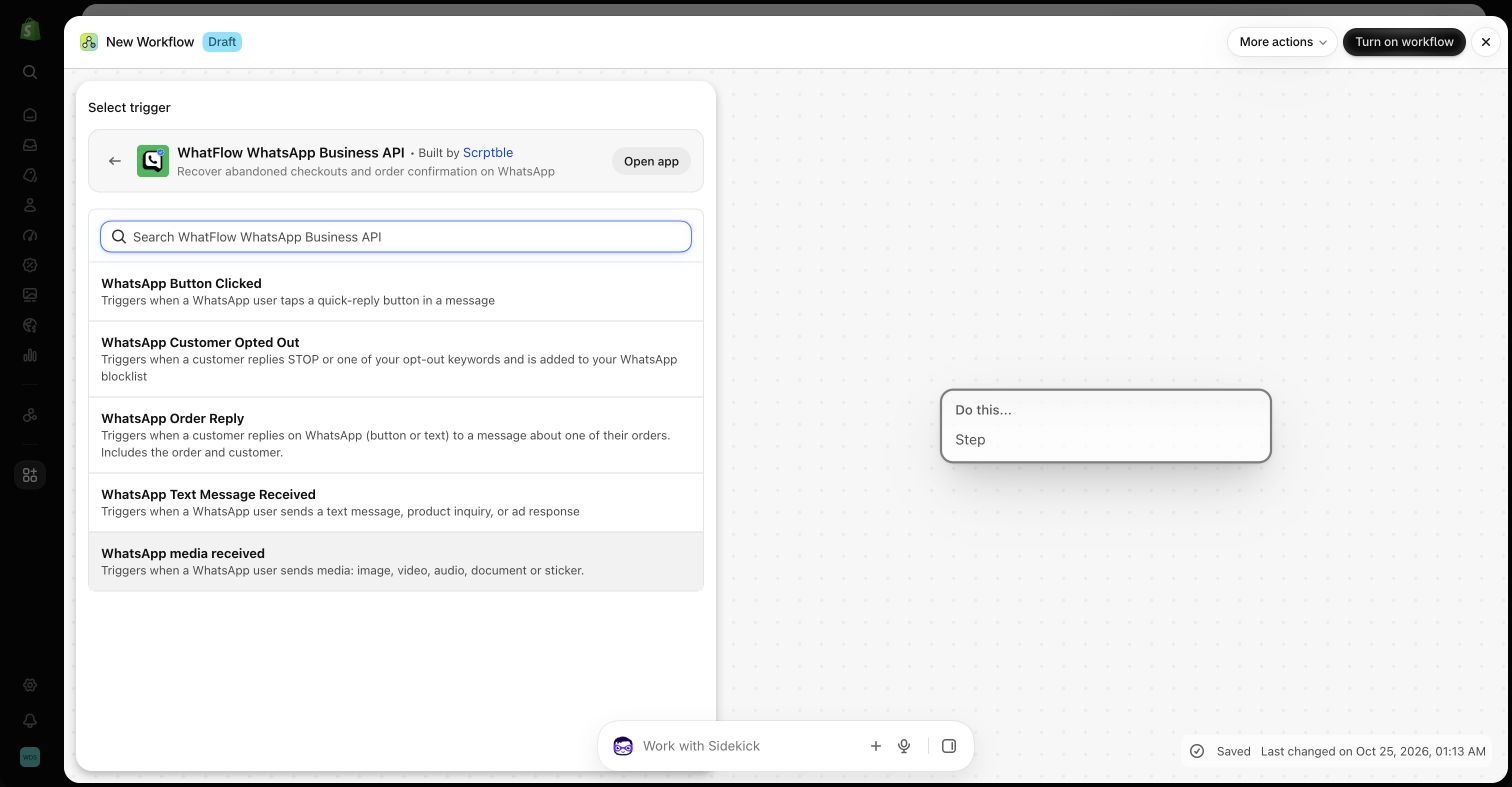
You also get abandoned checkout recovery, shipping updates, review requests, live catalog sharing and free theme-matched WhatsApp buttons. The team inbox handles the replies.
What should you set up first in WhatFlow?
Don't switch everything on at once. A sensible order for a small Shopify team:
- The chat button. Free forever, theme-matched, and it starts bringing conversations in on day one.
- Saved replies. Write answers to your five most common questions (delivery time, returns, sizing, COD, order status).
- One order template. COD confirmation if you sell cash on delivery, otherwise a shipping update.
- One Shopify Flow workflow that reacts to a WhatsApp reply. The template-from-Flow guide shows the steps.
- Abandoned checkout, once you're comfortable with templates and opt-in.
Every step above is available on the Free plan.
When Sinch might still make sense
Pick Sinch only if you're deliberately building a custom communications layer across many channels and systems, with engineers who will own it long-term. That's what it's for.
The bottom line
A Shopify store doesn't need to become a software company to use WhatsApp. WhatFlow already has the Shopify app, the templates, Flow and the no-seat-fee inbox, free to start. Install it and send your first order update today instead of scoping a build.
Questions worth asking
Should a Shopify store use Sinch or a WhatsApp app?
Most Shopify stores should use an app. WhatFlow gives you WhatsApp templates, COD confirmation, Shopify Flow triggers and a no-seat-fee team inbox without any code. Sinch makes sense when engineers are building a custom multichannel product.
What does it cost to build Shopify WhatsApp on Sinch?
Add up Sinch's channel fees, the developer time to connect Shopify events and templates, a reply interface for staff, and ongoing maintenance. WhatFlow starts free with every feature, with paid plans from $4.99/month; Meta charges apply to both routes.
Does WhatFlow charge per inbox seat?
No. WhatFlow's team inbox has no seat fees, so your support, sales and fulfilment people can all answer WhatsApp without the bill changing. You pay for a message plan, and Meta bills its WhatsApp charges separately, as it would with Sinch.
Is the WhatFlow Free plan limited?
No features are held back. The Free plan includes templates, Shopify Flow triggers and actions, COD confirmation, catalog sharing and the team inbox. Paid plans from $4.99/month only add message allowance at lower rates, and the theme-matched WhatsApp button is free forever.
Sources and methodology
We checked these primary sources on November 5, 2026. Vendor pages describe advertised capabilities, rather than independent performance tests. Confirm current pricing, plan limits and availability with each provider.
- Sinch: official product and commercial information
Sinch Conversation API overview: one API for sending and receiving across SMS, RCS, WhatsApp and other channels.
- WhatFlow WhatsApp Business API on the Shopify App Store
WhatFlow's plans (Free, and paid from $4.99/month), included sends, Shopify Flow and admin features, and its 5.0/5 rating from 55 ratings, checked November 5, 2026.
- WhatsApp Business Platform pricing
Meta's per-message WhatsApp pricing by country and template category, billed separately from any app or platform fee.