
Publisher disclosure: this comparison is written by WhatFlow. Competitor capabilities are based on the linked public documentation; the WhatFlow screenshots come from our demo store. Examples are illustrative, and results depend on your store and configuration.
WhatsApp with WhatFlow and Automated voice calls at a glance
| Consideration | WhatsApp with WhatFlow | Automated voice calls |
|---|---|---|
| Customer convenience | Customers can read the message and respond when they are free. | A customer needs to pick up when the phone rings. A missed call may need another attempt. |
| Access | Needs WhatsApp and an internet connection to receive and reply. | A normal phone call can reach someone who uses voice but does not have WhatsApp or mobile data. |
| Order details | A written record can show the order number, amount, and confirm or cancel buttons. | A short spoken prompt or keypad response can work if the buyer recognises the call and understands the choices. |
| What you pay for | App fee and any overage, plus applicable Meta fees for delivered messages. | Ask about setup, the monthly package, billable attempts or minutes, caller ID, recordings and retries. |
| Good fallback | Route ambiguous replies to the shared inbox and confirm the right Shopify order. | Use a permitted call for time-sensitive exceptions or customers who choose voice. |
A customer places a cash-on-delivery order at lunch. An unfamiliar number calls while they are at work. If they decline the call, the store still has no decision. A WhatsApp message with the store name, order number and two clear buttons gives that customer something they can answer later.
I co-founded WhatFlow. For a Shopify store in Pakistan, I’d start with a WhatsApp confirmation for customers who agreed to receive it, then reserve calls for the cases that need one. Test your own audience before changing a dispatch policy.
Where voice can be useful
A short spoken prompt can help customers who prefer listening or have a basic phone. A call can also make sense if the courier is about to leave and the buyer expects a call about an address. Offer a human follow-up if the customer needs to explain an apartment number, landmark or delivery restriction. A prerecorded question and a keypad answer work best when the decision is simple.
Calls can feel intrusive when they arrive during work or family time, especially from an unfamiliar number. Some shoppers let those calls ring. A missed call gives the store no confirmation and can add a retry. Check the channel customers actually choose and whether they recognise your calling number.
Compare costs per confirmed order
Start with one batch, for example 500 eligible COD orders. If all 500 approved utility messages to Pakistan are delivered and billable at the USD 0.015 list rate in the WhatFlow pricing calculator, that is USD 7.50 in Meta fees. Add the app subscription, any overage, and staff time. An eligible service reply during the customer service window is a different pricing case. Treat the figure as a worked example and check current rates.
For voice, get a local quote and ask what counts as billable. Some quotes list monthly packages, a dedicated number, recording or setup and usage separately. Ask what a no-answer attempt costs, how a retry is billed, and whether there is a minimum duration. Convert both channels to PKR at the same exchange rate if your voice quote is in rupees.
Divide the total cost for each batch by the number of orders with an explicit confirmation. Track address corrections, cancelled orders, undeliverable messages and calls that rang without an answer. A cheap call attempt can still become an expensive confirmation if it takes several tries. Your numbers may favour voice for a customer group that reliably answers.
Set up a WhatsApp-first workflow
- Choose the eligible COD orders and an approved template for the order confirmation. Use the store name, the amount due and a short order reference. Offer Confirm and Cancel, plus a clear way to request help.
- Test replies in Shopify. An agent should be able to find the right order and correct an unclear address. Use the order-reply trigger and a Shopify tag when that matches your process. Keep customers with multiple open orders in review when you cannot match the response safely.
- Set a dispatch cutoff that leaves time for the shopper to respond. Keep unanswered orders in review. Call only eligible exceptions or people who selected voice. If a shopper confirms in chat while waiting for a call, clear them from the call queue.
- Check WhatsApp permission and the applicable calling rules with your providers. Keep order messages and promotions separate. Jazz publishes information about the Do Not Call Register for unsolicited marketing. Use the relevant policy for the purpose of your call.
Run a small test with the same dispatch rules
Compare similar eligible orders by channel during the same week. Measure explicit confirmations, time to decision, cost per confirmation, complaints and returned parcels. Count a WhatsApp read receipt and an answered call as engagement signals. Record fulfillment decisions only when the customer responded or the order followed your established review policy.
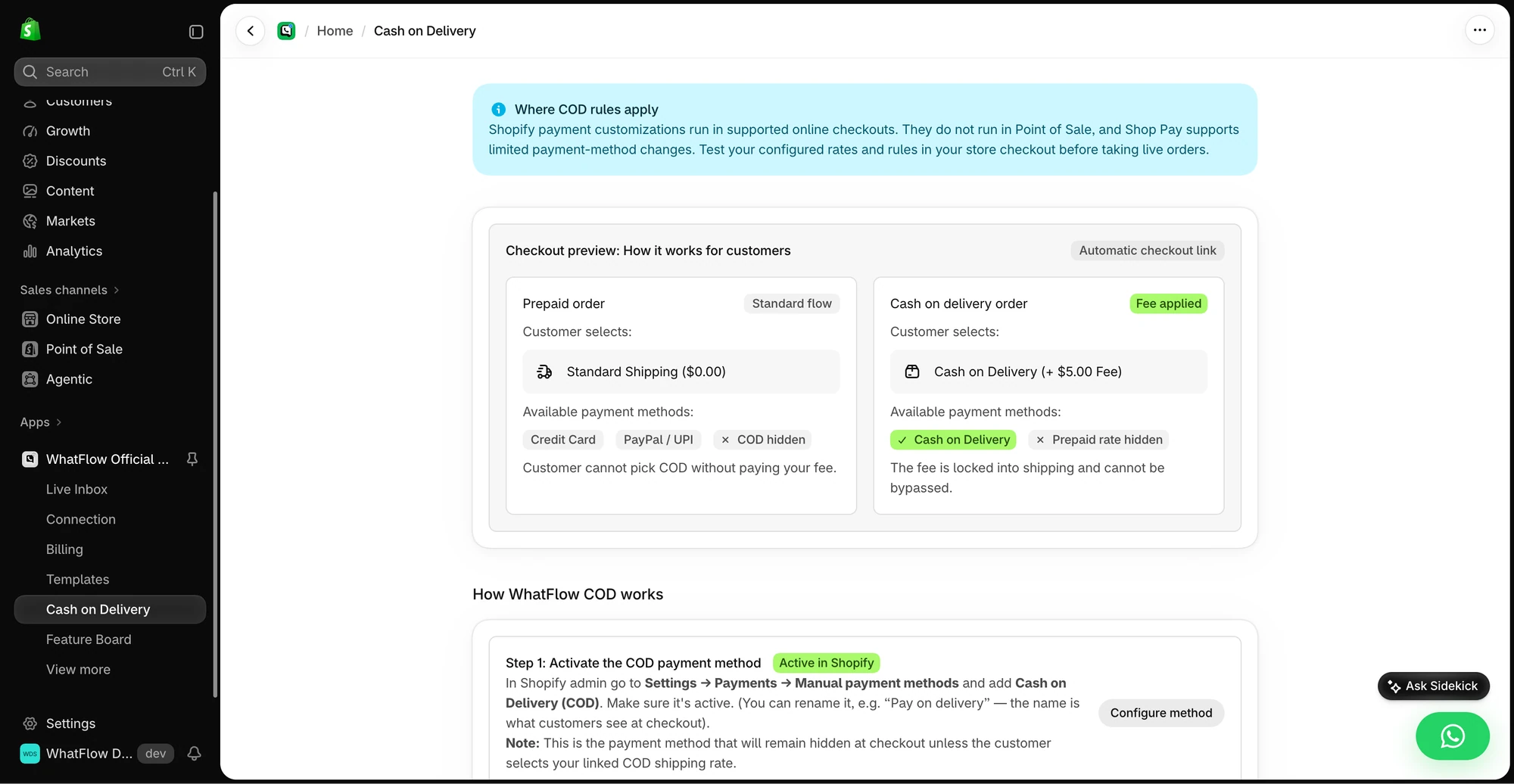
The WhatFlow COD and OTP guide covers setup. The Shopify Flow guide shows how a reply can update a Shopify order.
Questions worth asking
Should I cancel a COD order if the shopper misses a robocall?
A missed call is an unanswered order. Keep it in review until the shopper confirms, cancels or your disclosed order policy calls for a decision.
Are WhatsApp COD confirmations always cheaper?
Compare quotes and cost per confirmed order. WhatsApp adds WhatFlow app and applicable Meta charges. Voice billing can include setup, recurring fees, usage, and retries.
Can I try WhatsApp first and call later?
Yes, when the customer’s permissions and the applicable rules allow it. Set a cutoff, call only unresolved eligible orders, and suppress retries after a decision.
Sources and methodology
We checked these primary sources on November 10, 2026. Vendor pages describe advertised capabilities, rather than independent performance tests. Confirm current pricing, plan limits and availability with each provider.
