
Publisher disclosure: this comparison is written by WhatFlow. Competitor capabilities are based on the linked public documentation; the WhatFlow screenshots come from our demo store. Examples are illustrative, and results depend on your store and configuration.
WhatFlow and Plivo at a glance
| Consideration | WhatFlow | Plivo |
|---|---|---|
| Built for | Shopify stores of any size, from first sale to large support teams. Admin extensions, native Shopify Flow triggers and actions, COD confirmation and a team inbox on the official Meta Cloud API. | Programmable messaging and voice for developers. WhatsApp access is sales-led and needs a minimum commitment. |
| Pricing | Free plan, paid plans from $4.99/month (Plus is $9.99 for 5,000 sends). No seat fees. Meta's WhatsApp charges are billed separately. | WhatsApp needs a minimum monthly commitment of $1,000 (US data region) or ₹1,00,000 (India), across Plivo products, excluding pass-through fees. From November 1, 2026, a platform fee applies to every WhatsApp message plus a monthly fee per registered WhatsApp Business Account. |
| Feature access | Every feature on every plan, including Free. Plans only change message allowances and rates. | WhatsApp isn't enabled by default; Plivo's sales team provisions it. The Shopify app and staff workflow are separate work. |
| Team inbox | Shared WhatsApp inbox with assignment, filters and saved replies. No seat fees, so add the whole team. | API access doesn't include a human support inbox. Scope and price one separately. |
| Storefront WhatsApp button | Theme-matched WhatsApp chat buttons, free forever. | No Shopify storefront button included. |
| Shopify integration | Installs from the Shopify App Store. Shopify order data, admin extensions and Flow triggers are ready on day one. | Plivo is an API. Your developers connect Shopify events, templates and a reply screen themselves. |
WhatFlow vs Plivo comes down to commitment. Plivo is a programmable communications API, and its WhatsApp access is provisioned through sales with a minimum monthly commitment of $1,000 in the US data region. WhatFlow is a Shopify WhatsApp app you can install today for free, with every feature, a no-seat-fee team inbox and native Shopify Flow triggers. For a Shopify store, that's an easy call.
WhatFlow vs Plivo at a glance
WhatFlow | Plivo | |
|---|---|---|
What it is | Shopify WhatsApp app | Messaging and voice API |
WhatsApp access | Self-serve, Meta Embedded Signup | Provisioned by Plivo sales |
Minimum spend | None; Free plan | $1,000/month (US) or ₹1,00,000 (India) |
Extra fees | Meta's charges only | Meta's charges, plus Plivo platform and WABA fees from Nov 1, 2026 |
Shopify workflows | Built in | Custom build |
Team inbox | Included, no seat fees | Not included |
Plivo terms are from its WhatsApp prerequisites page as of November 2026. WhatFlow's Business API app is rated 5.0 out of 5 from 55 ratings on the Shopify App Store, as of November 5, 2026.
One thing to clear up, because merchants still ask: WhatFlow WhatsApp Business API runs on the official Meta WhatsApp Cloud API, not an unofficial workaround. Your number connects through Meta's Embedded Signup, templates are approved by Meta, and the setup that suits a two-person shop holds up for a 50-person support team, with inbox assignment and filters, no seat fees at any team size, and Shopify Flow automation that scales with your order volume. (Our older Chat Automation app uses a linked device; it's a separate, entry-level product.)
How much does WhatsApp cost on Plivo vs WhatFlow?
Plivo's prerequisites set a $1,000 monthly commitment in the US data region (₹1,00,000 in India). It covers spend across Plivo products and excludes pass-through fees, and it isn't a setup fee: it's what you're committed to each month. Since November 1, 2026, Plivo also charges a platform fee on every WhatsApp message, inbound and outbound, and a monthly fee for each registered WhatsApp Business Account.
Now the WhatFlow side. Say your store sends 3,000 WhatsApp messages a month. That's Plus at $9.99. At 20,000 it's Growth at $29. Even Ultimate, at 75,000 sends, is $99. Meta's per-message charges apply to both routes (Meta's pricing), but there's no minimum commitment and no seat fees. Full rates are on the pricing page.
So a small or mid-size store would be committing ten times or more what WhatFlow's top published plan costs, before writing any code.
What you'd still need to build on Plivo
The commitment buys access to the channel. It doesn't give you:
- a Shopify integration that turns orders into WhatsApp templates,
- a way to act on a customer's button reply (tag or cancel the order),
- a team inbox with assignment, filters and saved replies,
- a storefront WhatsApp button.
WhatFlow has all of those on the Free plan. Packaged app vs custom Cloud API lays out the build in detail.
What WhatFlow does for a Shopify store
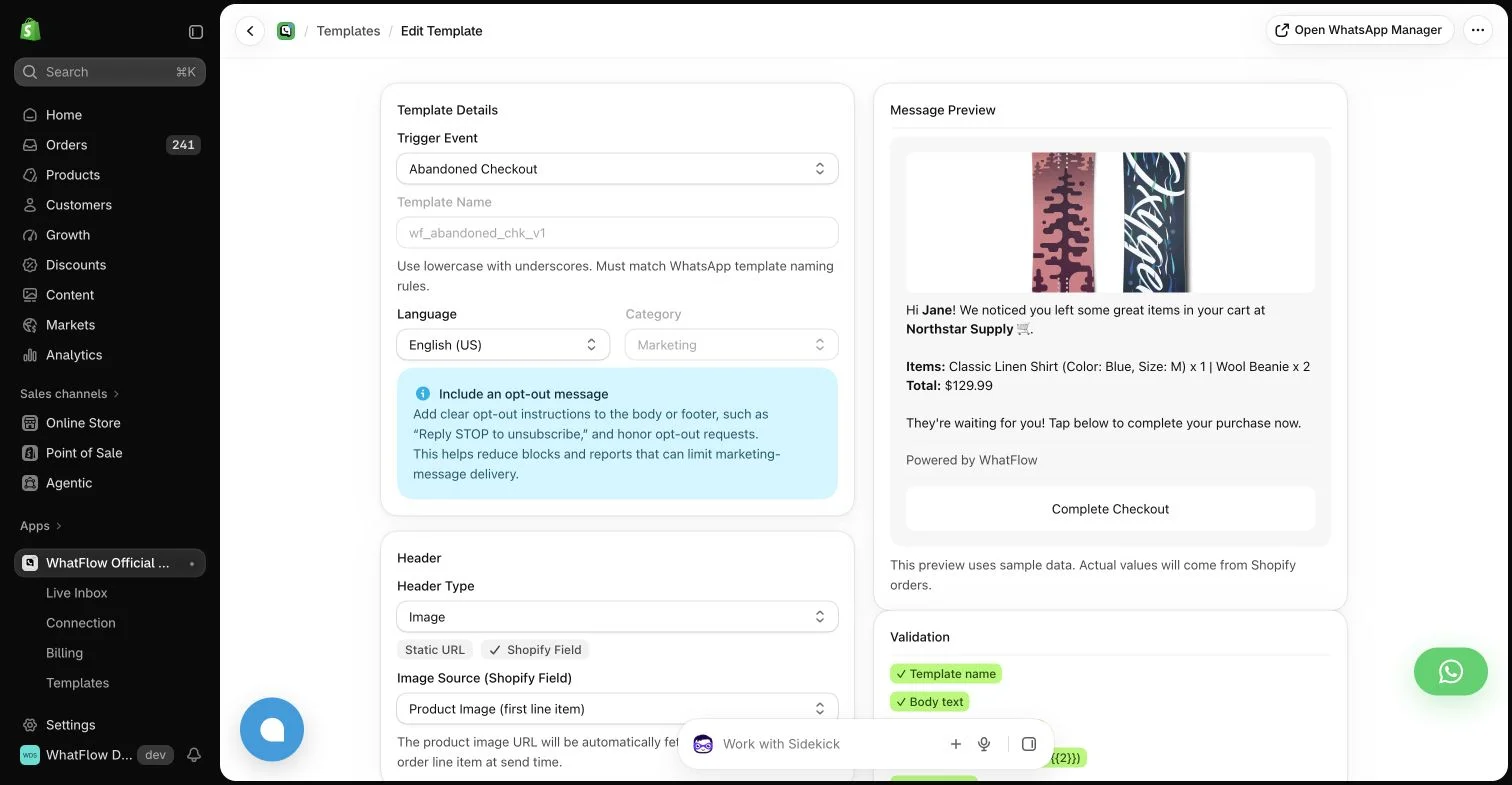
A workflow COD stores often start with:
Hi Sana, we've got your order #7814 (PKR 5,600, cash on delivery). Tap Confirm and it ships today. Tap Cancel if you've changed your mind.
The reply triggers Shopify Flow, which tags or cancels the order. Abandoned checkout, shipping updates, review requests and live catalog sharing are all there too, and the team inbox handles the conversations.
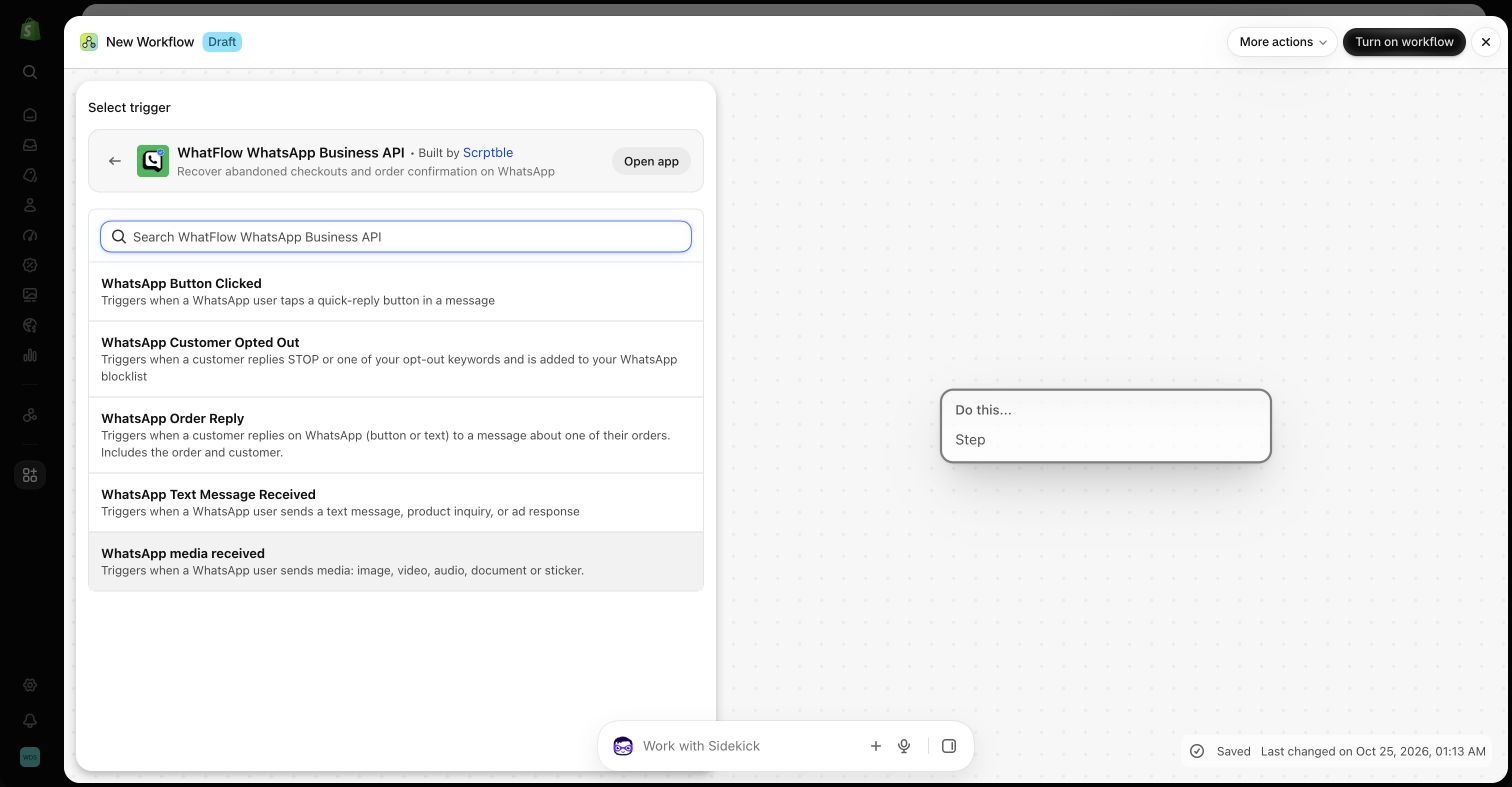
How do you set up WhatFlow on Shopify?
- Install WhatFlow WhatsApp Business API from the Shopify App Store.
- Connect your WhatsApp number through Meta's Embedded Signup, right inside Shopify admin.
- Turn on the free theme-matched WhatsApp button so shoppers can start a chat from your store.
- Pick one template to start with (COD confirmation, abandoned checkout or a shipping update), map the Shopify fields in the template editor and submit it to Meta for approval.
- Invite everyone who answers customers to the team inbox. There are no seat fees, so don't ration logins.
Meta reviews every template, so submit yours early. If one gets rejected, these fixes cover the usual reasons.
When Plivo might still make sense
Pick Plivo only if you already spend heavily across its products, so the commitment is covered anyway, and you have engineers building a custom communications system. For a Shopify store adding WhatsApp, it's the long way round.
The bottom line
You shouldn't need a sales call and a $1,000 monthly commitment to send an order confirmation on WhatsApp. WhatFlow gets your Shopify store live free, with every feature and no seat fees. Install it, then read cost per useful outcome to plan your sending budget.
Questions worth asking
Does Plivo have a minimum spend for WhatsApp?
Yes. Plivo's WhatsApp prerequisites list a minimum monthly commitment of $1,000 in the US data region or ₹1,00,000 in India, across Plivo products and excluding pass-through fees, as of November 2026. WhatFlow has a Free plan with every feature and paid plans from $4.99/month.
Is WhatFlow a Plivo alternative for Shopify WhatsApp?
Yes, and a much lighter one. WhatFlow installs from the Shopify App Store, connects your number through Meta's Embedded Signup and includes templates, COD confirmation, Shopify Flow and a no-seat-fee inbox. Plivo suits businesses with the traffic and engineers for a programmable communications build.
Does WhatFlow charge per inbox seat?
No. WhatFlow's team inbox has no seat fees, so your support, sales and fulfilment people can all answer WhatsApp without the bill changing. You pay for a message plan, and Meta bills its WhatsApp charges separately, as it would with Plivo.
Is the WhatFlow Free plan limited?
No features are held back. The Free plan includes templates, Shopify Flow triggers and actions, COD confirmation, catalog sharing and the team inbox. Paid plans from $4.99/month only add message allowance at lower rates, and the theme-matched WhatsApp button is free forever.
Sources and methodology
We checked these primary sources on November 5, 2026. Vendor pages describe advertised capabilities, rather than independent performance tests. Confirm current pricing, plan limits and availability with each provider.
- Plivo: official product and commercial information
Plivo's WhatsApp prerequisites, checked November 2026: sales-provisioned access, $1,000/month (US) or ₹1,00,000 (India) minimum commitment, and platform and WABA fees effective November 1, 2026.
- WhatFlow WhatsApp Business API on the Shopify App Store
WhatFlow's plans (Free, and paid from $4.99/month), included sends, Shopify Flow and admin features, and its 5.0/5 rating from 55 ratings, checked November 5, 2026.
- WhatsApp Business Platform pricing
Meta's per-message WhatsApp pricing by country and template category, billed separately from any app or platform fee.