
Publisher disclosure: this comparison is written by WhatFlow. Competitor capabilities are based on the linked public documentation; the WhatFlow screenshots come from our demo store. Examples are illustrative, and results depend on your store and configuration.
WhatFlow and Botpress at a glance
| Consideration | WhatFlow | Botpress |
|---|---|---|
| Built for | Shopify stores of any size, from first sale to large support teams. Admin extensions, native Shopify Flow triggers and actions, COD confirmation and a team inbox on the official Meta Cloud API. | A platform for building AI agents that can run on messaging channels. Lots of control for builders; you design the agent and its integrations. |
| Pricing | Free plan, paid plans from $4.99/month (Plus is $9.99 for 5,000 sends). No seat fees. Meta's WhatsApp charges are billed separately. | Free (3 seats, 100 conversations); Plus $150/month billed annually (3 seats, 250 conversations, $25 AI usage); Team $750/month billed annually (unlimited seats). AI usage beyond the allowance is extra (as of November 2026). |
| Feature access | Every feature on every plan, including Free. Plans only change message allowances and rates. | Features depend on the tier and what you build. The Shopify order workflow is yours to design. |
| Team inbox | Shared WhatsApp inbox with assignment, filters and saved replies. No seat fees, so add the whole team. | Free and Plus include 3 seats; Team and Enterprise advertise unlimited seats. |
| Storefront WhatsApp button | Theme-matched WhatsApp chat buttons, free forever. | Botpress has its own web chat; a theme-matched Shopify WhatsApp button isn't part of the package. |
| COD confirmation | Built in: Confirm and Cancel buttons that tag or cancel the order through Shopify Flow. | Possible if you build it: the agent, the Shopify connection and the order update are your design. |
WhatFlow vs Botpress is ready-made vs build-your-own. Botpress is a platform for building custom AI agents. WhatFlow is a WhatsApp app built for Shopify, with order templates, COD confirmation, native Shopify Flow triggers and a team inbox with no seat fees. If you want WhatsApp running for your store this week, start with WhatFlow. It's free to start, and every feature is on every plan.
WhatFlow vs Botpress at a glance
WhatFlow | Botpress | |
|---|---|---|
What it is | Shopify WhatsApp app | AI agent builder |
Setup | Install and connect your number | Design, build and test an agent |
Shopify workflows | Templates, COD, Flow triggers built in | You build the integration |
Seats | No seat fees | 3 on Free and Plus; unlimited on Team |
Price | Free; paid from $4.99/month | Free; Plus $150/month; Team $750/month (billed annually) |
AI replies | No built-in bot; connect Claude, ChatGPT or Cursor over MCP to draft replies a person approves | Core feature, usage-billed |
Botpress figures are from its pricing page as of November 2026. WhatFlow's Business API app is rated 5.0 out of 5 from 55 ratings on the Shopify App Store, as of November 5, 2026.
When testing WhatFlow and Botpress, ask: Can a catalog cart event start a workflow separately from an order-paid event? WhatFlow has separate Shopify Flow blocks, API-triggered Inbox Workflows and in-chat WhatsApp forms. Try the catalog cart workflow if you need to connect a buyer reply with a Shopify action.
One thing to clear up, because merchants still ask: WhatFlow WhatsApp Business API runs on the official Meta WhatsApp Cloud API, not an unofficial workaround. Your number connects through Meta's Embedded Signup, templates are approved by Meta, and the setup that suits a two-person shop holds up for a 50-person support team, with inbox assignment and filters, no seat fees at any team size, and Shopify Flow automation that scales with your order volume. (Our older Chat Automation app uses a linked device; it's a separate, entry-level product.)
How much does it cost: WhatFlow vs Botpress?
Botpress Plus is $150/month billed annually, with 3 seats, 250 conversations and $25 of AI usage; extra conversations come in packs and extra AI usage is charged on top. Team is $750/month with unlimited seats. That's fair pricing for an agent platform, and you'll also spend time (or developer budget) building the agent.
WhatFlow is priced by message allowance and nothing else: Free (100 sends), Starter $4.99 (2,000), Plus $9.99 (5,000), Growth $29 (20,000). Say you send 5,000 WhatsApp messages a month and four people answer chats. That's $9.99 on WhatFlow. Meta's per-message charges apply either way (Meta's pricing). Details on the pricing page.
Answering a question vs changing an order
Here's where custom agents get tricky. An AI agent can explain your return policy nicely. Then the customer says: "Cancel order #8810, I ordered the wrong size." Now the agent needs to verify who's asking, find the order, check it hasn't shipped, and change it in Shopify. Get that wrong and you've got a fluent apology and a cancelled order nobody wanted cancelled.
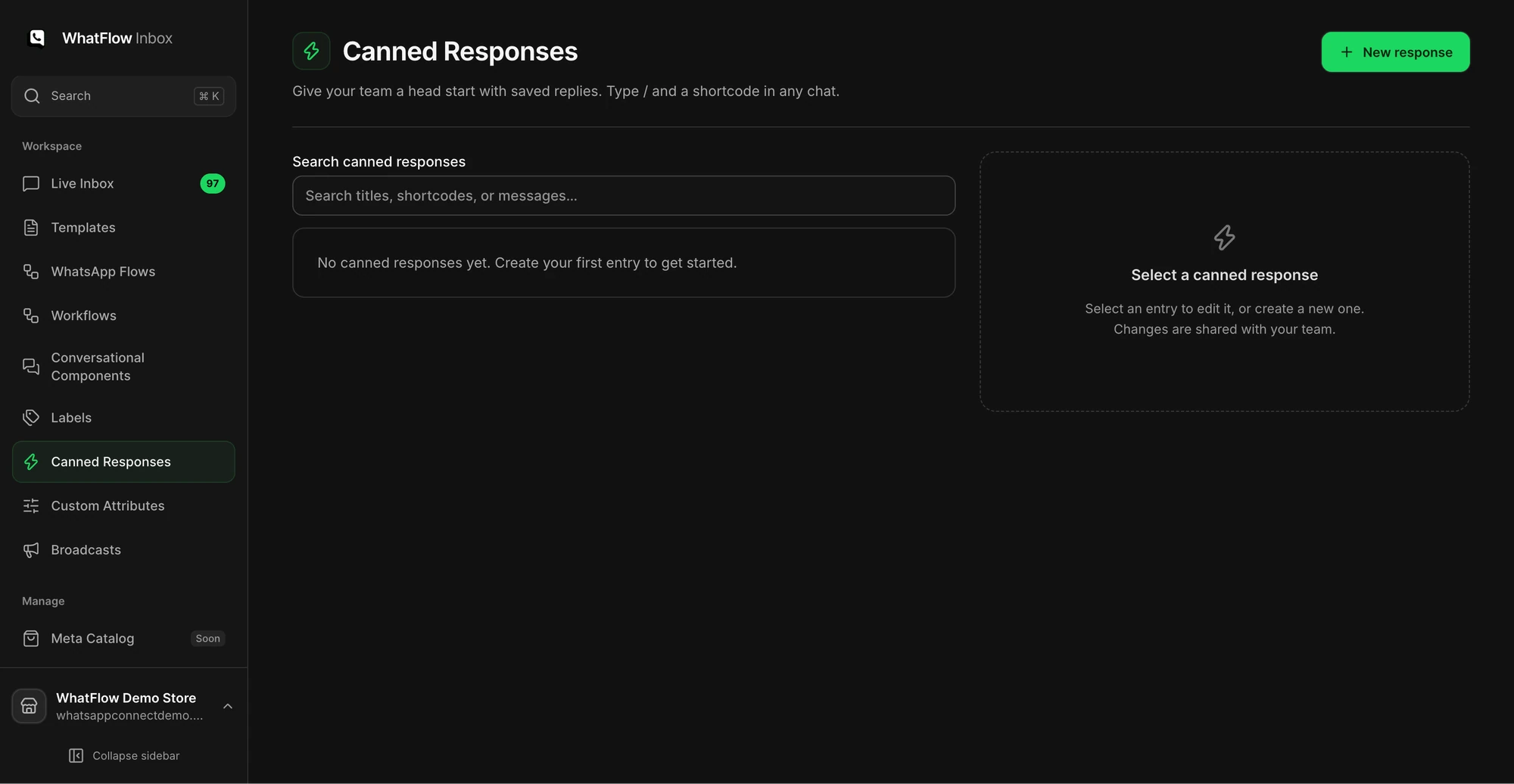
In WhatFlow, that request lands in the team inbox for a person with the order in front of them. For structured cases, like COD, you don't need AI at all. A button does it:
Hi Nadia, please confirm order #8810 (2 × Linen Cushion, cash on delivery). Tap Confirm to ship or Cancel to call it off.
That tap fires WhatFlow's order-reply trigger in Shopify Flow, which tags or cancels the order. Predictable, auditable, no prompt engineering. If you're thinking about AI for support drafts, this guide on AI drafts for small teams covers keeping answers accurate.
What WhatFlow does out of the box
- Templates filled from Shopify orders and checkouts.
- COD confirmation, abandoned checkout and shipping updates.
- Native Shopify Flow triggers (incoming message, order reply, button reply) and actions (template, text, media).
- Live catalog sharing, saved replies, assignment and filters.
- Free theme-matched WhatsApp buttons.
One honest line: WhatFlow has no built-in AI bot that replies to customers on its own. If a conversational AI agent is the product you want, Botpress is built for that. If you'd rather keep a person in the loop, WhatFlow's MCP connector lets Claude, ChatGPT or Cursor read Live Inbox chats and draft replies your team approves, using the AI subscription you already pay for instead of usage-billed AI.
What should you set up first in WhatFlow?
Don't switch everything on at once. A sensible order for a small Shopify team:
- The chat button. Free forever, theme-matched, and it starts bringing conversations in on day one.
- Saved replies. Write answers to your five most common questions (delivery time, returns, sizing, COD, order status).
- One order template. COD confirmation if you sell cash on delivery, otherwise a shipping update.
- One Shopify Flow workflow that reacts to a WhatsApp reply. The template-from-Flow guide shows the steps.
- Abandoned checkout, once you're comfortable with templates and opt-in.
Every step above is available on the Free plan.
When Botpress might still make sense
Pick Botpress only if a custom AI agent is the goal, say a product advisor across your site and WhatsApp, and you have someone to build it, test the edge cases and maintain it. Its unlimited-seat Team tier is a fair deal for a larger team building agents.
The bottom line
Most Shopify stores need WhatsApp order messages and a team that answers, not a custom agent. WhatFlow gives you that on the Free plan, with templates, COD, Flow and a no-seat-fee inbox. Install WhatFlow first; build an agent later if you find a job only AI can do.
Questions worth asking
Do I need an AI agent for WhatsApp on Shopify?
Usually not to start. Order confirmations, COD, shipping updates and abandoned checkouts are structured messages that WhatFlow sends from Shopify data, with your team answering replies in a no-seat-fee inbox. Botpress is worth it when a custom AI agent is the actual goal.
How much does Botpress cost compared with WhatFlow?
As of November 2026, Botpress lists Free, Plus at $150/month and Team at $750/month (both billed annually), with AI usage beyond the included amount billed on top. WhatFlow starts free with every feature, with paid plans from $4.99/month; Meta's WhatsApp charges apply to both.
Does WhatFlow charge per inbox seat?
No. WhatFlow's team inbox has no seat fees, so your support, sales and fulfilment people can all answer WhatsApp without the bill changing. You pay for a message plan, and Meta bills its WhatsApp charges separately, as it would with Botpress.
Does WhatFlow include an AI chatbot?
WhatFlow has no built-in AI bot that replies on its own. You can connect the AI you already use through WhatFlow's MCP connector, so Claude, ChatGPT or Cursor can read chats and draft replies that a person approves before sending. Beyond that, it focuses on Shopify WhatsApp workflows (templates, COD confirmation, Flow triggers, catalog sharing) and a no-seat-fee inbox where your team answers, all on the Free plan.
Sources and methodology
We checked these primary sources on November 5, 2026. Vendor pages describe advertised capabilities, rather than independent performance tests. Confirm current pricing, plan limits and availability with each provider.
- Botpress: official product and commercial information
Botpress pricing page, checked November 2026: Free, Plus $150/month and Team $750/month billed annually, seats, conversations and AI usage.
- WhatFlow WhatsApp Business API on the Shopify App Store
WhatFlow's plans (Free, and paid from $4.99/month), included sends, Shopify Flow and admin features, and its 5.0/5 rating from 55 ratings, checked November 5, 2026.
- WhatsApp Business Platform pricing
Meta's per-message WhatsApp pricing by country and template category, billed separately from any app or platform fee.