A good WhatsApp human handoff has three parts: a clear point where automation stops, a visible way for the customer to reach a person at any time, and an agent who gets the conversation with the order and history already in front of them. Plan the handoff while you build the auto-reply, not after the first angry customer finds the gap.
It's also not optional. WhatsApp's Business Messaging Policy says that if you use automation to respond during the 24-hour window, you must have prompt, clear and direct escalation paths. In-chat transfer to a human agent is one of the options it lists.
Where should automation stop?
Automation is great at questions with one right answer. It's bad at anything involving a dispute, a judgement call or an upset customer.
Take a shipping auto-reply. It can answer "Where is my order?" perfectly well, if the tracking link works. It needs a person the moment the customer says "it says delivered but I never got it."
Here's the split I'd start with for a typical Shopify store:
That last row matters most. If someone repeats themselves, the automation has already failed. Hand over.
Make the way out obvious in every automated reply
Don't hide the human behind a keyword nobody knows. Put it in the message itself:
Your order #5127 is with the courier: [tracking link]. It usually arrives in 2 to 3 days. If something's wrong, reply "person" and someone from our team will take over.
If you send interactive messages, a reply button works well. Meta's reply-button messages allow up to three buttons, so "Track again", "Return help" and "Talk to a person" fit.
Then write the handoff message itself. It should tell the customer what happens next and ask for nothing they've already given:
Thanks, I've passed this to Sara on our support team. She'll reply here within the hour (we're online until 8pm). She can already see your order, so no need to resend anything.
After hours, be honest about timing:
Thanks for the details. Our team is offline right now and will reply first thing tomorrow morning. Your order and messages are saved, so you won't need to explain again.
Set it up in WhatFlow
WhatFlow's auto-replies, team inbox and Shopify Flow integration cover each part of the handoff.
Create a narrow auto-reply. In Auto-replies, set what the customer must send and choose the response. Keep the match narrow. Broad matching catches questions the rule can't answer, and those should fall through to a person. The message controls walkthrough shows how to test both an exact match and a near miss.
Give the chat an owner. In the Inbox, use the assignment filters to see chats that are yours or unassigned. Agree who watches the unassigned queue during each shift.
Leave context in a private note. The order reference, what the automation already sent, and what the customer is asking for.
Label the reason. Labels like "delivery dispute" or "address change" let you count how often each handoff happens.
Save the handoff replies as canned responses, so every agent uses the same wording and personalises the details.
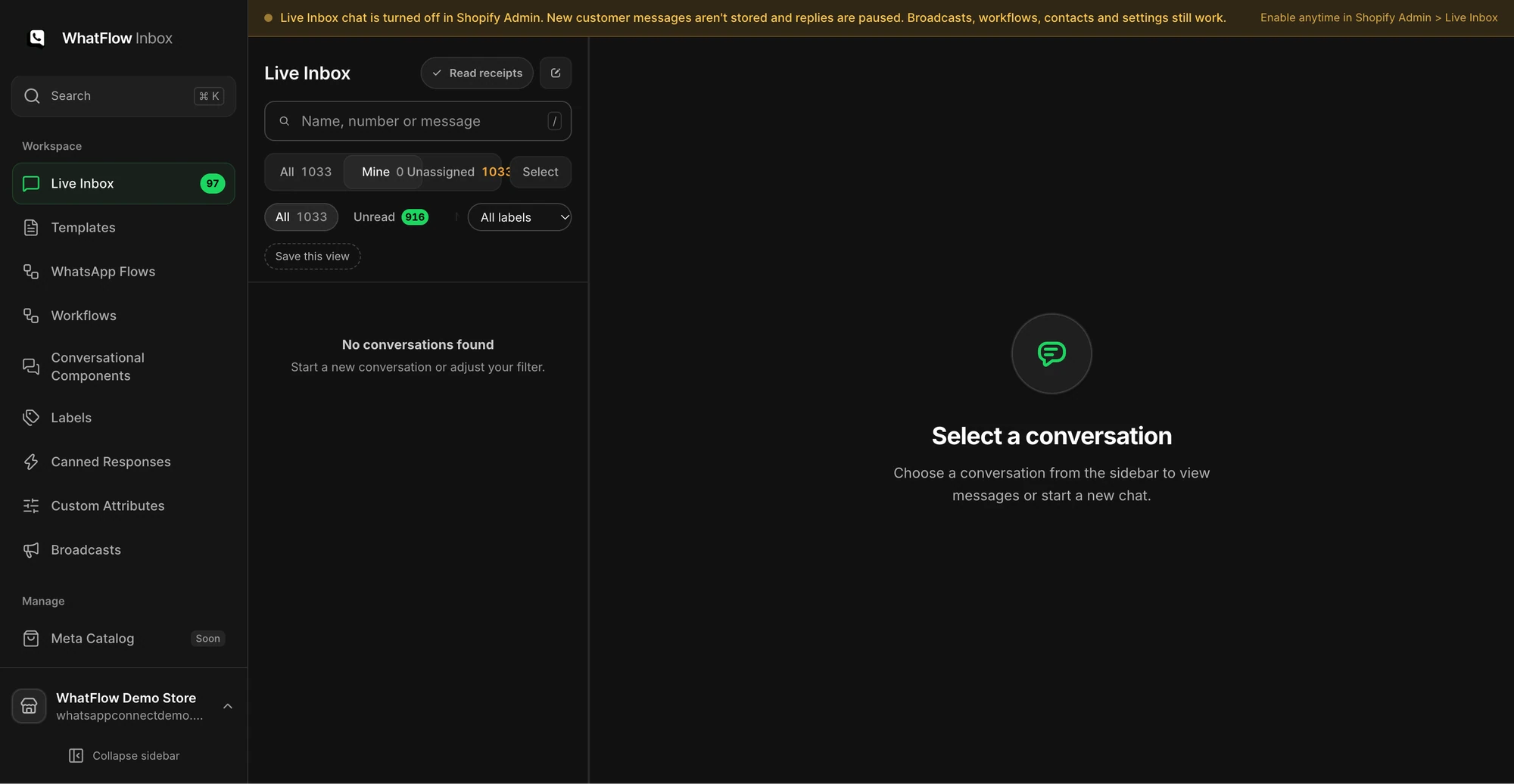
The Mine filter in the WhatFlow demo store's Team Inbox. Demo data; no customer chats.
The Team Inbox setup guide covers assignment, notes, labels and canned responses in more detail.
For more complex routing, the Shopify Flow integration has an incoming-message trigger. You can check what the customer wrote and branch: reply automatically for simple cases, send a text message telling them a person is on the way for others. Our guide to routing incoming WhatsApp messages with Shopify Flow walks through it.
Give the agent enough context
The worst handoff is the one where the customer has to start over. Before your agent writes anything, they should be able to see:
the Shopify order and whether it belongs to this customer
what the automation already sent
the customer's own words, not a summary of them
Don't ask the customer to resend the tracking number if the agent can see it on the order. Do confirm identity before discussing order details if the number in the chat doesn't match the order.
Because WhatFlow's inbox has no seat fees, you can bring in whoever is best placed to help, your ops lead for a packed-order change or your founder for a high-value complaint, without paying for another seat. That matters more as the team grows. A 20-person support team pays the same in seats as a team of two.
What if a person replies after 24 hours?
Then you're outside the customer service window, and free-form messages won't send. The agent has to reopen the conversation with an approved template. Prepare one now, for example a utility template like:
Hi {{1}}, this is {{2}} from {{3}}. I'm following up on your message about order {{4}}. Reply here and I'll pick it up straight away.
WhatFlow doesn't have a built-in AI bot. Instead it connects to the AI you already use. With the WhatFlow MCP connector, Claude, ChatGPT or Cursor can read inbox chats and draft replies, and in draft mode a person approves each one before it's sent. That's a handoff by design: the AI does the first draft, a human makes the call.
Rehearse the bad cases
Before you switch automation on, send these from a test phone and check where each one lands and who owns it:
The exact keyword, then a misspelling of it
A message outside working hours
"It says delivered but I didn't get it"
An order number that doesn't match any order
The same question twice in a row
An angry message with no keyword at all
If any of them goes nowhere, fix the routing before customers find it. For the angry ones, our guide to handling an angry customer on WhatsApp has reply examples.
Run WhatsApp for your Shopify store with WhatFlow
Free plan available. Templates, COD confirmation, Shopify Flow automations and a shared team inbox with no seat fees. Every feature is included on every plan, including Free.
Look at your handoff labels once a month. If one reason keeps coming up, either the automation needs a better answer or the product page does. Fix that, and your team spends its time on the chats that actually need a person.
Frequently asked questions
Does WhatsApp require a human handoff for automated replies?
WhatsApp's Business Messaging Policy says that if you use automation to respond in the 24-hour window, you must also have prompt, clear and direct escalation paths. In-chat transfer to a human agent is one of the options it lists, alongside phone, email, web support and others.
What should a WhatsApp handoff message say?
Tell the customer a person is taking over, roughly when they'll reply, and the one detail the agent needs (usually the order number). Don't make them repeat what they've already told the automation.
What if the agent replies after the 24-hour window closes?
Then free-form messages are no longer allowed and the agent has to reopen the conversation with an approved template. Prepare one for this case before you launch the automation.
Can AI handle WhatsApp support handoffs in WhatFlow?
WhatFlow has no built-in AI bot, but it connects to Claude, ChatGPT or Cursor over MCP. In draft mode the AI drafts a reply and a person approves it before anything is sent.
WhatsApp Order Confirmations After a Shopify Post-Purchase Upsell
A post-purchase upsell changes the order after payment. Test accepted, declined and skipped offers so your WhatsApp confirmation shows the right items.