The WhatsApp 24-hour window starts when a customer messages you and resets every time they message again. Your replies never reset it. So a chat that arrives at 4pm Monday can be answered free-form by Tuesday's morning shift, but if nobody replies before 4pm Tuesday, your team needs an approved template. The fix is operational: make each chat's deadline visible at every handover.
If you want the basics of the window itself, read the WhatsApp 24-hour window explained first. This guide is about running it with real people on real shifts.
How does the 24-hour window behave across shifts?
Meta's pricing documentation is clear on the mechanics: when a customer messages or calls you, a 24-hour customer service window opens, and it "opens and resets with each user message." Inside it, your team can send anything. Outside it, the WhatsApp Business Messaging Policy allows only approved templates.
Here's a worked timeline for a store with two shifts (9am to 5pm and 5pm to 11pm, local time):
Notice what saved this one: the customer chasing. Had they stayed quiet after Monday 4pm, the tracking reply on Tuesday at 10:15am would still have fit, but a courier answer arriving at 5pm Tuesday would have needed a template.
Make the deadline visible at handover
Most missed windows aren't slow agents. They're chats nobody owned between 4:55pm and 5:10pm. At every shift change:
Sort open chats by the customer's last message, oldest first. Anything older than about 18 hours goes to the top.
Assign every open chat to a named person on the incoming shift. "The team" isn't an owner.
Leave a private note with what's pending, the order number and what you promised.
Send a holding reply before you leave if you can't finish. It doesn't extend the window, but it often prompts the customer to answer, and their answer does.
A handover note your next agent can act on:
Order #2087, Karachi. Customer asked about delivery Mon 4pm, chased 9:30pm. Courier (TCS) promised update by Tue noon. Window closes Tue 9:30pm. If courier is late, send "order_delay_update" template, not chat.
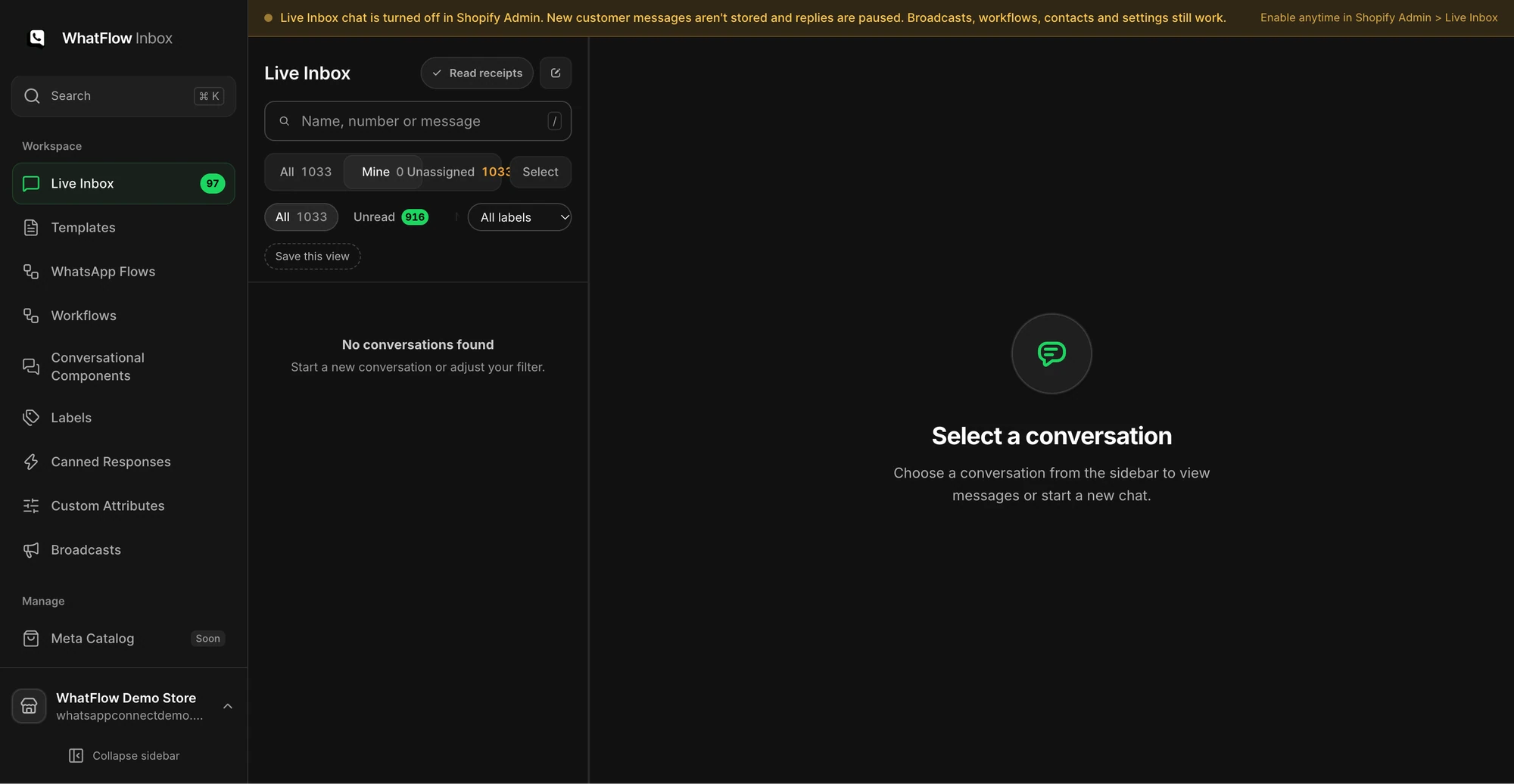
Demo inbox with the Mine filter. At handover, each agent should be able to see exactly which chats are theirs.
In WhatFlow's team inbox, you can filter by assignment, leave private notes and see the customer's Shopify order context in the conversation. No seat fees, so adding a part-time evening agent for sale season doesn't add seat cost. The team inbox support workflow shows a handover in practice.
Holding replies that get the customer to answer
The best holding reply ends with a question. A reply from the customer reopens the full 24 hours.
Hi Ali, I've asked the courier for an update on order #2087. My colleague Hina takes over at 5pm and will message you as soon as we hear back. Is the delivery address still Gulshan Block 6?
Sorry for the wait, Maria. The warehouse is checking your size exchange now. Can you send a photo of the label on the jeans so we pick the right replacement?
Don't fish for replies with nothing to say. A genuine question about their order is fine; "Any other questions? 😊" every few hours is just noise.
Prepare templates for the work your shifts do most
Some follow-ups will land after the window closes. The courier answers on Wednesday, or a refund clears three days later. For those, keep a few utility templates approved and ready. Meta says template review can take up to 24 hours, so don't wait until you need one.
Hi {{1}}, an update on your order {{2}}: {{3}}. Reply here if you have any questions and our team will pick it up.
Hi {{1}}, sorry we missed your message about order {{2}}. Reply to this message and we'll help straight away.
Keep them free of discounts and promotions, or they become marketing templates. Agents should only send them to customers you're allowed to message, which for a customer chasing their own order is normally the case. In WhatFlow's inbox, when the window has expired, your agent picks an approved template from the template picker and sends it from the same conversation.
Weekend and time-zone cover
Weekends are where windows die. A Saturday 11am question expires Sunday 11am. Pick one of these and write it down:
Short weekend shift. One person, two hours a day, whose only job is chats approaching 24 hours.
Away message plus Monday template. An auto-reply that says when you're back, and an approved follow-up template ready for Monday morning. See away message examples.
Follow-the-sun. If you sell in the Gulf from Pakistan, or in Europe from India, align shifts to customer hours, not office hours.
Here's a quick rota check to run once:
Is there any 24-hour stretch in the week with nobody on shift?
Who covers public holidays (Eid, Diwali, Christmas)?
Does the evening shift know where the templates are?
Does the away message match the real hours?
If your inbox has automations, the policy also expects a clear way to reach a human. Our guide to human handoff in WhatsApp automation covers that.
What does a missed window cost?
As of November 2026, service replies (free-form messages in the window) are free for the first 1,000 per business phone number each month, then charged at the market's utility rate. Templates are charged per delivered message at their category rate, and since October 1, 2026 that includes utility templates sent inside an open window. For example, Meta's utility rate is $0.0014 in India and $0.015 in Pakistan.
The money is small per message. The bigger cost of a missed window is the customer who waited a day for a "sorry we missed you." Check WhatFlow's pricing page for the full country table.
Run WhatsApp for your Shopify store with WhatFlow
Free plan available. Templates, COD confirmation, Shopify Flow automations and a shared team inbox with no seat fees. Every feature is included on every plan, including Free.
Private note on every pending case, with the window's closing time.
Holding replies that ask a real question.
Approved follow-up templates for after-window updates.
Weekend and holiday cover written down.
Frequently asked questions
Does my team's reply reset the WhatsApp 24-hour window?
No. Meta's pricing documentation says the customer service window opens and resets with each user message or call. Your replies don't extend it, however many you send.
What can my night shift send after the 24-hour window closes?
Only an approved WhatsApp template. Once the customer replies to that template, a new 24-hour window opens and your team can go back to normal chat.
Are WhatsApp support replies free inside the 24-hour window?
Not always, as of November 2026. Since October 1, 2026, Meta gives each business phone number 1,000 free service messages a month, then charges for the rest. Templates sent inside the window, including utility templates, are charged at their category rate.
How do I stop chats expiring over the weekend?
Either staff a short weekend shift whose only job is chats nearing 24 hours, or set an away message that tells customers when you're back and keep an approved follow-up template ready for Monday.
Customer service window opens and resets with each user message; 1,000 free service messages per number per month from October 1, 2026; utility templates in the window charged.
WhatsApp Order Confirmations After a Shopify Post-Purchase Upsell
A post-purchase upsell changes the order after payment. Test accepted, declined and skipped offers so your WhatsApp confirmation shows the right items.