
Publisher disclosure: this comparison is written by WhatFlow. Competitor capabilities are based on the linked public documentation; the WhatFlow screenshots come from our demo store. Examples are illustrative, and results depend on your store and configuration.
WhatFlow and SeedGrow WhatsApp Chat Widget at a glance
| Consideration | WhatFlow | SeedGrow WhatsApp Chat Widget |
|---|---|---|
| Best fit | WhatsApp order automation and a shared inbox inside Shopify. | SeedGrow gives shoppers a floating widget or product-page click-to-chat button, and can display multiple WhatsApp numbers. Its Pro tier adds agent working hours, offline hiding, styling and click reporting. |
| Published pricing | Free app plan with 100 sends included. Starter $4.99/month with 2,000 sends. Overage and applicable Meta charges are separate. | The free tier lists page visibility controls, multiple numbers and prefilled messages. Pro is $6.90/month and lists Google Analytics event reporting, working hours and expanded styling. |
| Decision | I’d use WhatFlow when several people cover the same store number. A theme-matched button gets the shopper into WhatsApp, while inbox assignment lets the team decide who answers instead of asking the shopper to pick a department. | SeedGrow fits when departments intentionally use different numbers and the goal is to expose those numbers cleanly. WhatFlow fits when you want the Shopify workflows and a shared queue behind a single entry point. |
I’d use WhatFlow when several people cover the same store number. A theme-matched button gets the shopper into WhatsApp, while inbox assignment lets the team decide who answers instead of asking the shopper to pick a department.
What does SeedGrow WhatsApp Chat Widget do well?
SeedGrow gives shoppers a floating widget or product-page click-to-chat button, and can display multiple WhatsApp numbers. Its Pro tier adds agent working hours, offline hiding, styling and click reporting. See the Shopify listing.
What does the setup cost?
The free tier lists page visibility controls, multiple numbers and prefilled messages. Pro is $6.90/month and lists Google Analytics event reporting, working hours and expanded styling.
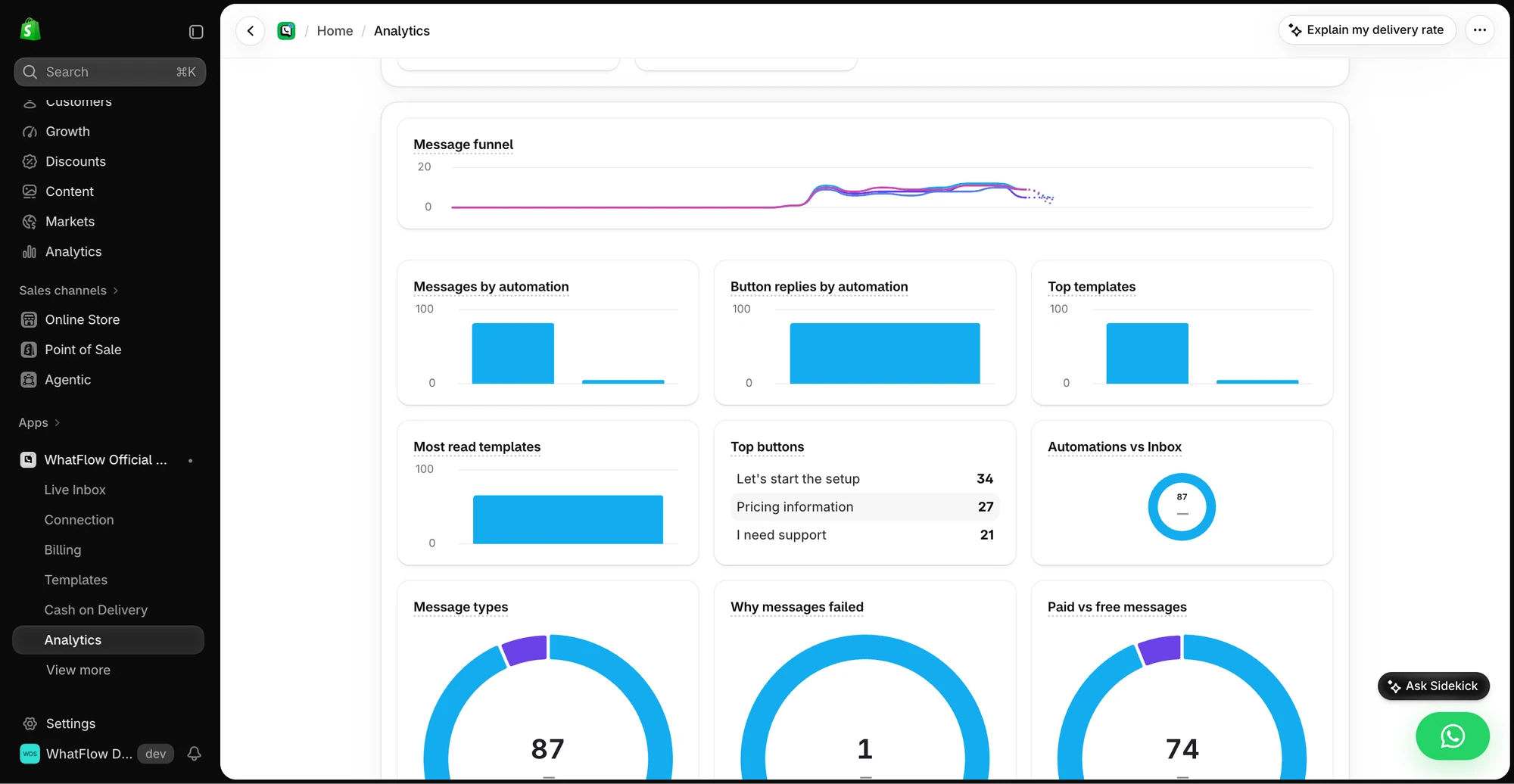
Two department numbers can already fit SeedGrow’s free widget tier. Paying for Pro makes sense if the schedule and click reporting matter. With WhatFlow, the paid plan increases sending allowance; staff assignments and the theme button don’t require an upgrade. Check current WhatFlow pricing for allowances and overage rates.
How would I test it in a Shopify store?
Imagine a customer picks “Sales” because they bought a jacket yesterday, but really needs help with its shipment. When teams use separate numbers, ownership can get awkward. In a single inbox, staff can assign the thread to the person who can check the order.
Try the product page on mobile and test a message outside staff hours. Decide whether the customer should select a number or the team should assign the conversation.
When testing WhatFlow and SeedGrow WhatsApp Chat Widget, ask: Who owns the conversation when it moves from sales to support? In WhatFlow, the storefront button can lead into a shared inbox with Shopify order context and catalog sharing. Try the product recommendation workflow after testing the click itself.
Which one would I choose?
SeedGrow fits when departments intentionally use different numbers and the goal is to expose those numbers cleanly. WhatFlow fits when you want the Shopify workflows and a shared queue behind a single entry point.
For WhatFlow in this comparison, I mean the official Cloud API app. I’d pilot it on Free with the shared inbox and the Shopify Flow actions you expect to use. Once the customer journey works, size the messaging plan from the sends you actually expect.
Questions worth asking
How much does SeedGrow WhatsApp Chat Widget cost on Shopify?
The free tier lists page visibility controls, multiple numbers and prefilled messages. Pro is $6.90/month and lists Google Analytics event reporting, working hours and expanded styling.
When should I choose SeedGrow WhatsApp Chat Widget over WhatFlow?
SeedGrow fits when departments intentionally use different numbers and the goal is to expose those numbers cleanly. WhatFlow fits when you want the Shopify workflows and a shared queue behind a single entry point.
What should I test before switching from SeedGrow WhatsApp Chat Widget?
Try the product page on mobile and test a message outside staff hours. Decide whether the customer should select a number or the team should assign the conversation.
Sources and methodology
We checked these primary sources on November 8, 2026. Vendor pages describe advertised capabilities, rather than independent performance tests. Confirm current pricing, plan limits and availability with each provider.
- SeedGrow WhatsApp Chat Widget on the Shopify App Store
Listing, feature descriptions and USD pricing checked November 8, 2026.
- WhatFlow WhatsApp Business API on Shopify
Official API, listed capabilities and Shopify app pricing.
- WhatFlow plans and messaging charges
App allowance and overage pricing; Meta charges are separate.