
Publisher disclosure: this comparison is written by WhatFlow. Competitor capabilities are based on the linked public documentation; the WhatFlow screenshots come from our demo store. Examples are illustrative, and results depend on your store and configuration.
WhatFlow and EAZE Button at a glance
| Consideration | WhatFlow | EAZE Button |
|---|---|---|
| Best fit | WhatsApp order automation and a shared inbox inside Shopify. | EAZE is a direct-message button with prefilled text, device visibility and appearance controls. Its paid tier lists business hours, localized button text, custom styling and Google Analytics and Meta Pixel integrations. |
| Published pricing | Free app plan with 100 sends included. Starter $4.99/month with 2,000 sends. Overage and applicable Meta charges are separate. | Its Shopify listing shows a free tier and a $0.89/month Pro plan. That’s a low price for a specialized storefront button; compare it to a button, not to a full messaging bill. |
| Decision | For WhatsApp-first stores I’d start with the WhatFlow theme button. It’s free forever, and if you later need a shared inbox, shipping updates or checkout recovery, those are in the same Shopify app. | I’d choose EAZE if its button styling, localization or tracking controls are your priority. I’d choose WhatFlow when the goal is a conversation tied to order work rather than a link to a separate messaging app. |
For WhatsApp-first stores I’d start with the WhatFlow theme button. It’s free forever, and if you later need a shared inbox, shipping updates or checkout recovery, those are in the same Shopify app.
What does EAZE Button do well?
EAZE is a direct-message button with prefilled text, device visibility and appearance controls. Its paid tier lists business hours, localized button text, custom styling and Google Analytics and Meta Pixel integrations. See the Shopify listing.
What does the setup cost?
Its Shopify listing shows a free tier and a $0.89/month Pro plan. That’s a low price for a specialized storefront button; compare it to a button, not to a full messaging bill.
EAZE Pro costs less than WhatFlow Starter, and that’s fine: one buys expanded button controls, the other buys a higher send allowance. For a shop that just wants a theme button, test both free options before paying for anything. Check current WhatFlow pricing for allowances and overage rates.
How would I test it in a Shopify store?
Suppose you sell kitchenware in two languages. Try a localized button label, then see what happens when the buyer asks for an order update. If all you need is the first click, EAZE can do the job. If support owns the next three messages, test the inbox too.
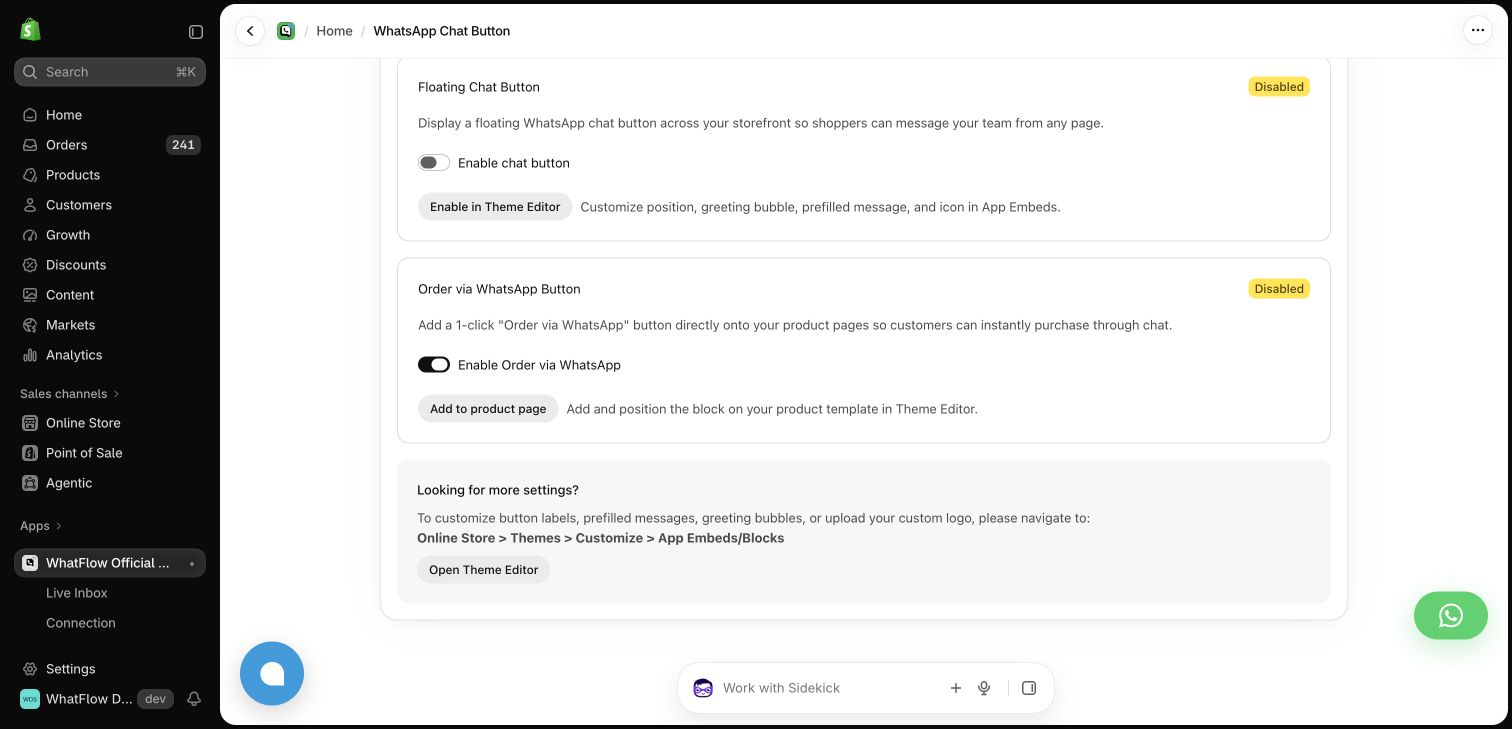
Verify page visibility, prefilled text and mobile layout. Then test who receives replies and whether a subsequent order update is handled in the same process.
When testing WhatFlow and EAZE Button, ask: Who owns the conversation when it moves from sales to support? In WhatFlow, the storefront button can lead into a shared inbox with Shopify order context and catalog sharing. Try the product recommendation workflow after testing the click itself.
Which one would I choose?
I’d choose EAZE if its button styling, localization or tracking controls are your priority. I’d choose WhatFlow when the goal is a conversation tied to order work rather than a link to a separate messaging app.
For WhatFlow in this comparison, I mean the official Cloud API app. I’d pilot it on Free with the shared inbox and the Shopify Flow actions you expect to use. Once the customer journey works, size the messaging plan from the sends you actually expect.
Questions worth asking
How much does EAZE Button cost on Shopify?
Its Shopify listing shows a free tier and a $0.89/month Pro plan. That’s a low price for a specialized storefront button; compare it to a button, not to a full messaging bill.
When should I choose EAZE Button over WhatFlow?
I’d choose EAZE if its button styling, localization or tracking controls are your priority. I’d choose WhatFlow when the goal is a conversation tied to order work rather than a link to a separate messaging app.
What should I test before switching from EAZE Button?
Verify page visibility, prefilled text and mobile layout. Then test who receives replies and whether a subsequent order update is handled in the same process.
Sources and methodology
We checked these primary sources on November 8, 2026. Vendor pages describe advertised capabilities, rather than independent performance tests. Confirm current pricing, plan limits and availability with each provider.
- EAZE Button on the Shopify App Store
Listing, feature descriptions and USD pricing checked November 8, 2026.
- WhatFlow WhatsApp Business API on Shopify
Official API, listed capabilities and Shopify app pricing.
- WhatFlow plans and messaging charges
App allowance and overage pricing; Meta charges are separate.