
Publisher disclosure: this comparison is written by WhatFlow. Competitor capabilities are based on the linked public documentation; the WhatFlow screenshots come from our demo store. Examples are illustrative, and results depend on your store and configuration.
WhatFlow and CA WhatsApp Chat Order Button at a glance
| Consideration | WhatFlow | CA WhatsApp Chat Order Button |
|---|---|---|
| Best fit | WhatsApp order automation and a shared inbox inside Shopify. | CA focuses on letting shoppers start a WhatsApp order from a product or cart page. Its listing mentions per-product numbers, click analytics, server-side Meta Pixel events and automated checkout recovery on a paid tier. |
| Published pricing | Free app plan with 100 sends included. Starter $4.99/month with 2,000 sends. Overage and applicable Meta charges are separate. | The free plan lists a floating widget and manual order and checkout follow-up allowances. Advanced is $4.99/month and adds product/cart order buttons and advanced tracking. Pro at $9.99/month lists 1,000 monthly automation messages. |
| Decision | If you want the buyer to complete Shopify checkout, I’d choose WhatFlow. The theme button gives them a place to ask questions, and the official API, Flow actions and team inbox handle what happens once an eligible checkout or order exists. | CA is a credible pick when product-specific WhatsApp ordering or measuring button clicks with Meta is the project. Don’t compare CA’s Advanced subscription to the WhatFlow messaging allowance as though they buy the same workflow. |
If you want the buyer to complete Shopify checkout, I’d choose WhatFlow. The theme button gives them a place to ask questions, and the official API, Flow actions and team inbox handle what happens once an eligible checkout or order exists.
What does CA WhatsApp Chat Order Button do well?
CA focuses on letting shoppers start a WhatsApp order from a product or cart page. Its listing mentions per-product numbers, click analytics, server-side Meta Pixel events and automated checkout recovery on a paid tier. See the Shopify listing.
What does the setup cost?
The free plan lists a floating widget and manual order and checkout follow-up allowances. Advanced is $4.99/month and adds product/cart order buttons and advanced tracking. Pro at $9.99/month lists 1,000 monthly automation messages.
Price the click-to-order controls and the automated sends separately. CA’s Advanced tier adds the ordering controls; Pro lists automation. WhatFlow’s paid tier increases message allowance and doesn’t add a separate charge for the team inbox. Check current WhatFlow pricing for allowances and overage rates.
How would I test it in a Shopify store?
Say you sell a made-to-measure rug and need the customer to send dimensions before you take payment. An order-in-chat button may be the main feature. For ready-to-ship stock, use chat to resolve the question and leave payment and order creation in the normal checkout.
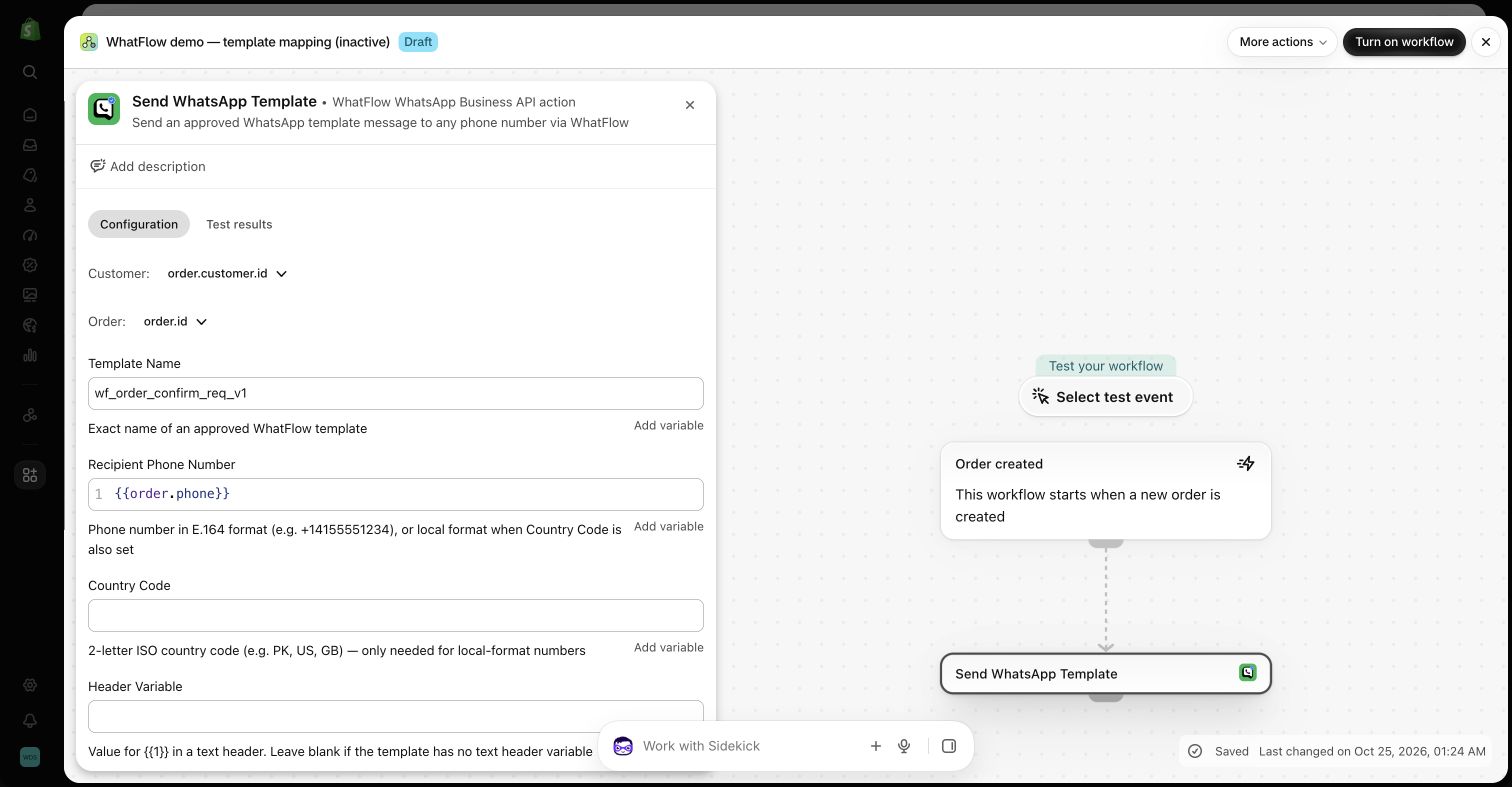
Decide where the order is created, who answers the conversation and which events count as a conversion before turning on automated follow-up.
When testing WhatFlow and CA WhatsApp Chat Order Button, ask: What happens after a buyer sends back a WhatsApp cart? In WhatFlow, share a catalog item in the inbox and test the Shopify checkout link from a sample WhatsApp cart. The catalog walkthrough shows the steps and where Shopify verifies payment.
Which one would I choose?
CA is a credible pick when product-specific WhatsApp ordering or measuring button clicks with Meta is the project. Don’t compare CA’s Advanced subscription to the WhatFlow messaging allowance as though they buy the same workflow.
For WhatFlow in this comparison, I mean the official Cloud API app. I’d pilot it on Free with the shared inbox and the Shopify Flow actions you expect to use. Once the customer journey works, size the messaging plan from the sends you actually expect.
Questions worth asking
How much does CA WhatsApp Chat Order Button cost on Shopify?
The free plan lists a floating widget and manual order and checkout follow-up allowances. Advanced is $4.99/month and adds product/cart order buttons and advanced tracking. Pro at $9.99/month lists 1,000 monthly automation messages.
When should I choose CA WhatsApp Chat Order Button over WhatFlow?
CA is a credible pick when product-specific WhatsApp ordering or measuring button clicks with Meta is the project. Don’t compare CA’s Advanced subscription to the WhatFlow messaging allowance as though they buy the same workflow.
What should I test before switching from CA WhatsApp Chat Order Button?
Decide where the order is created, who answers the conversation and which events count as a conversion before turning on automated follow-up.
Sources and methodology
We checked these primary sources on November 8, 2026. Vendor pages describe advertised capabilities, rather than independent performance tests. Confirm current pricing, plan limits and availability with each provider.
- CA WhatsApp Chat Order Button on the Shopify App Store
Listing, feature descriptions and USD pricing checked November 8, 2026.
- WhatFlow WhatsApp Business API on Shopify
Official API, listed capabilities and Shopify app pricing.
- WhatFlow plans and messaging charges
App allowance and overage pricing; Meta charges are separate.