WhatsApp Business Platform outage: a Shopify runbook
A step-by-step runbook for Shopify teams when WhatsApp messages stop: confirm the outage, protect the dispatch queue, use a fallback and resend safely.
When WhatsApp messages stop during a WhatsApp Business Platform outage, don't start by fixing WhatsApp. Start by naming one person to own the incident, checking Meta's status page, and protecting the orders that need a decision before the next courier pickup. Then reach those customers another way, and resend only after you've checked each order's current state.
Most "outages" I hear about turn out to be store-specific: an expired Meta payment method, a paused template, a number hitting its limit. Real platform incidents happen too. The runbook below works for both, because the first ten minutes look the same.
How do you know it's a WhatsApp outage and not your store?
Check Meta first. Its WhatsApp Business API status page at metastatus.com reports live status for Cloud API, Cloud API Localized Storage, WhatsApp Business account management, Embedded Signup and the Marketing Messages API for WhatsApp. A green check means no known issue, a yellow triangle means disruption or recovery, and a red stop sign means a major disruption. It keeps a seven-day history and has an RSS feed, so subscribe before you need it.
If you work with a developer, Meta's health status check returns AVAILABLE, LIMITED or BLOCKED for your number, template, account and app, with a description of what's blocking. It's the fastest way to rule your own account in or out.
The first 15 minutes
Name an owner. One person makes calls. Everyone else reports to them.
Write down the start time and the first symptom, exactly as someone saw it.
List the affected automations. Order confirmations, COD confirmations, shipping updates, abandoned checkout reminders, campaigns.
Pause anything optional. If a campaign is still sending, pause it where the control is available. Marketing can wait a day. Pausing doesn't recall messages already sent.
Check the status page and your own account, using the table above.
Tell the team in your internal chat what's affected and when you'll update them next.
Keep the dispatch queue moving
This is where the money is. Say you run a COD store in Pakistan and it's the 11.11 sale. WhatFlow normally sends a COD confirmation with reply buttons, and a Shopify Flow workflow tags each order as confirmed or cancelled. During an incident the replies stop coming in, and the warehouse wants to know what to pack before the 6pm pickup.
In Shopify, filter unfulfilled orders created since the incident started that don't have a confirmed tag.
Sort by what's due before the next pickup.
Decide your rule for unconfirmed orders. Hold them, ship them, or call. Write the rule down so the warehouse isn't guessing order by order.
Reach high-value or urgent orders through another channel your customers already agreed to, like a phone call or SMS.
Record every answer in one place, ideally as an order tag or note in Shopify, so nobody acts on it twice.
A short fallback SMS might read:
Hi Sara, this is [Your Store] about order #4821 (Rs 6,400, cash on delivery). Our WhatsApp is having issues. Reply YES to confirm or NO to cancel. Thank you!
Keep it to the one decision you need. Don't use the fallback to send marketing.
How should you resend once WhatsApp recovers?
Carefully. Some messages queued during the incident may arrive late, and Meta retries webhook notifications that failed to reach an app for up to 7 days, so late replies (and duplicate notifications) can still turn up after recovery.
Wait until the status page shows the incident resolved and a send to your own phone works.
Pick five affected orders and compare three things: the message record, the current Shopify order status and any manual follow-up.
Exclude anyone already confirmed, cancelled or reached by phone or SMS.
Resend to the remaining group in a small batch first, then the rest.
For campaigns, retry only failed recipients and keep delivered ones out of the retry list.
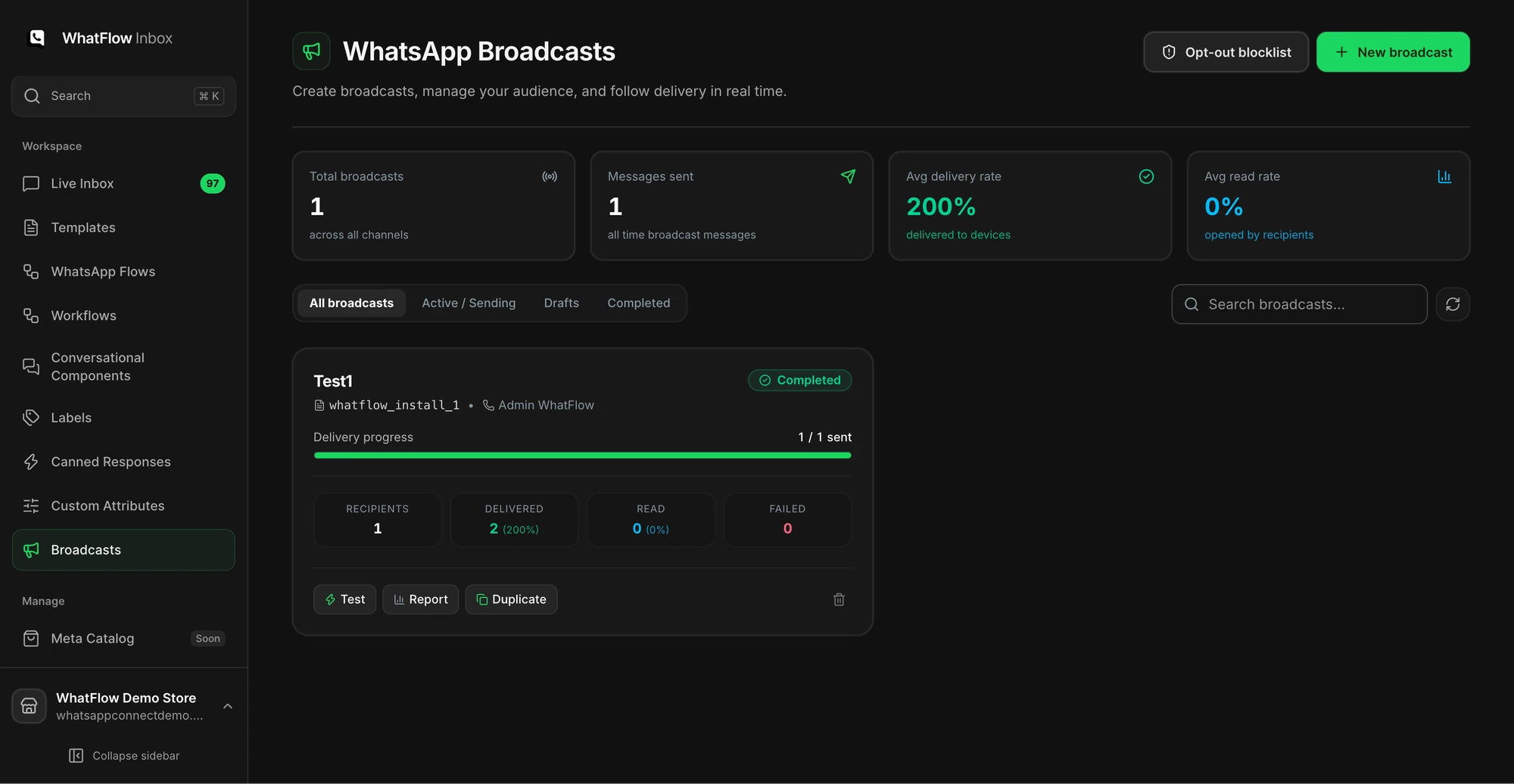
Demo store broadcast dashboard. Use your own delivery records to decide which recipients still need an update.
Don't reconnect your number because sends are failing. If Meta has an incident, reconnecting adds a second problem.
Don't switch to a personal WhatsApp account to message customers in bulk. It breaks your opt-in records and confuses customers about who's real.
Don't resend everything the moment the status page turns green. That's how customers get three copies of the same COD confirmation.
Don't cancel unconfirmed COD orders automatically just because replies stopped. The customer may have tried to reply.
Write a one-page post-incident note
After things settle, spend 15 minutes writing down:
the first symptom and who spotted it;
when you confirmed the cause, and how;
which orders you held, called or shipped unconfirmed;
the step that confirmed recovery;
one thing you'll change, such as subscribing to the status page RSS feed or adding a second admin to Meta Business Suite.
Keep it next to this runbook. Next time, whoever is on shift has a script instead of a guess.
Run WhatsApp for your Shopify store with WhatFlow
Free plan available. Templates, COD confirmation, Shopify Flow automations and a shared team inbox with no seat fees. Every feature is included on every plan, including Free.
The cheapest moment to prepare is a quiet Tuesday. Agree the fallback channel, the hold rule for COD orders and who owns incidents. If you're preparing for a big sale, add this to your Black Friday WhatsApp playbook, and make sure the shared team inbox has owners for the reply rush that follows recovery.
Frequently asked questions
How do I check if the WhatsApp Business API is down?
Check Meta's WhatsApp Business API status page at metastatus.com/whatsapp-business-api. It shows the status of Cloud API, account management, Embedded Signup and the Marketing Messages API, with a seven-day history and an RSS feed.
Will WhatsApp messages send automatically after an outage?
Don't assume so. Some may go out late, others may have failed, so check delivery status order by order before resending anything, or customers can get the same message twice.
Do I pay Meta for WhatsApp messages that failed during an outage?
Meta says businesses are only charged when a message is delivered. Failed sends aren't billed by Meta, though your app's own allowance rules may differ.
Will I lose customer replies during a WhatsApp outage?
Meta retries webhook notifications that fail to reach an app for up to 7 days, so delayed replies can arrive after recovery. Retries can also produce duplicates, so check before acting on a late reply twice.
WhatsApp Order Confirmations After a Shopify Post-Purchase Upsell
A post-purchase upsell changes the order after payment. Test accepted, declined and skipped offers so your WhatsApp confirmation shows the right items.