Product review schema is structured data on a product page that tells Google the product's average rating and review count. It can make the page eligible for review stars in search results, but it never guarantees them. For stars to have a chance, the markup must match reviews shoppers can actually see on the page, and it must be about a product, not about your store.
What product review schema actually is
Structured data is a block of code (usually JSON-LD) in your page that describes the page in a format search engines read easily. For a product page, Google looks for a Product with properties like name, offers (price and availability), aggregateRating (average and count) and individual review entries.
On a Shopify store, that code usually comes from two places:
Your theme. Most Shopify themes output Product markup with name, price, availability and image.
Your review app. Judge.me and similar apps add rating data, either merged into the theme's Product markup or as a separate block.
You rarely need to write any of this yourself. What you need to know is who outputs it, whether it's correct and what Google does with it. If structured data is new to you, start with our beginner's guide to schema markup on Shopify.
What Google requires for review stars
Here's the short version of Google's rules, as of November 2026:
Rule
What it means for you
Source
Product markup needs name plus one of review, aggregateRating or offers
Google says it doesn't guarantee features that use structured data will show up
All of the above
The self-serving rule catches a lot of stores
Google's review snippet guidelines say that if the entity being reviewed controls the reviews about itself, its pages using LocalBusiness or other Organization markup aren't eligible for the star review feature. In plain terms: you can't put your store's own testimonials on your homepage, wrap them in Organization markup and expect stars.
Reviews of individual products on product pages are a different case, and that's where review stars for Shopify stores come from. It's one more reason to keep product reviews and store reviews separate.
Why your stars might not be showing
The usual suspects, roughly in the order I'd check them:
Google simply chose not to show them. Eligible doesn't mean displayed. This is the most common answer and there's no fix to buy.
Two Product blocks on one page. Theme outputs one, review app outputs another, and they disagree on price or rating. Pick one owner.
The count in the code doesn't match the page. The widget says 47 reviews, the markup says 52 because it includes hidden reviews. Fix the source, not the symptom.
Variant confusion. Reviews for all colours pooled under one product is normal, but make sure the page and markup agree. See review context across variants.
Expired or odd offer data. Google notes that a product snippet may not show if priceValidUntil is in the past.
How to check your markup in 15 minutes
Pick three live product pages: one with lots of reviews, one with none, and one with several variants. For each:
Note which items it detects (Product snippet, Merchant listing) and any errors or warnings.
Compare the rating and review count it shows with what your review widget displays.
Check whether it finds one Product item or two.
Write it all in a sheet with today's date.
Then open Google Search Console and look at the Merchant listings and Product snippets reports in the Shopping section. Those show issues across all your products, not just the three you tested.
If something's wrong, find which component outputs it before adding more code. Don't paste a schema snippet from a blog post into your theme on top of what's already there. That's how you end up with two conflicting Product blocks. If you're not comfortable in theme code, this is a good hour to pay a developer for.
FAQ rich results are gone
Worth knowing if anyone pitches you FAQ schema for "more space in Google": Google stopped showing FAQ rich results on May 7, 2026, and removed the documentation in June 2026, according to its documentation updates log. They'd already been limited to well-known government and health sites since 2023. FAQs on product pages are still useful for shoppers (here's how to write product FAQs that help), just don't add them for a search feature that no longer exists.
Where review requests fit in
Stars come from reviews, and reviews come from asking. But keep the steps separate in your head:
Messaging (WhatsApp or email) asks the customer and sends a link.
The review app collects the review, decides whether it's verified (Judge.me, for example, has its own verification criteria) and displays it.
Your theme and review app output the markup.
Google decides what appears in search.
WhatFlow handles the first step. It sends review-request messages on WhatsApp that link to your review app's form, usually triggered from Shopify Flow after delivery. It doesn't write reviews, verify them or touch your structured data. If you want ideas for the message itself, here are 12 review request examples for WhatsApp and email.
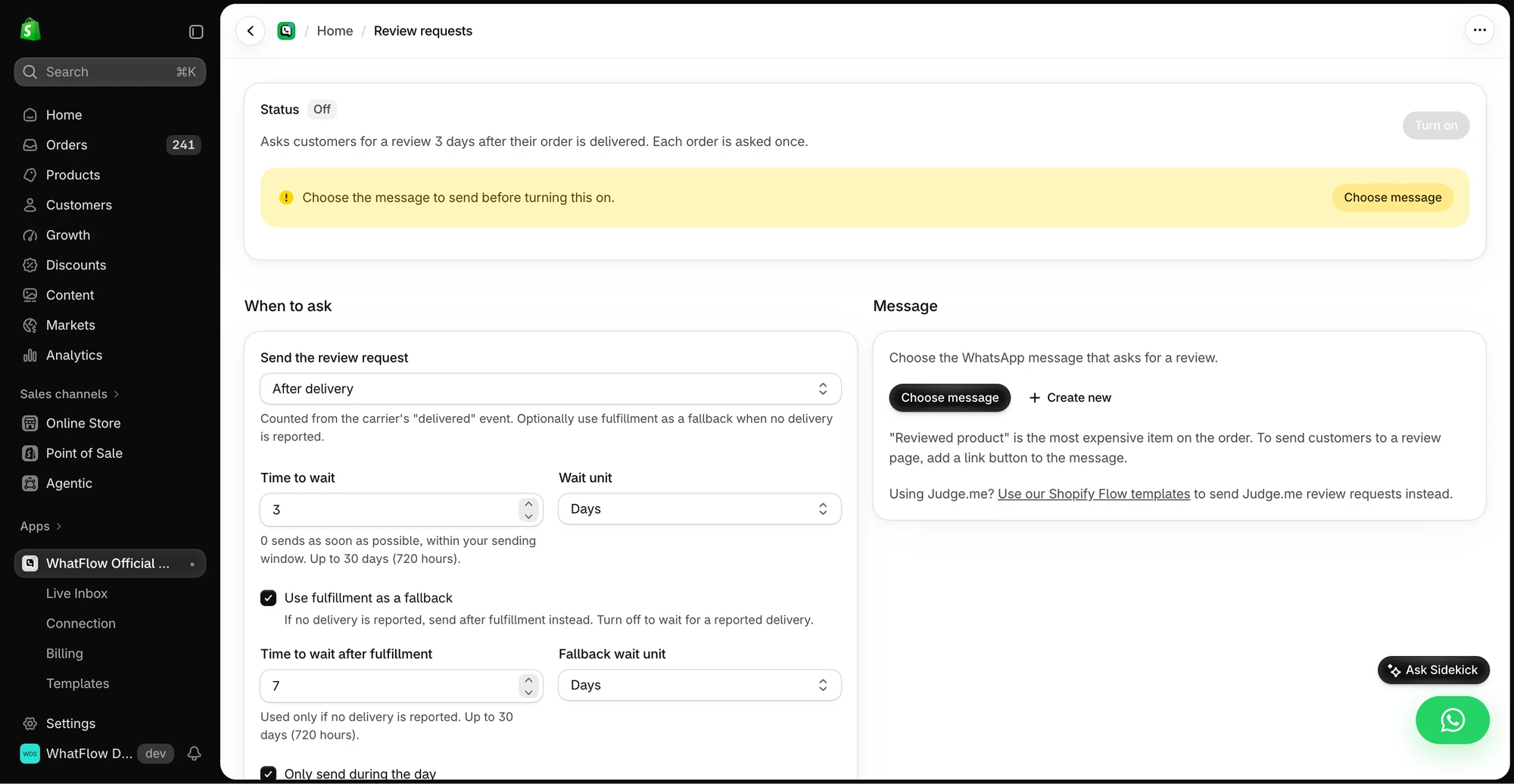
The review request setup shows delivery timing and the option to use fulfillment as a fallback.
Free plan available
Run WhatsApp for your Shopify store with WhatFlow
Templates, COD confirmation, Shopify Flow automations and a shared team inbox with no seat fees. Every feature is included on every plan, including Free.
If you fix a markup problem, write down what changed and when. Then watch Search Console for a few weeks. Click-through can change for lots of reasons (season, query mix, a competitor's new listing), so don't credit or blame stars for every movement. What you control is accurate, visible reviews and clean markup. The rest is Google's call. For the wider picture, our Shopify SEO checklist covers what else is worth fixing.
Frequently asked questions
Why don't my product review stars show in Google?
Valid markup only makes a page eligible. Google decides whether to show stars, and common blockers include markup that doesn't match the visible reviews, duplicate or broken Product markup, or ratings on a page type Google doesn't support for stars.
Can I get review stars for my store or homepage?
Generally no. Google's review snippet rules say that if a business controls the reviews about itself, its LocalBusiness or Organization pages aren't eligible for star review features. Product reviews on product pages are a different case.
Does Shopify add product review schema automatically?
Most Shopify themes output basic Product structured data, and most review apps add rating data to it or alongside it. Check what your theme and review app actually output with Google's Rich Results Test rather than assuming.
Do FAQ rich results still show in Google?
No. Google stopped showing FAQ rich results in Search on May 7, 2026, and removed the FAQ rich result documentation in June 2026.