
Choose shipping events customers need and time review requests around delivery or your fulfillment fallback.
Pick the shipping stages you can verify
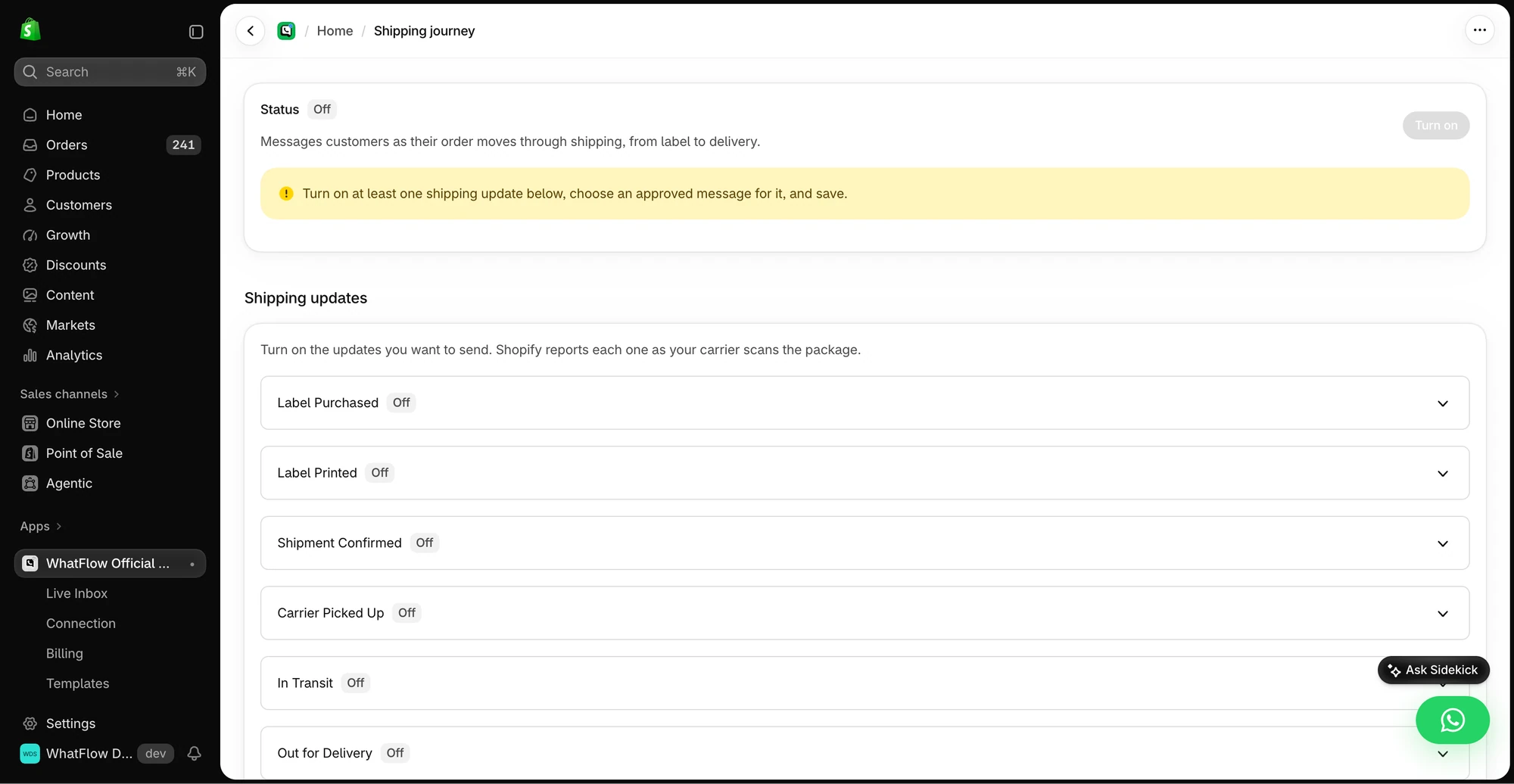
Open Shipping Journey. Start with one meaningful stage, such as carrier pickup or delivery. Select an approved message for that stage, then confirm the carrier and Shopify send the event your workflow expects. Test the tracking link from a phone. Check a split shipment if that happens in your store.
Time the review request
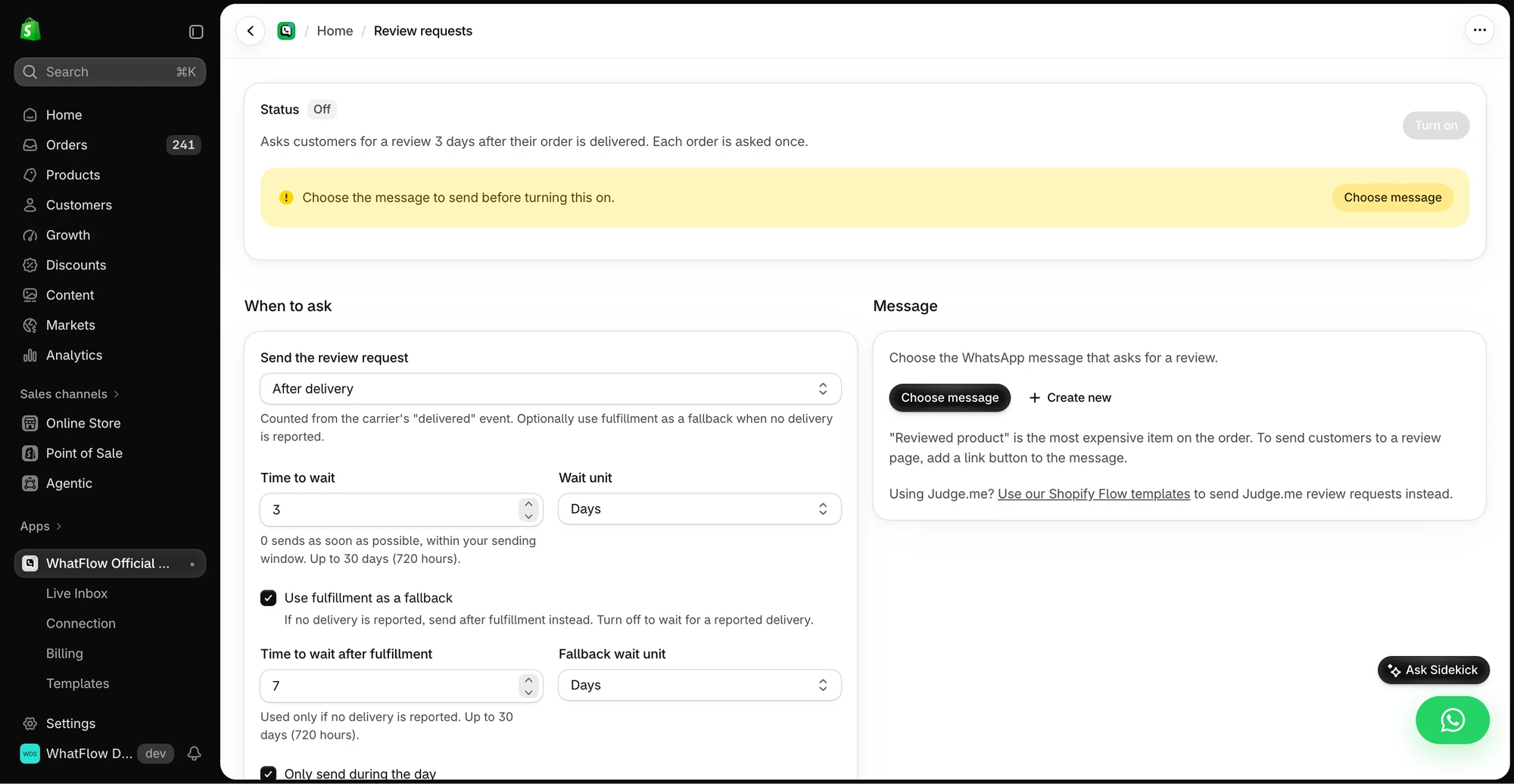
Open Review Requests. Choose when to ask, who receives the message and which approved template to send. If you use fulfillment as a fallback, choose a delay that accounts for the actual time in transit. A message asking for feedback before the parcel arrives creates avoidable support work.
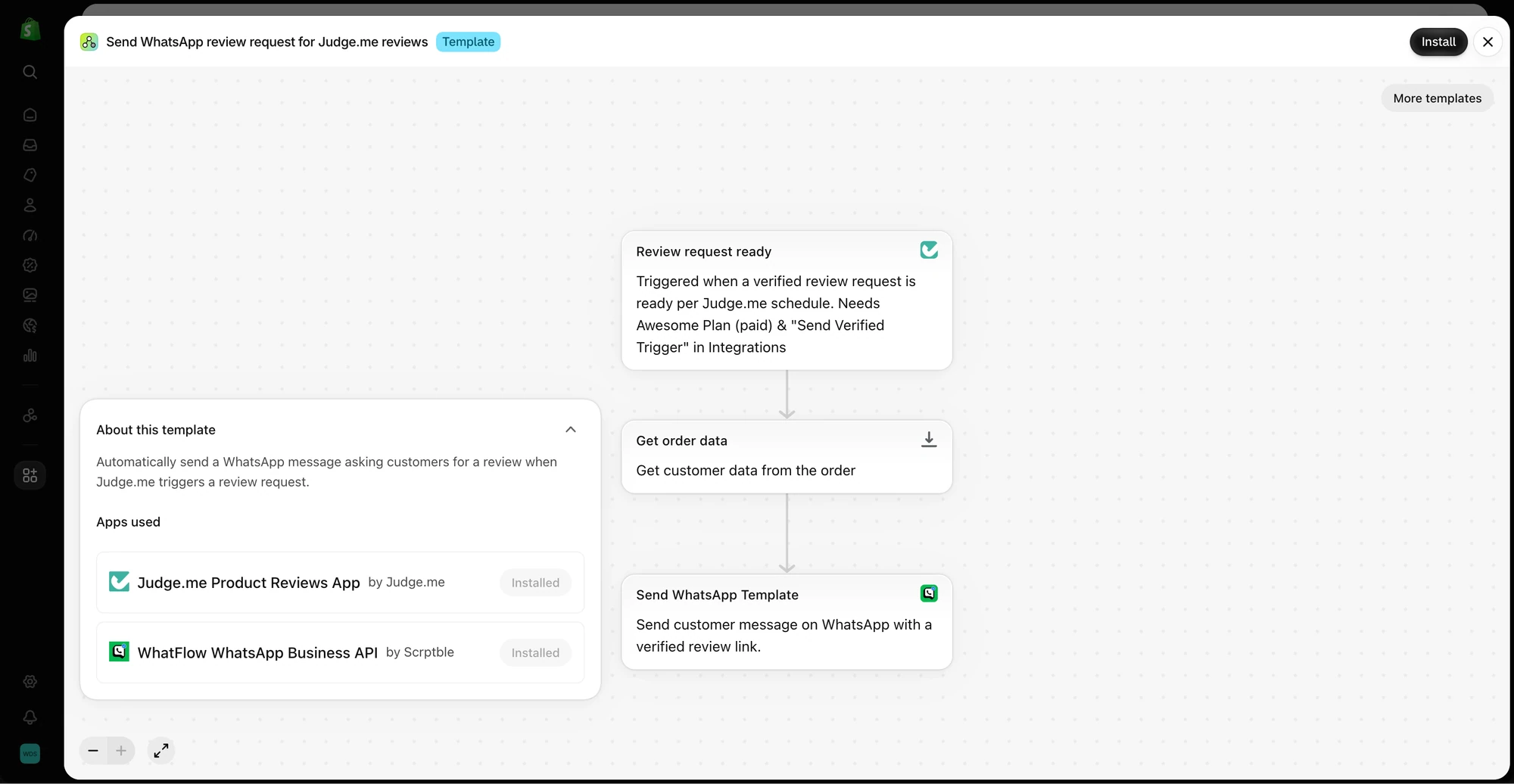
Use Judge.me through Shopify Flow
If you collect reviews with Judge.me, inspect the Flow template that begins with a Judge.me review request event. Check that the order and review link reach the WhatFlow send action. Test against an order you control and see that the link opens the intended review form. Choose one route for the same request so the customer gets a single invitation.